
A lightweight cross-platform music streaming client for Navidrome and Subsonic-compatible servers, built with Rust and Dioxus, < 15mb
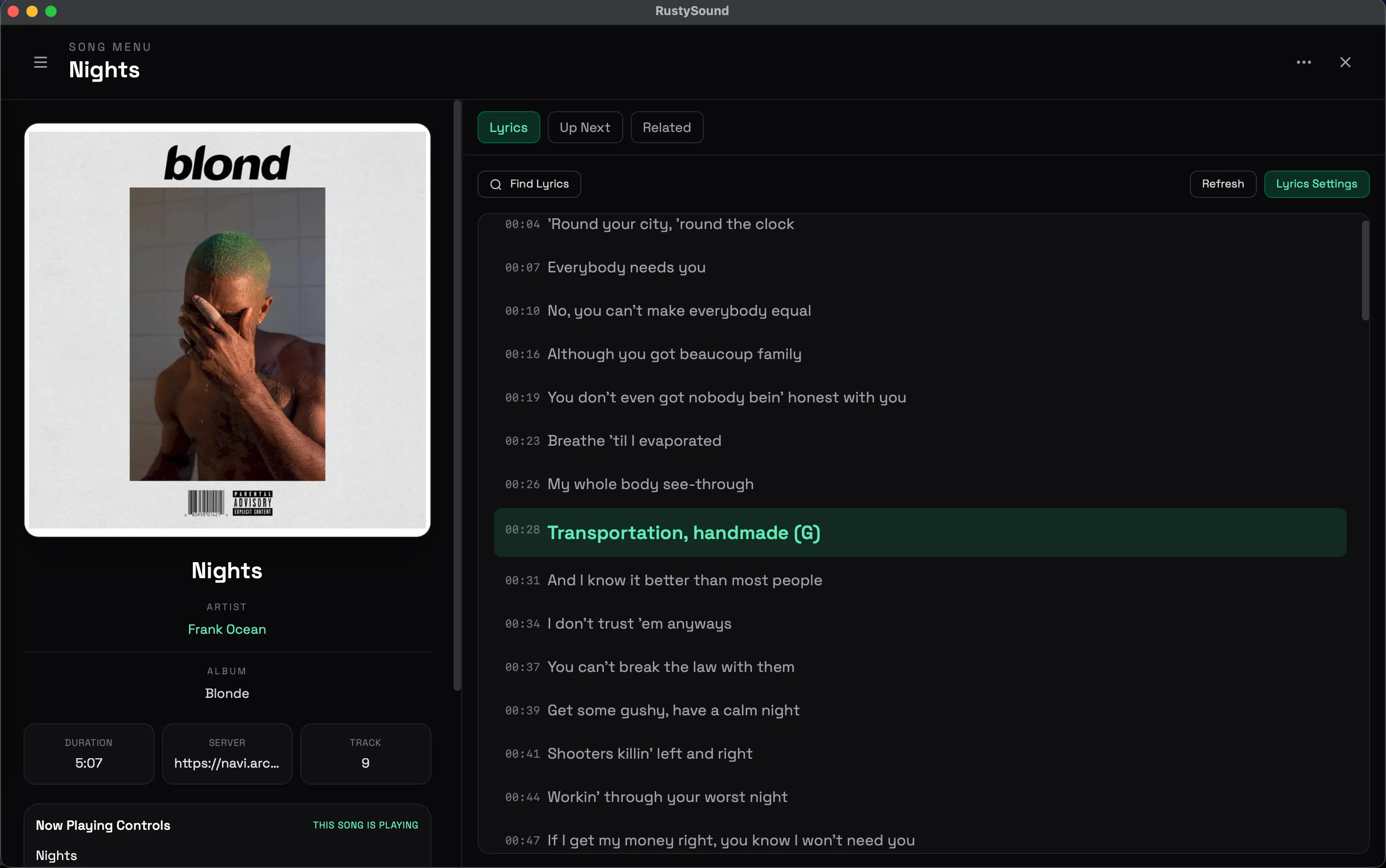
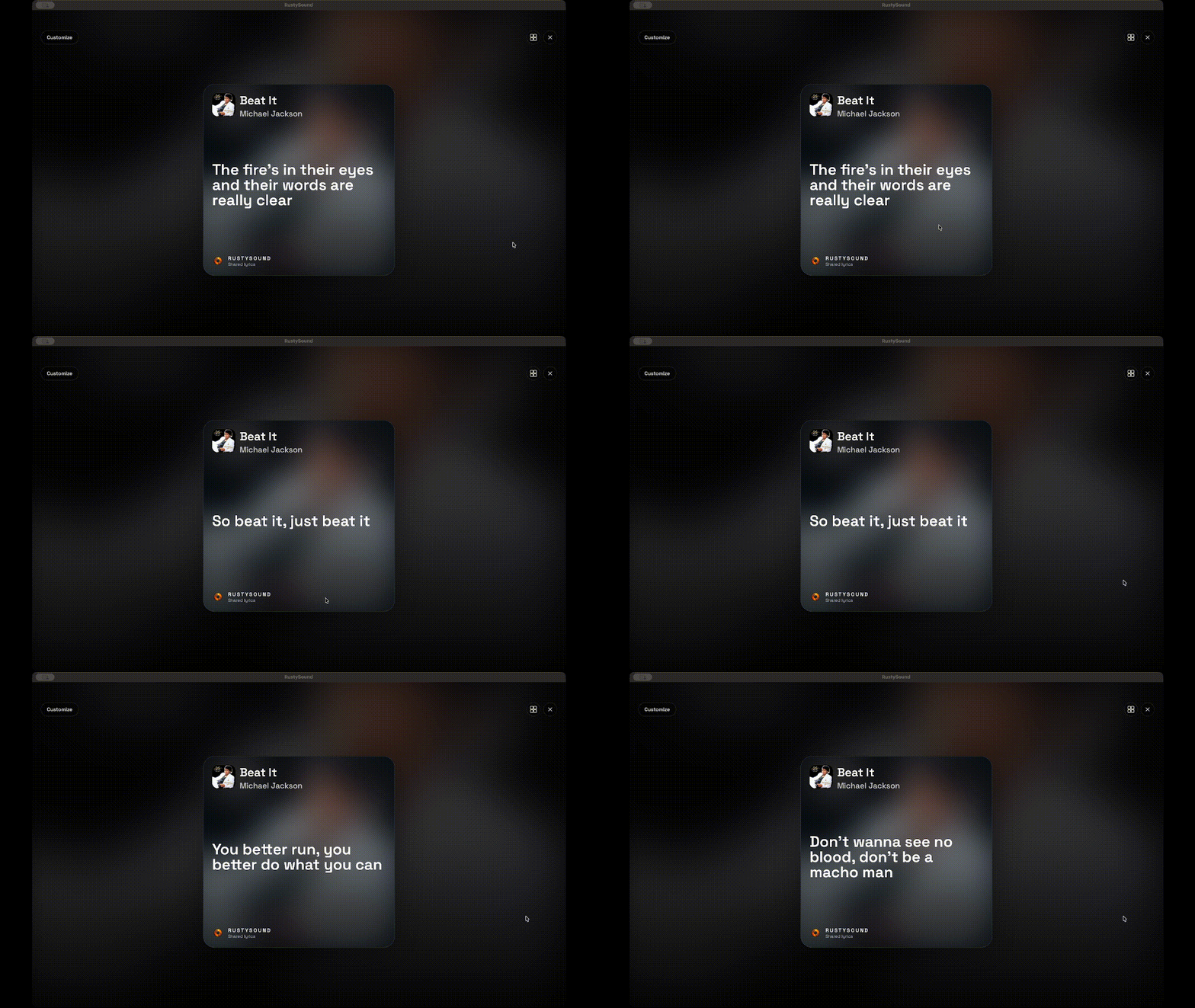
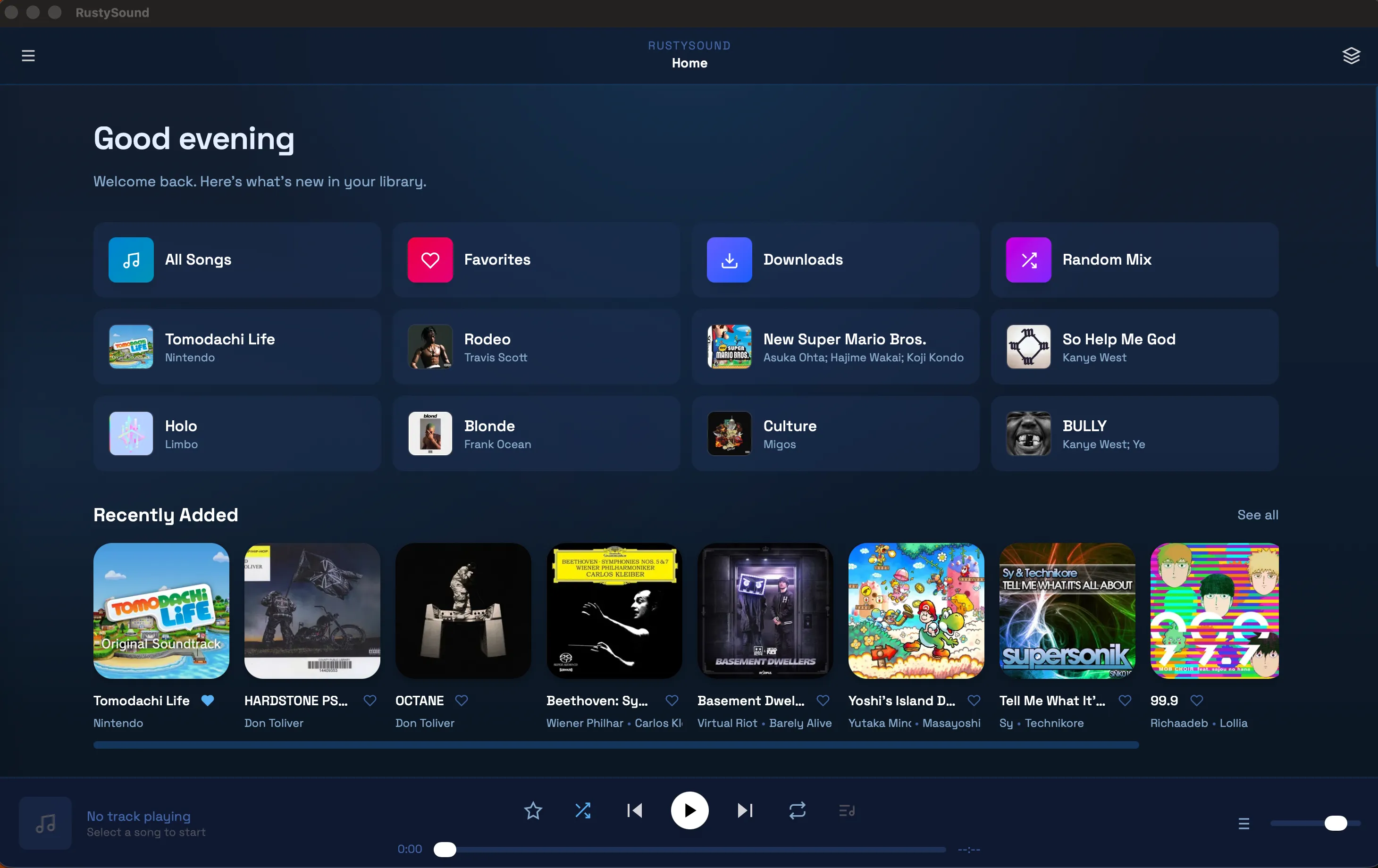
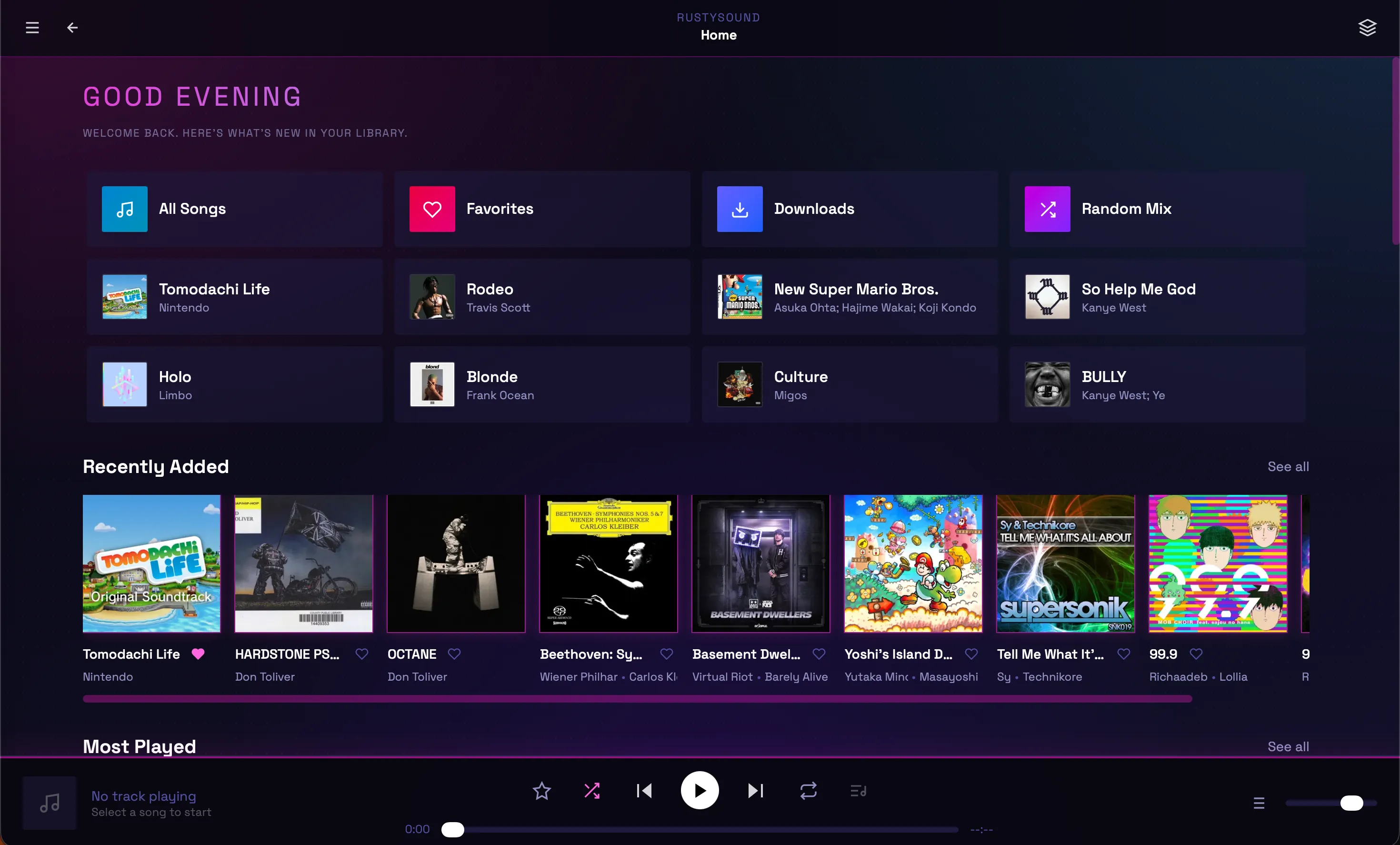
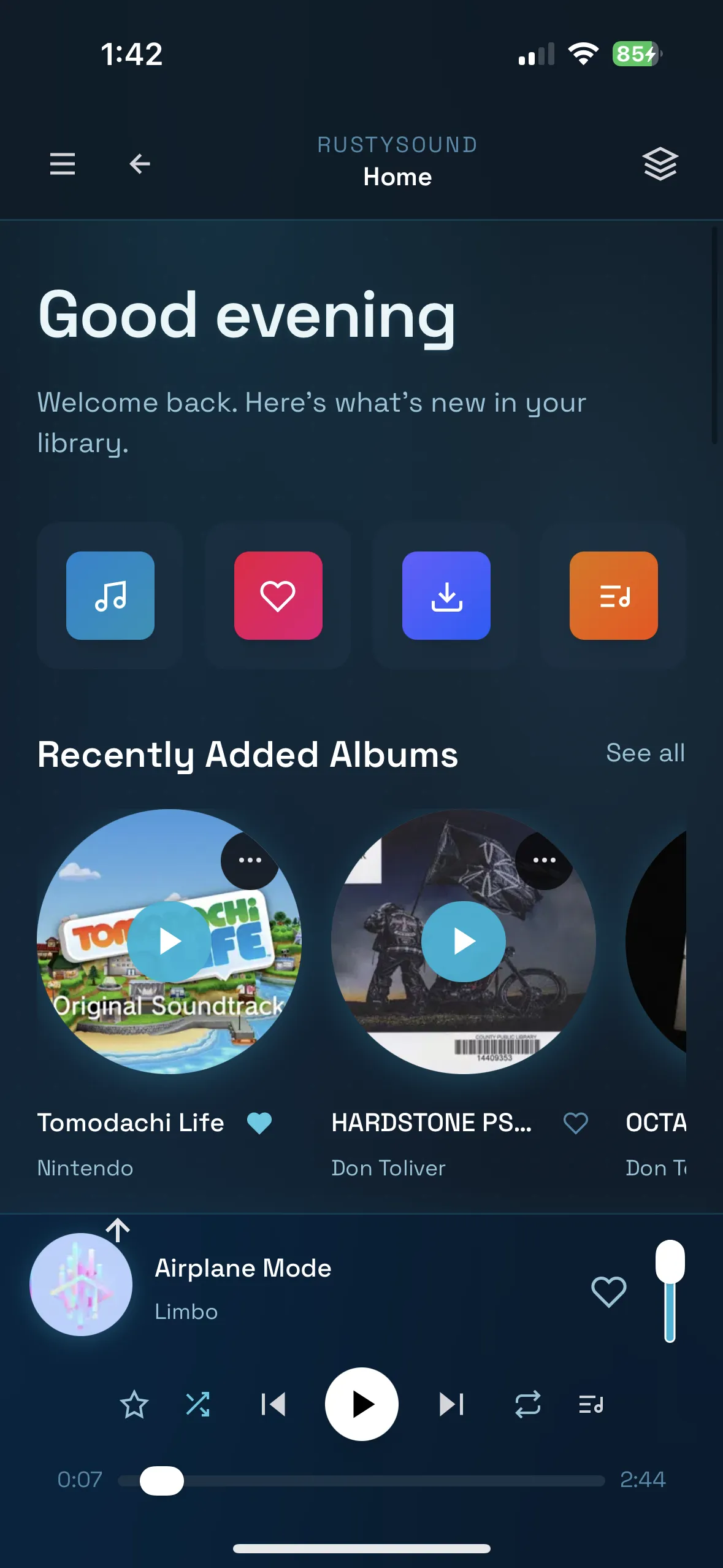

- Multi-platform: Desktop (macOS, Windows, Linux), Mobile (iOS, Android), and Web
- Audio streaming: High-quality playback with queue management
- Server integration: Connect to Navidrome and Subsonic-compatible servers
- Offline support: Local storage, downloads, persistent settings and playback state
- Playlist management: Create and organize playlists
- Browse and search: Find music by artist, album, or track
- Full controls: Play, pause, skip, shuffle, repeat, and more
- Modern UI: Clean, responsive Tailwind CSS interface
- Customizable themes: Multiple built-in themes with CSS overrides
| Platform | Installation |
|---|---|
| iOS | AltStore (recommended), manual sideloading, or source feed |
| Android | APK from Releases |
| macOS | Homebrew, DMG installer |
| Windows | Scoop, standalone EXE |
| Linux | Flatpak |
| Web | Browser + PWA, Docker |
Note: Android is feature-aligned but not under active day-to-day development and may have platform-specific issues.
This is the easiest way to install and keep RustySound updated on iOS.

Or manually add https://ad-archer.github.io/packages/source.json as a source in:
- AltStore or AltServer for Mac/Windows
- LiveContainer on iOS
- Download the latest
.ipafile from Releases - Use AltStore, Sideloadly, or Xcode to install
- Download the latest
.apkfile from Releases - Enable "Installation from unknown sources" in Settings
- Install the APK and launch RustySound
brew trust ad-archer/tap        # Homebrew 6+ only loads third-party taps you trust
brew tap ad-archer/tap
brew install --cask rustysound
xattr -dr com.apple.quarantine /Applications/Rustysound.app
Homebrew 6 and later refuse to load casks from a tap you haven't trusted, so without brew trust
the install stops with an "untrusted" error. To trust only RustySound instead of the whole tap, use
brew trust --cask ad-archer/tap/rustysound.
To update:
brew update
brew upgrade --cask rustysound
xattr -dr com.apple.quarantine /Applications/Rustysound.app- Download the latest
.dmgfile from Releases - Open the DMG and drag RustySound to your Applications folder
- Run
xattr -dr com.apple.quarantine /Applications/Rustysound.app
RustySound isn't signed with an Apple Developer ID. macOS flags everything downloaded from the internet as quarantined, and Gatekeeper won't open unsigned quarantined apps, often saying the app "is damaged". Remove the flag after installing and after each update:
xattr -dr com.apple.quarantine /Applications/Rustysound.app
open /Applications/Rustysound.appxattredits a file's extended attributes.-d com.apple.quarantinedeletes the quarantine flag.-rdoes it for every file inside the.appbundle.
Only do this for apps you trust. Without the terminal: right-click the app in Finder, choose Open, then click Open Anyway in System Settings > Privacy & Security.
scoop bucket add ad-archer https://github.com/ad-archer/scoop
scoop install ad-archer/rustysound- Download the latest
.exefile from Releases - Open the exe and install RustySound
Note: Antivirus may flag the installer since it is not verified by Windows. This is safe to ignore for builds from the official repository.
flatpak remote-add --if-not-exists --user adarcher-rustysound https://ad-archer.github.io/packages/rustysound.flatpakrepo
flatpak install --user adarcher-rustysound app.adarcher.rustysound//stable
flatpak run app.adarcher.rustysound
To update:
flatpak install --user adarcher-rustysound app.adarcher.rustysound//stableTo remove:
flatpak uninstall --user app.adarcher.rustysound
flatpak remote-delete --user adarcher-rustysound
Troubleshooting — missing GNOME runtime
If you see an error like:
error: The application app.adarcher.rustysound/x86_64/master requires the runtime org.gnome.Platform/x86_64/49 which was not found
Install the runtime from Flathub:
# Add Flathub (if not already present)
flatpak remote-add --if-not-exists flathub https://flathub.org/repo/flathub.flatpakrepo

# Install the GNOME 49 runtime
flatpak install --user flathub org.gnome.Platform//49

# Reinstall the app
flatpak install --user adarcher-rustysound app.adarcher.rustysound//stable
For system-wide install, omit --user from the commands.
Visit rustysound to try the web version.
- Ensure you have Docker and Docker Compose installed
- Clone this repository or copy
docker-compose.yml - Run:
docker-compose up -dThe web interface will be available at http://localhost:8080.
To stop:
docker-compose downdocker run -d -p 8080:80 --name rustysound ghcr.io/ad-archer/rustysound:latest- Rust 1.70+ (install here)
- Dioxus CLI:
curl -sSL https://dioxus.dev/install.sh | sh
- Clone the repository:
git clone https://github.com/AD-Archer/RustySound.git
cd RustySound- Install dependencies:
cargo builddx serve --platform webdx serve --platform desktop./scripts/serve-ios.shYou can pass dx serve options:
./scripts/serve-ios.sh --device "iPhone 16 Pro"dx serve --platform android
# or with auto-setup (NixOS):
just serve-androidUse just for common tasks:
just              # list all recipes
just serve        # dx serve (web)
just serve-ios    # iOS simulator dev (safe linker env)
just serve-android # Android dev/debug (auto-create/start emulator)
just check        # cargo check
just bundle       # macOS + iOS + unsigned IPA
just bundle-android-release # Android release APKdx bundle --platform desktop --releasedx bundle --platform ios --releaseOr use the Apple bundling script:
./scripts/bundle-apple.shOutputs:
- macOS
.app:dist/apple/macos - iOS
.app:dist/apple/ios - Unsigned iOS
.ipa:dist/apple/ios/*-unsigned.ipa
To build for simulator:
IOS_TARGET=aarch64-apple-ios-sim ./scripts/bundle-apple.shIf your shell exports compiler flags (e.g., LDFLAGS), use the script to avoid linking issues.
Customize the icon and app name:
APP_NAME="RustySound" IOS_ICON_SOURCE="/absolute/path/to/icon-1024.png" ./scripts/bundle-apple.sh./scripts/bundle-android.sh
# or
just bundle-android-releaseThis exports release .apk to dist/android.
Optional signing environment variables:
ANDROID_KEYSTORE_BASE64orANDROID_KEYSTORE_PATHANDROID_KEYSTORE_PASSWORDANDROID_KEY_ALIASANDROID_KEY_PASSWORD(optional)
rustysound/
├── assets/                 # Static assets (icons, styles, etc.)
├── src/
│   ├── main.rs            # Application entry point
│   ├── components/        # Reusable UI components
│   │   ├── app.rs         # Main app component
│   │   ├── player.rs      # Audio player controls
│   │   ├── sidebar.rs     # Navigation sidebar
│   │   └── views/         # Page components
│   │       ├── home.rs    # Home/dashboard
│   │       ├── albums.rs  # Album browser
│   │       ├── artists.rs # Artist browser
│   │       ├── queue.rs   # Playback queue
│   │       └── settings.rs # App settings
│   ├── api/               # Server API integration
│   ├── db/                # Local database/storage
│   └── components.rs      # Component exports
├── Cargo.toml             # Rust dependencies
├── Dioxus.toml           # Dioxus configuration
└── tailwind.css          # Tailwind CSS styles
- Fork the repository
- Create a feature branch:
git checkout -b feature/your-feature - Make your changes and test thoroughly
- Submit a pull request
- Follow Rust best practices
- Use Dioxus component patterns
- Test on multiple platforms when possible
- Update documentation for new features
Licensed under the GNU General Public License v3.0 (GPL-3.0-or-later).
See LICENSE for full terms.
- Built with Dioxus - A Rust UI framework
- Audio playback powered by Web Audio API and native platform APIs
- Icons and UI design inspired by modern music streaming applications