
Important
This project is currently being rebuilt. I created this project a long time ago and the techstack and architecture is terrible. Expect frequent, breaking updates.
A self-hosted YouTube video archiver with a modern web interface. Download, manage, and organize your YouTube videos, playlists, and channels locally.
Caution
This project is in early development (alpha stage). It may contain bugs, break unexpectedly, or have incomplete features. Use at your own risk.
Video Archiver allows you to download and organize videos from YouTube for offline viewing. The application consists of a Go backend that handles the actual downloading and management of videos, plus a lightweight Vite + React frontend that provides a clean interface for interacting with your media collection.
- Download videos, playlists, and channels from YouTube URLs
- Real-time download progress tracking via WebSocket
- Queue management for multiple downloads
- Modern responsive web interface
- Dark/Light/System theme support
- Dashboard with comprehensive statistics about your media collection
- Complete metadata extraction and display (videos, playlists, channels)
- Tagging and auto-tagging: organize your library with custom tags; categories, channel names and keywords are tagged automatically from metadata
- Search and filtering: full library search by title or channel, plus tag-based filtering
- Library management: delete downloads (including files on disk) with confirmation
- Quality selection (360p, 480p, 720p, 1080p, 1440p, 4K)
- Configurable concurrent downloads (1-10 simultaneous downloads)
- Video Processing Tools:
- Trim videos to specific time ranges
- Concatenate multiple videos into one
- Extract audio in various formats (MP3, AAC, FLAC, WAV)
- Convert between video formats (MP4, WebM, AVI, MKV)
- Adjust video quality and bitrate
- Rotate videos (90°, 180°, 270°)
- Create custom workflows (chain multiple operations)
- Real-time progress tracking for tool operations
- Processed file management: preview (in-browser playback), download and delete tool outputs
- Mobile-friendly streaming interface
- User authentication and multiple user support
- Download scheduling
- API documentation for integrations with other applications
- Playlist and channel organization features
- Backend: Go 1.23.2 with Chi router
- Frontend: Vite 6 + React with TypeScript 5.8.3
- UI: shadcn/ui components with Radix UI primitives
- State Management: Zustand 5.0+
- Real-time Updates: WebSocket (Gorilla WebSocket)
- Database: SQLite 3
- Media Handling: yt-dlp and ffmpeg
- Styling: Tailwind CSS 4.1.4
- Runtime: React 19.1.0
- Docker and Docker Compose
- Git
- Bash shell (for running the management script)
git clone https://github.com/Fx64b/video-archiver.git
cd video-archiver
./run.sh
That's it — the first run builds the Docker images automatically. The web
interface will be available at http://localhost:3000.
./run.sh [command] [options]

Commands:
  start             Start the application (default; builds images on first run)
  build             Rebuild images, then start
  stop              Stop the application
  logs [service]    Follow container logs (backend, web)
  test [target]     Run backend tests (target: coverage, verbose; default: all)
  types             Regenerate TypeScript types from the Go domain structs
  clean             Remove containers and locally built images
  reset             Stop and delete all data (database, downloads)
  help              Show help message

Options:
  -d, --detach      Run containers in the background
      --debug       Enable debug logging in the backend
      --backend-only  Operate on the backend service only
      --no-cache    (build) Rebuild images without using the build cache
  -y, --yes         Skip confirmation prompts
Common use cases:
- First start / normal start:
./run.sh - After pulling changes:
./run.sh build - Development with verbose logs:
./run.sh build --debug - Wipe everything and start over:
./run.sh reset - Testing:
./run.sh testor./run.sh test coverage
After changing the Go structs in services/backend/internal/domain, run
./run.sh types to regenerate web/types/index.ts (uses local tygo or Go
if available, otherwise falls back to a Docker container — and commit the
result). Rebuilds are fast: Docker build caches keep the Go build cache
(including the cgo-compiled SQLite driver) and the pnpm package store warm
between builds.
- Go 1.25 or higher (SQLite is bundled — the driver is pure Go, no cgo or system SQLite needed)
- yt-dlp (latest version recommended)
- ffmpeg (latest version recommended)
- tygo (for TypeScript type generation):
go install github.com/gzuidhof/tygo@latest
- Node.js 20+ (LTS recommended)
- pnpm 9+
Refer to the backend and frontend directories for specific setup instructions.
/services/backend: Go backend service- Handles video downloads via yt-dlp
- Manages download queue and progress tracking
- Provides API endpoints and WebSocket updates
- SQLite database for metadata storage
/web: Vite + React frontend application- Modern UI built with shadcn/ui
- Real-time progress tracking
- Download management interface
- Statistics dashboard
The application can be configured through environment variables:
DEBUG: Enable debug logging (default: false)DOWNLOAD_PATH: Directory for downloaded media (default: ./data/downloads)PROCESSED_PATH: Directory for processed/converted videos (default: ./data/processed)DATABASE_PATH: Path to SQLite database (default: ./data/db/video-archiver.db)PORT: API + WebSocket server port (default: 8080; the WebSocket is served at /ws on the same port)
No configuration is required: the app uses same-origin /api URLs and both the
Vite dev server and the production nginx image proxy them to the backend, so
one build works on any host. To point a build directly at a backend on a
different origin, set VITE_SERVER_URL / VITE_SERVER_URL_WS at build time
(see web/.env.local.example).
After a certain number of downloads, YouTube may block requests that are not made through the official site or app. This is a known issue: yt-dlp/yt-dlp#11868
Possible workarounds:
- Use a VPN and switch servers when the limit is reached
- Wait a few hours before attempting downloads again
- Use a different IP address if possible
Some metadata might not be properly extracted for certain types of content, particularly channels and playlists.
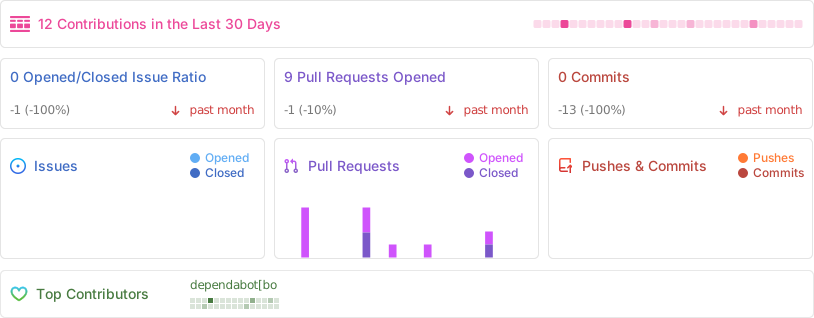
We welcome contributions to Video Archiver! Here's how you can help:
- Fork the repository
- Create your feature branch (
git checkout -b feature/AmazingFeature) - Commit your changes using Conventional Commits format
- Examples:
feat(ui): Add video thumbnails,fix(api): Resolve playlist download issue
- Examples:
- Push to the branch (
git push origin feature/AmazingFeature) - Open a Pull Request
Please ensure your code follows the project's style and includes appropriate tests.
./run.sh devThis starts the hot-reload stack: the backend runs under
Air and rebuilds in under a second on any
Go change (the SQLite driver is pure Go — no cgo), and the frontend runs the
Vite dev server with HMR. Both containers bind-mount your working tree, and
the Vite proxy forwards /api (including the WebSocket) to the backend, so
there are no URLs to configure and no CORS.
Working without Docker also works: run cd services/backend && go run ./cmd/api
and cd web && pnpm install && pnpm dev — the Vite proxy targets
http://localhost:8080 by default.
This project is licensed under the GNU General Public License v3.0 - see the LICENSE file for details.
See the open issues for a list of proposed features and known issues, and docs/REVISION_PLAN.md for the phased codebase revision plan (playback fixes, backend stability, dev tooling, frontend architecture).
- ✅
Q3 2025: Media streaming interface & Tools(Tools completed) - ✅
Q4 2025: Advanced search and tagging system(Search, tagging and auto-tagging completed) - 2026: User authentication, API documentation, and mobile-friendly streaming