Home


A perspective powered, user editable ray dashboard.
Ray offers powerful metrics visualizations powered by graphana and prometheus. Although useful, the setup can take time - and customizations can be challenging.
Raydar, enables out-of-the-box live cluster metrics and user visualizations for Ray workflows with just a simple pip install. It helps unlock distributed machine learning visualizations on Anyscale clusters, runs live and at scale, is easily customizable, and enables all the in-browser aggregations that perspective has to offer.
By default the dashboard runs in your process and pulls data over the Ray connection you already have, so the cluster never needs an inbound port.
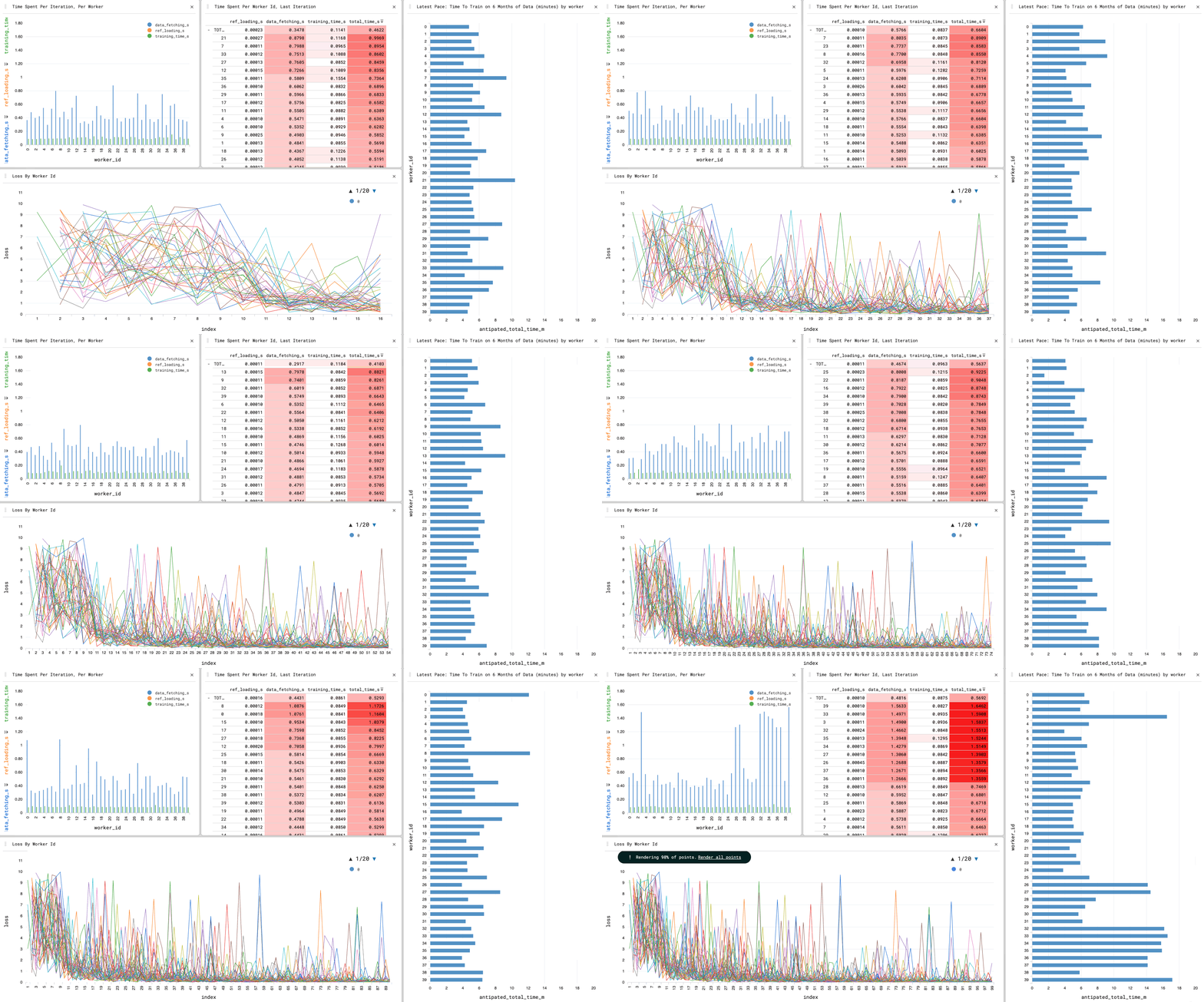
- Convenience wrappers for the tracking and persistence of ray GCS task metadata. Can scale beyond the existing ray dashboard / GCS task tracking limitations.
- A UI built with spaday, spaday-perspective and spaday-webawesome — authored in Python, with UI state synced over transports.
- Serve it locally (no open port on the cluster) or from ray serve.
- A python interface to create and update perspective tables from within ray tasks.
More information is available in our wiki
raydar can be installed via pip or conda, the two primary package managers for the Python ecosystem. See our wiki for more information.
The raydar module provides an actor which can process collections of ray object references on your behalf, and can serve a perspective dashboard in which to visualize that data.
from raydar import RayTaskTracker
task_tracker = RayTaskTracker(dashboard="local")
print(task_tracker.dashboard_url)
Passing collections of object references to this actor's process method causes those references to be tracked in an internal polars dataframe, as they finish running.
@ray.remote
def example_remote_function():
    import time
    import random
    time.sleep(1)
    if random.randint(1,100) > 90:
        raise Exception("This task should sometimes fail!")
    return True

refs = [example_remote_function.remote() for _ in range(100)]
task_tracker.process(refs)
The UI is served from this process on a free local port, printed by task_tracker.dashboard_url. Pass dashboard_port= to pin it. Data reaches the dashboard over Ray's existing connection, so nothing needs to listen on the cluster.
If your cluster already exposes Ray Serve's HTTP ingress, dashboard="cluster" serves the same UI from a Ray Serve deployment instead.
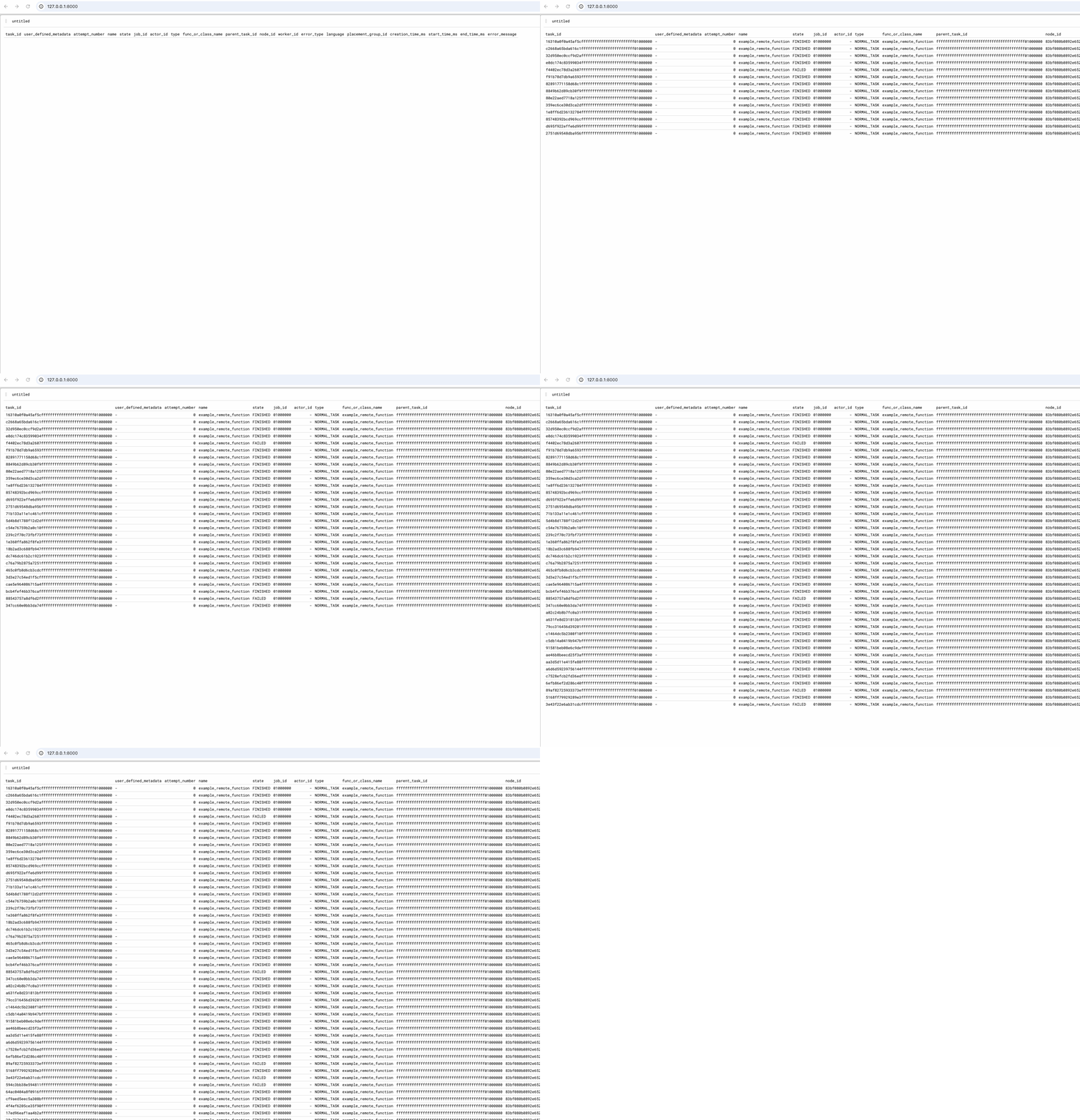
Passing a name and namespace arguments allows the RayTaskTracker to skip construction when an actor already exists. This also means we can access the correct ray actor handle from arbitrary ray code, once the correct name and namespace are provided.
from raydar import RayTaskTracker

task_tracker = RayTaskTracker(
    dashboard="local",
    name="my_actor_name",
    namespace="my_actor_namespace"
)

task_tracker.create_table(
    table_name="demo_table",
    table_schema=dict(
        worker_id="string",
        metric_value="integer",
        other_metric_value="float",
        timestamp="datetime"
    )
)
Now, from an arbitrary remote function:
@ray.remote
def add_data_to_demo_table(i):
    task_tracker = RayTaskTracker(name="my_actor_name", namespace="my_actor_namespace")

    import datetime
    import random
    data = dict(
        worker_id="worker_1",
        metric_value=i,
        other_metric_value=i * random.uniform(1.5, 1.8),
        timestamp = datetime.datetime.now()
    )
    task_tracker.update_table("demo_table", [data])


for i in range(100):
    ray.get(add_data_to_demo_table.remote(i))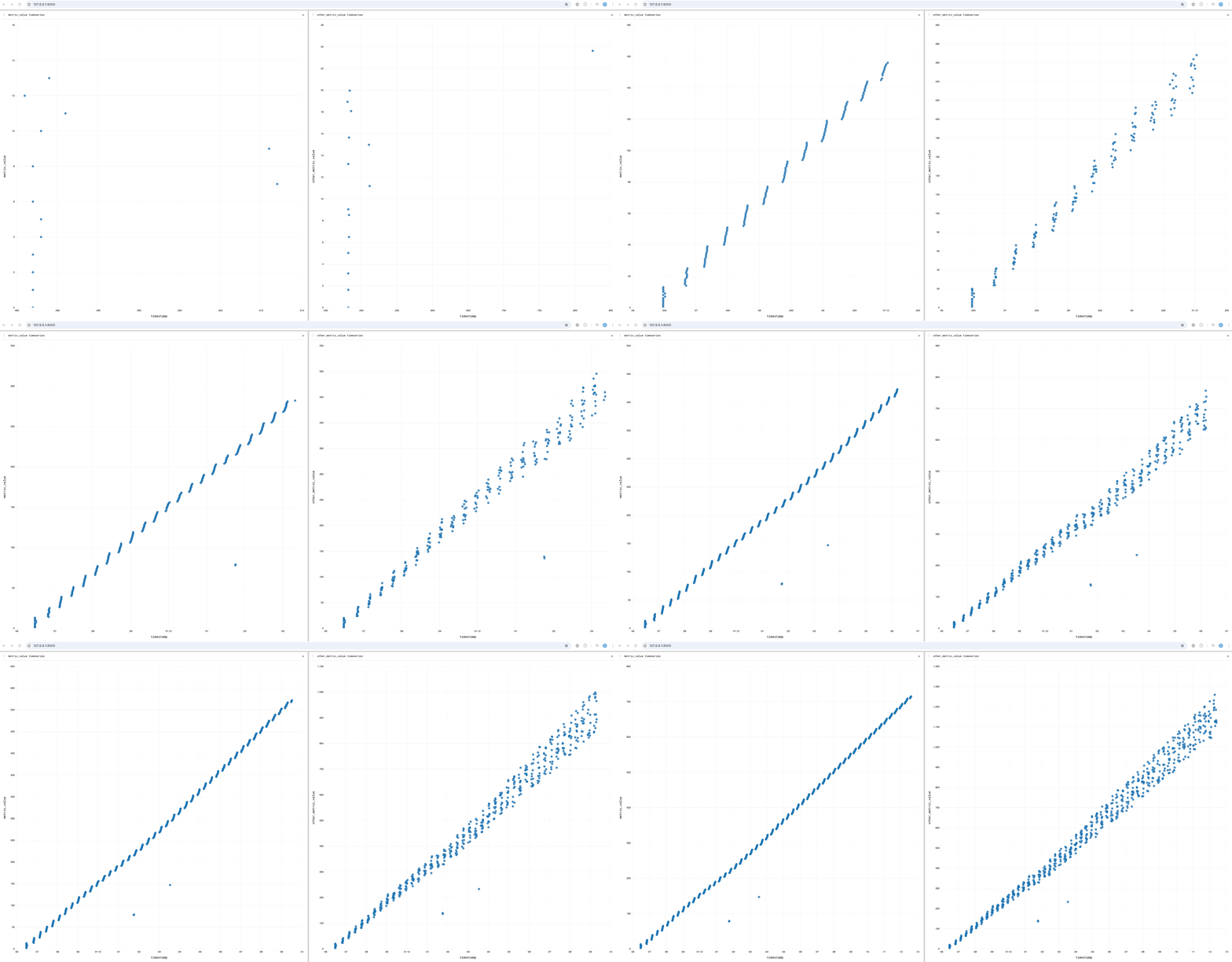
- Where is the perspective data stored?
Currently, in memory. With dashboard="local" that is the memory of the process that created the RayTaskTracker; with dashboard="cluster" it is the Ray Serve replica on the ray head.
- Does the cluster need an open port?
Not with dashboard="local", the default topology. The dashboard binds a port on your own machine and pulls table updates from the tracker actor over Ray, so the browser only ever talks to localhost. dashboard="cluster" does need Ray Serve's HTTP ingress to be reachable.
- How can I save and restore my perspective layouts?
Layouts are Python-side. Pass a perspective-workspace layout to the dashboard and it is restored in every connected tab.
This software is licensed under the Apache 2.0 license. See the LICENSE file for details.
Note
This library was generated using copier from the Base Python Project Template repository.