Mermaid Flow is a Hermes Desktop plugin for editing Mermaid diagrams as ordinary project files and previewing them live. Keep architecture, API, and UX flows next to the code instead of in a separate drawing tool.
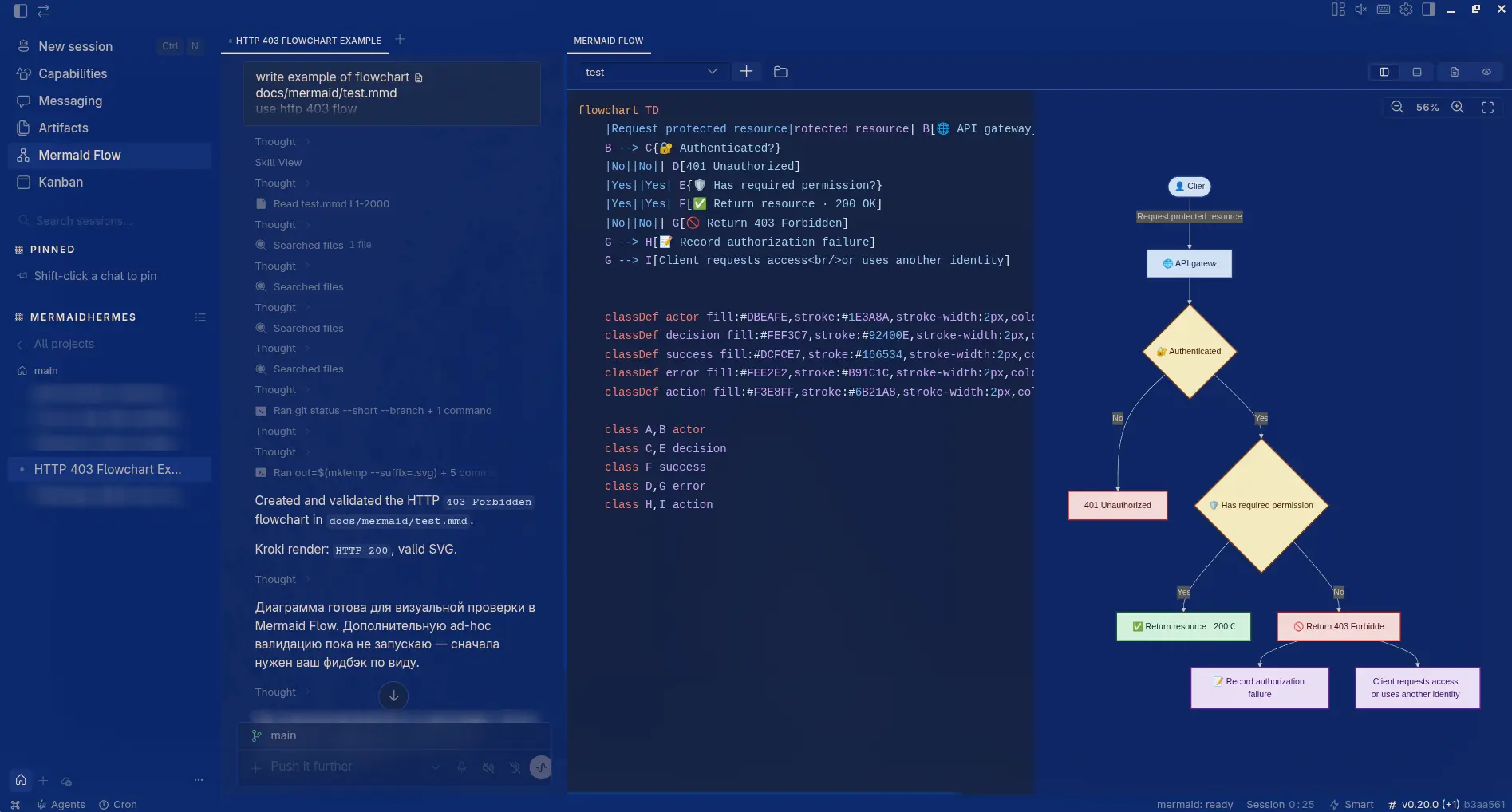
- Project-backed. Default folder
{cwd}/docs/mermaid, overridable per project. - Live preview. Remote SVG via
mermaid.ink, thenkroki.io. - Split workflow. Source | split | preview with a draggable sash.
- Editor. Syntax highlight, Mermaid completions, history, line cut/copy/delete/duplicate.
- Canvas. Pan, wheel zoom to cursor, double-click fit.
- Formats. Writes
*.mmd; also reads*.mdand*.mermaid. - Autosave. Debounced ~
550 ms.
flowchart LR
    Editor[Mermaid Flow] --> Disk["docs/mermaid/*.mmd"]
    Editor --> Remote[mermaid.ink / kroki.io]
    Remote --> Preview[Live SVG]
Desktop loads $HERMES_HOME/desktop-plugins/mermaid-flow/plugin.js (folder name = id).
mkdir -p ~/.hermes/desktop-plugins
git clone https://github.com/TOwInOK/mermaid-flow.git ~/.hermes/desktop-plugins/mermaid-flow
Update / remove:
git -C ~/.hermes/desktop-plugins/mermaid-flow pull
rm -rf ~/.hermes/desktop-plugins/mermaid-flow
Local copy / symlink (dev):
mkdir -p ~/.hermes/desktop-plugins/mermaid-flow
cp -R . ~/.hermes/desktop-plugins/mermaid-flow/
# or: ln -sfn "$(pwd)" ~/.hermes/desktop-plugins/mermaid-flow
After install: Reload desktop plugins → open a project → sidebar Mermaid Flow (Mod+Shift+M).
- Hermes Desktop with
// @includesupport inruntime-loader(includes expand before import). - Network access to
mermaid.inkorkroki.iofor SVG preview. - Allowed imports only:
@hermes/plugin-sdk,react,react/jsx-runtime(no npm build step).
| Shortcut | Action |
|---|---|
Ctrl/Cmd + X |
Cut current line when nothing is selected |
Ctrl/Cmd + C |
Copy current line when nothing is selected |
Ctrl/Cmd + Shift + K |
Delete current line |
Ctrl/Cmd + D |
Duplicate line / selection |
Tab |
Accept autocomplete suggestion |
Ctrl/Cmd + Space |
Open full completions |
Mod+Shift+M |
Open Mermaid Flow |
| Default folder | {cwd}/docs/mermaid |
| Files | write *.mmd; read *.mmd / *.md / *.mermaid |
| Per-project path | Hermes storage keyed by cwd |
| Autosave | ~550 ms debounce |
Folder dialog:
- Relative path (from
cwd) or absolute - Browse — native picker
- Reveal — create folder if needed, open in file manager
- Reset default — restore
docs/mermaid
plugin.js                 # entry only: banner + // @include lines
src/
  00-runtime.js           # allowed imports + plugin storage handle
  10-constants.js         # storage keys, atoms, palettes, Mermaid catalogs
  20-file-utils.js        # paths, FS/source helpers, DnD, snapshot writer
  30-mermaid-language.js  # highlighting, transforms, completions
  40-editor.js            # DOM/React Mermaid editor
  50-svg-preview.js       # remote render, sanitize, sash, SVG camera
  60-flow-page.js         # React page orchestration and composition
  70-plugin-meta.js       # only plugin contract / export default
Include order (shared top-level scope after expand — not separate ESM modules):
00-runtime.js → 10-constants.js → 20-file-utils.js → 30-mermaid-language.js
→ 40-editor.js → 50-svg-preview.js → 60-flow-page.js → 70-plugin-meta.js
The include order is the dependency order. Fragments are not ESM modules: Hermes Desktop expands whole-line // @include ./rel.js directives into one shared top-level scope before loading. Imports belong only in 00-runtime.js; 70-plugin-meta.js is the only fragment that exports the plugin contract.
for file in plugin.js src/*.js scripts/*.mjs; do node --check "$file"; done
node scripts/check-structure.mjs
node scripts/check-pure.mjs