
A modern, full-featured Task Manager for Arch Linux and Arch-based distributions (Manjaro, EndeavourOS, CachyOS, …), built with Python 3 + PySide6 (Qt6) and inspired visually by the Manjaro desktop — without using any of Manjaro's official logo or brand assets.


- Overview — live CPU / Memory / GPU / Disk / Network summary cards
- Processes — full process table with search, sort, column customization, End Task, Force Kill, End Process Tree, Suspend/Resume, priority, and a detailed Properties dialog (command line, environment, open files)
- Applications — a filtered, app-focused view of your own GUI processes
- Performance — live, low-overhead charts for CPU, Memory, GPU, Disk I/O, and Network
- Services — systemd service browser: start/stop/restart/reload/ enable/disable, with polkit-elevated retry when needed
- Startup Apps — manage
~/.config/autostart/entries (enable, disable, remove) without touching system-owned files - Users — active session list with CPU/RAM usage and Logout
- System — full OS/CPU/GPU/Memory/Storage/Desktop information
- Settings — theme, update interval, confirmations, notifications, startup behavior, and keyboard shortcuts
- System tray integration, desktop notifications, and a documented
approach to a global shortcut (
Ctrl+Shift+T) that's honest about Wayland's platform limitations
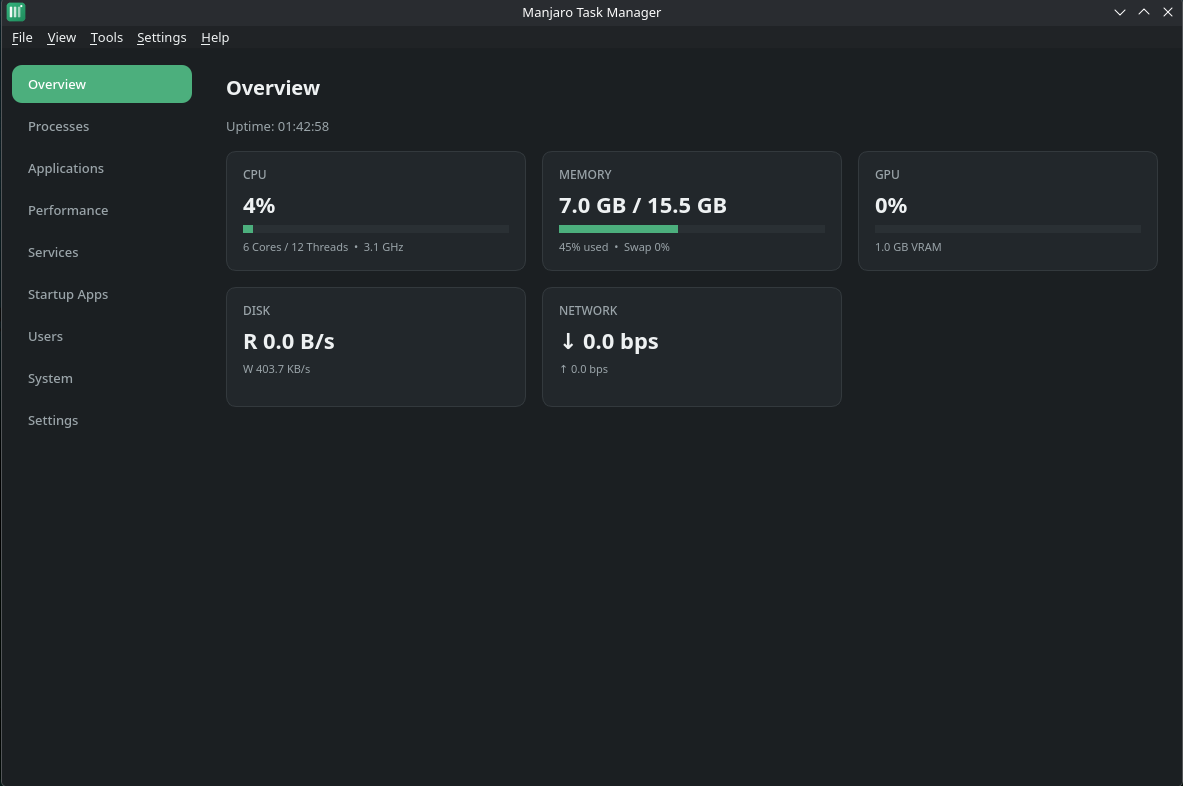
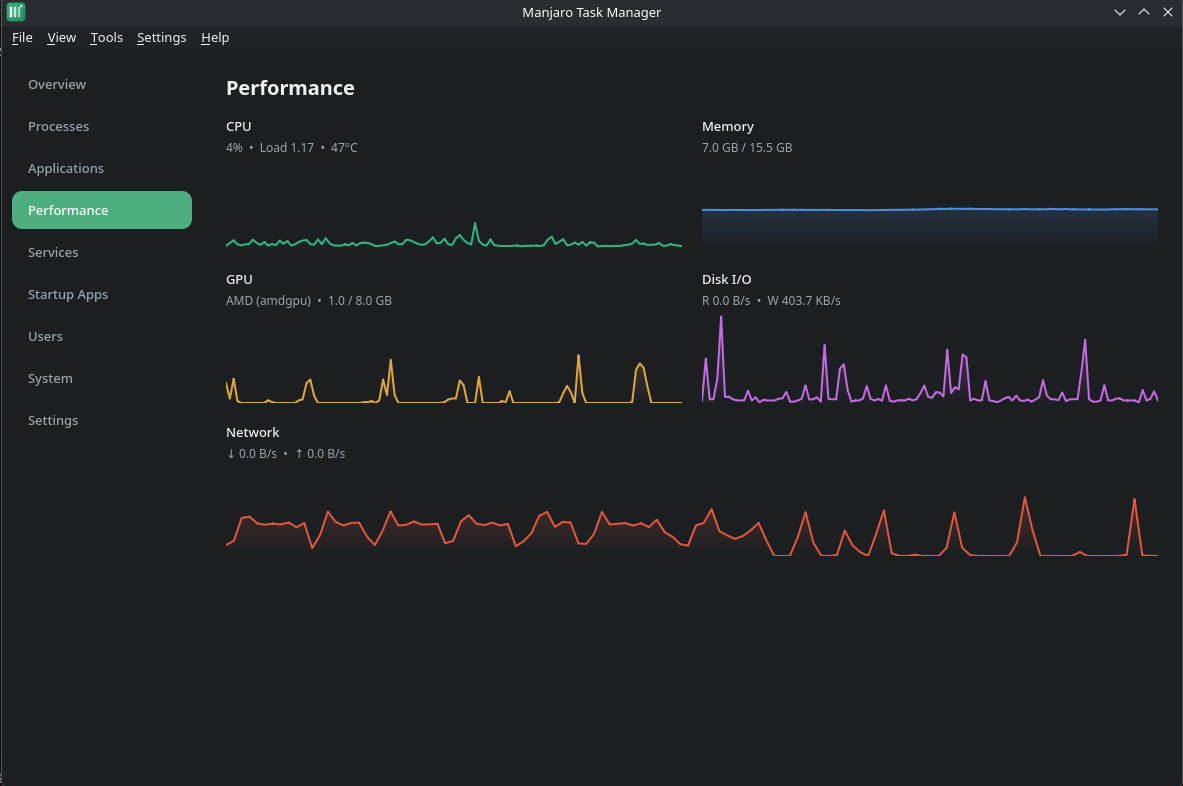
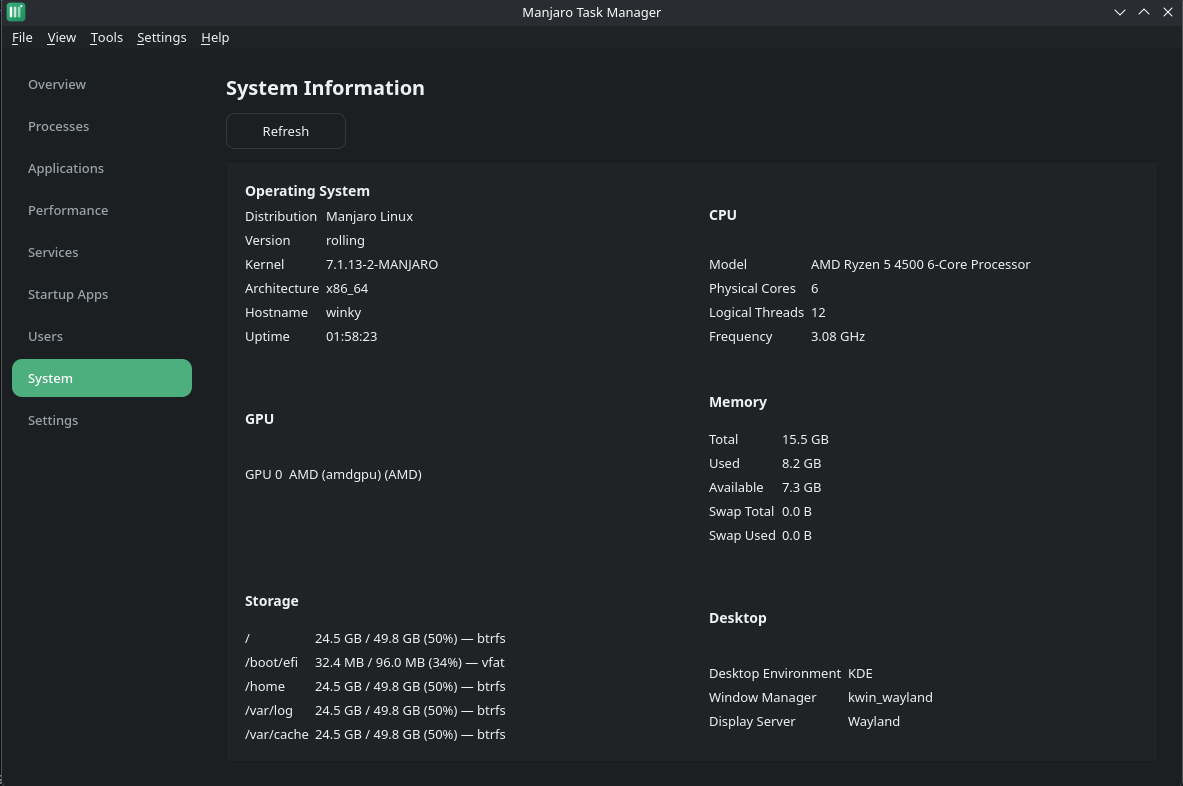
https://github.com/Takiblu/task-manager.git
cd manjaro-task-manager
makepkg -si
This builds and installs the package, including:
- the application itself under
/usr/lib/manjaro-task-manager - a launcher at
/usr/bin/manjaro-task-manager - a desktop entry and icon
- a polkit policy for the small set of actions that need elevation
- an optional
systemd --userunit for "Start on login"
python3 -m venv .venv
source .venv/bin/activate
pip install -r requirements.txt
python3 src/main.py| Package | Purpose |
|---|---|
python-pyside6 |
UI toolkit (Qt6) |
python-psutil |
process/system metrics |
polkit |
privilege elevation prompts |
systemd |
Services page |
wmctrl (optional) |
better window-manager detection |
xdg-utils (optional) |
"Open File Location" |
libnotify (optional) |
notification fallback |
nvidia-utils (optional) |
NVIDIA GPU monitoring |
python-xlib (optional) |
native global shortcut on X11 |
Launch from your application menu, or:
manjaro-task-manager
manjaro-task-manager --minimized   # start in the system tray
manjaro-task-manager --verbose # debug logging to stderr| Shortcut | Action |
|---|---|
Ctrl+Shift+T |
Open Task Manager |
Ctrl+F |
Focus search (Processes page) |
F5 |
Refresh (data already refreshes continuously) |
Delete |
End Task (selected process) |
Shift+Delete |
Force Kill (selected process) |
Esc |
Close dialog |
Ctrl+, |
Open Settings |
Ctrl+Q |
Quit |
All shortcuts are editable in Settings (stored as Qt key-sequence strings).
This app detects your display server automatically and adapts:
- System Information correctly reports
WaylandorX11. - Global Shortcut (
Ctrl+Shift+T):- On X11, a true global key grab is used when
python-xlibis installed. - On Wayland, there is no portable, unprivileged way for an application to grab a truly global hotkey — this is a deliberate platform restriction, not a bug. The app will try to register the shortcut through your desktop environment's own mechanism (GNOME's custom-keybinding schema, where available); otherwise it shows you the exact command to bind manually from your DE's Keyboard Shortcuts settings.
- In both cases, the shortcut still works while the app window has focus, as an ordinary in-app shortcut.
- On X11, a true global key grab is used when
We will never claim a global hotkey "works" on a desktop environment where it structurally cannot.
- The application never runs as root and never calls
sudo. - All system commands run as an argv list (never a shell string), closing off shell-injection entirely.
- Every PID-based action (End Task, Force Kill, Suspend, priority changes, …) validates that the PID is a real, currently-running process immediately before acting on it.
- Actions that genuinely require elevated privileges (some systemd
service operations) prompt through polkit (
pkexec), using a scoped policy (packaging/org.manjarotaskmanager.policy) — never a blanket root shell. - Startup entry changes are written only under your own
~/.config/autostart/; system-wide/etc/xdg/autostart/entries are shown read-only and are copied into a user override rather than edited in place.
GPU shows "Not Available"
The app reads NVIDIA data via nvidia-smi (install nvidia-utils) and
AMD/Intel data via sysfs (amdgpu/i915 drivers). If neither is
present, GPU monitoring is honestly reported as unavailable rather
than showing fake numbers.
"Interactive authentication required" when managing a service
Some systemd actions need elevated rights; the app automatically
retries through polkit. If polkit isn't installed, install it and
make sure a polkit authentication agent is running for your desktop.
Global shortcut doesn't work everywhere See the Wayland vs. X11 section above — this is expected on some Wayland compositors without a supported custom-keybinding mechanism.
Notifications don't appear
The app tries D-Bus (org.freedesktop.Notifications) first, then
falls back to notify-send (libnotify). Make sure a notification
daemon is running (most desktop environments ship one by default).
Logs are written to ~/.local/state/manjaro-task-manager/app.log
(rotated, 5 MB × 3 backups) — include them when reporting a bug.
python3 -m venv .venv && source .venv/bin/activate
pip install -r requirements.txt
python3 src/main.py --verbose
Project layout:
task-manager/
├── src/
│   ├── main.py            # entry point
│   ├── ui/                # PySide6 widgets, pages, theme
│   ├── core/               # polling worker, notifications, startup, shortcuts
│   ├── services/            # systemd integration
│   ├── process/             # process listing, actions, properties
│   ├── system/               # CPU/Mem/GPU/Disk/Net/User monitors
│   ├── permissions/          # polkit bridge
│   ├── settings/             # persisted app settings
│   └── utils/                 # logging, platform detection, safe subprocess
├── assets/icons/
├── tests/
├── packaging/                  # PKGBUILD support files
├── PKGBUILD
├── pyproject.toml
└── requirements.txt
pip install pytest pytest-qt
QT_QPA_PLATFORM=offscreen pytest tests/ -v
The test suite covers: PID validation / injection safety, End Task / Force Kill / Process Tree / Suspend-Resume, CPU & memory monitor sanity, process listing resilience (vanished/inaccessible processes), settings persistence & clamping of untrusted values, systemd unit-name validation, and polkit fallback behavior.
makepkg -si          # build and install locally
makepkg --printsrcinfo > .SRCINFO # regenerate .SRCINFO before publishingGPL-3.0-or-later — see LICENSE.