

MONitor Integrated QUick Editor
Graphical monitor configurator for Hyprland, Sway, Niri and Umbriel






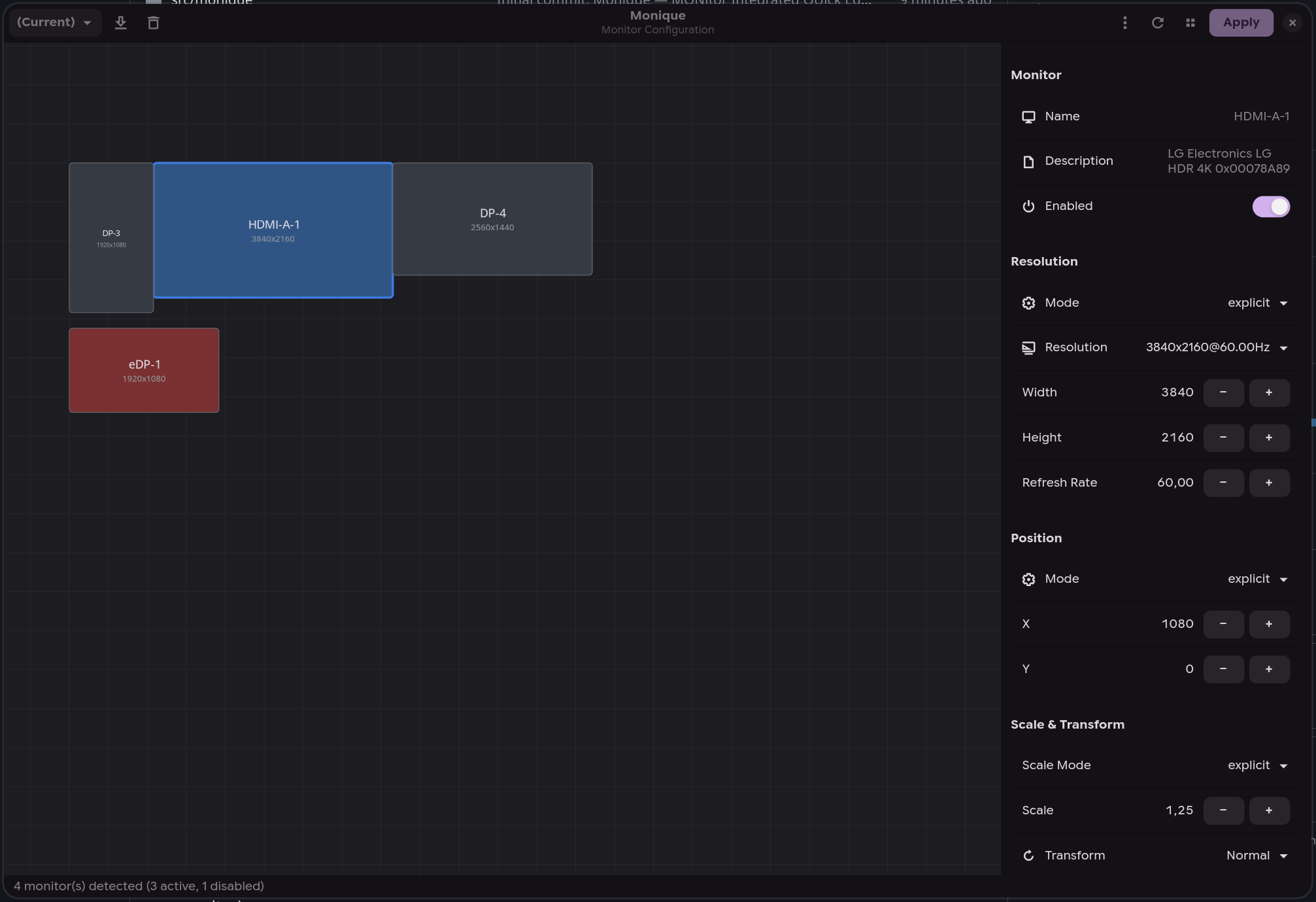
Layout editor |
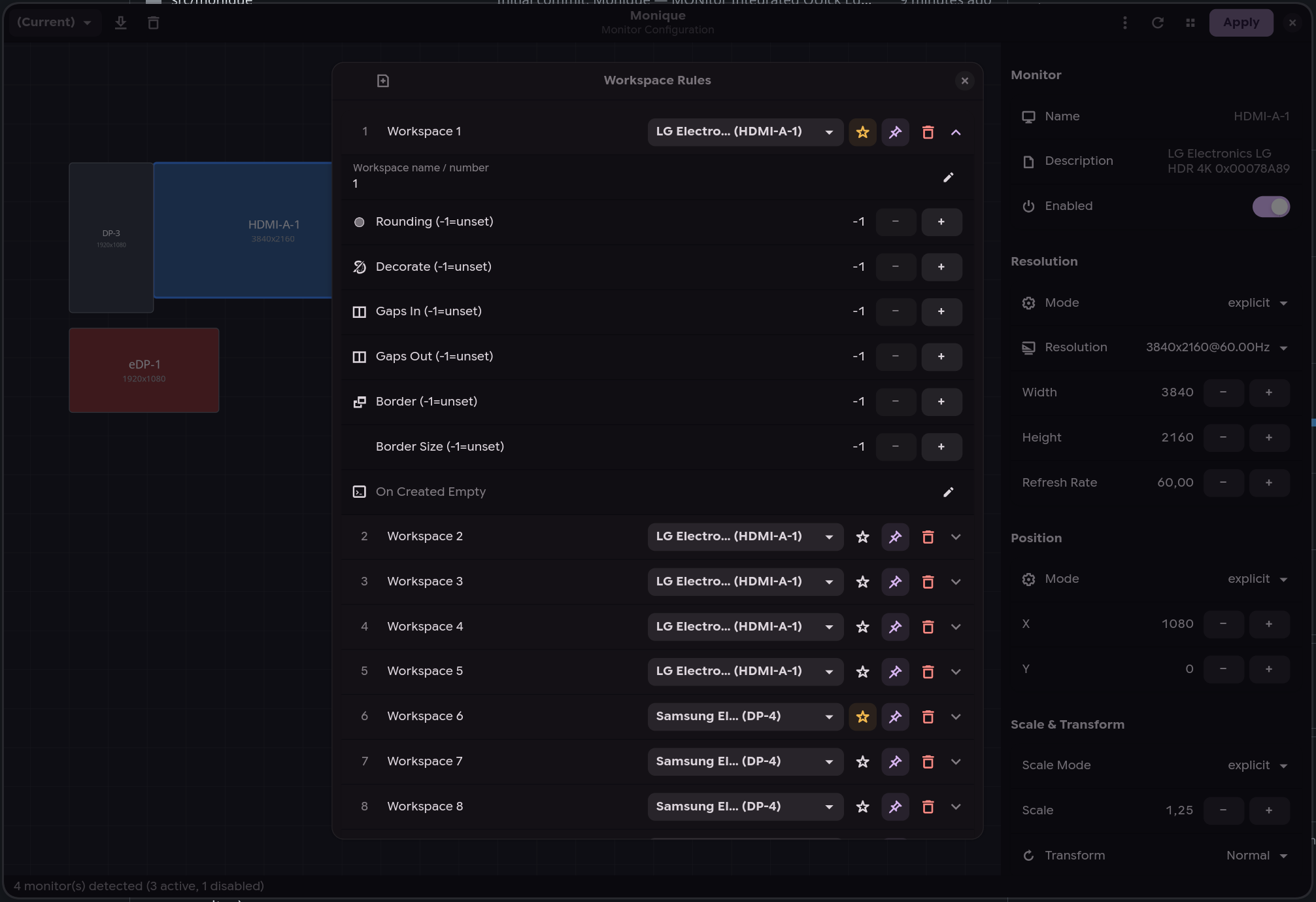
Workspace rules |
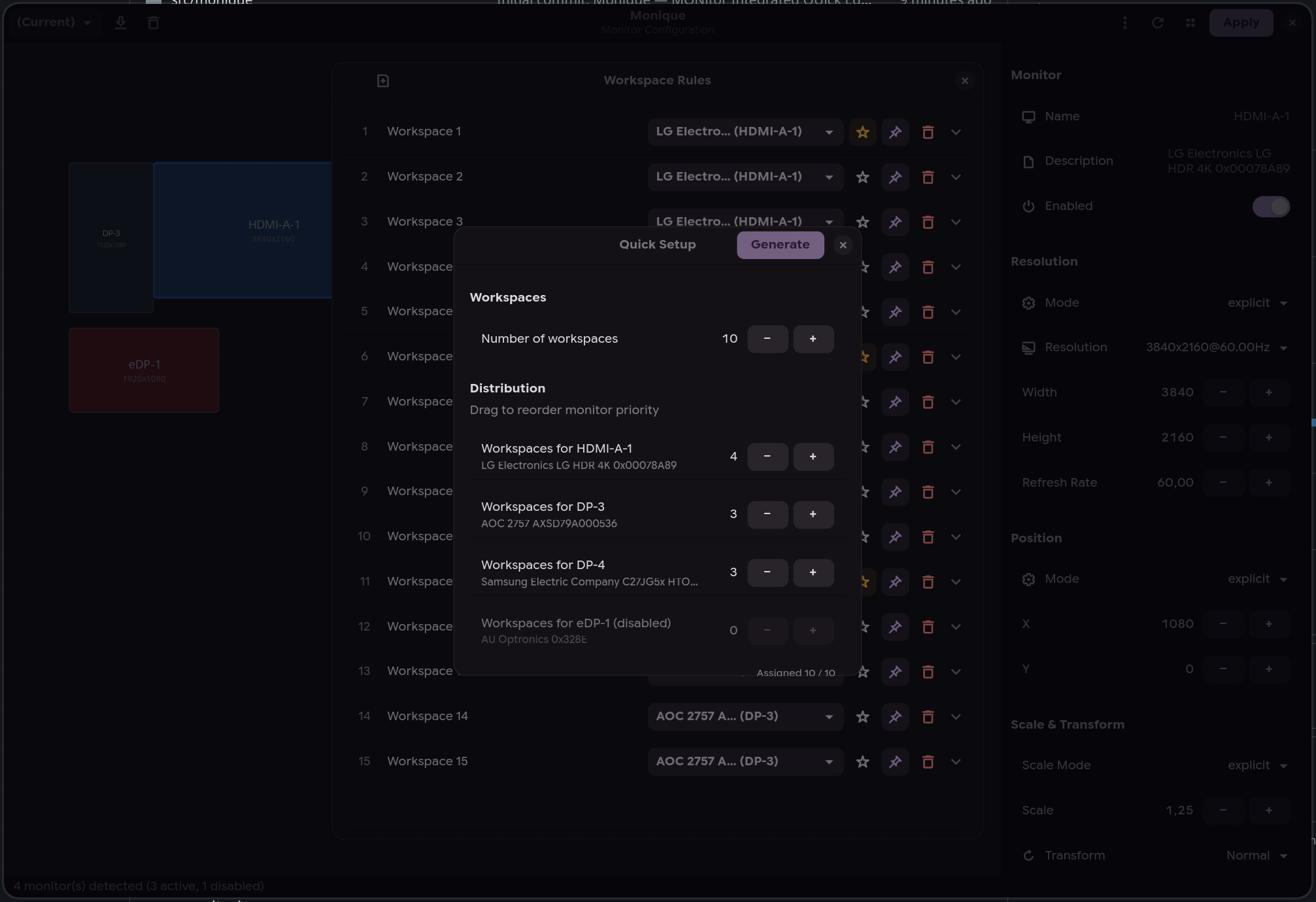
Quick setup |
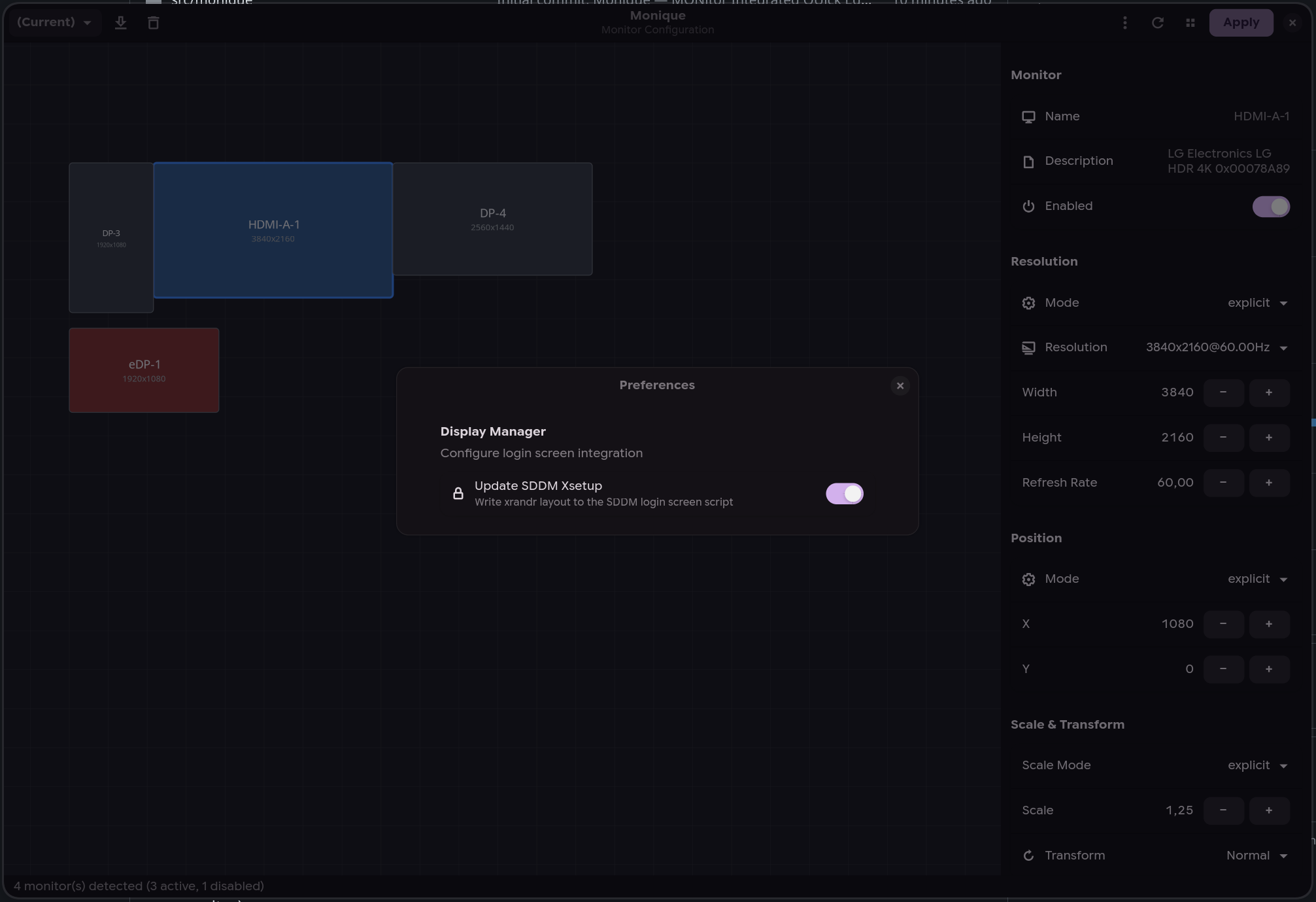
SDDM integration |
- Drag-and-drop layout — arrange monitors visually on an interactive canvas; changing a monitor's scale, rotation or resolution moves the monitors touching its right or bottom edge so they stay in contact
- Multi-backend - auto-detects Hyprland, Sway, Niri, or Umbriel from the environment
- Cross-write - save a profile in any compositor and automatically generate config files for the others (e.g. configure in Hyprland → get Sway, Niri and Umbriel configs for free)
- Profile system — save, load, and switch between monitor configurations
- Hotplug daemon (
moniqued) — automatically applies the best matching profile when monitors are connected or disconnected - Display manager integration — syncs your layout to the login screen for SDDM (xrandr) and greetd (sway), with polkit rule for passwordless writes
- kanshi config: optionally write every saved profile to a
.kanshifile you can reuse with kanshi (see kanshi export) - Workspace rules — configure workspace-to-monitor assignments (Hyprland/Sway)
- HDR & color management — color management presets, 10-bit output, ICC profiles, SDR brightness/saturation and per-monitor EDID luminance overrides (Hyprland
monitorv2) - Live preview — OSD overlay to identify monitors (double-click)
- Workspace migration — automatically moves workspaces to the primary monitor when their monitor is disabled or unplugged (reverted if you click "Revert")
- Clamshell mode — disable the internal laptop display when external monitors are connected (manual toggle in the toolbar or automatic via daemon preferences); the daemon also monitors the lid state via UPower D-Bus
- Confirm-or-revert — 10-second countdown after applying, auto-reverts if display is unusable
- CLI interface — list, query, switch, and auto-detect profiles from the terminal (
--list-profiles,--current-profile,--switch-profile,--detect-profile), perfect for hotkey bindings - Custom config directory — write generated monitor config files to a custom path instead of the compositor default (via Preferences or
--config-dir) - Custom config filename — change the generated file's base name (default
monitors) from Preferences → Config Output; the right extension is added per compositor (.kdl/.conf/.lua) and subdirectories are supported (e.g.cfg/display) - Active profile tracking —
--current-profilereports the profile matching the live monitor layout, falling back to the last applied one when no profile describes it
yay -S moniqueOr manually:
git clone https://aur.archlinux.org/monique.git
cd monique
makepkg -siWith flake (recommended) -- add it as an input and use the NixOS module:
# flake.nix
inputs.monique.url = "github:ToRvaLDz/monique";

# configuration.nix (via module)
{ inputs, ... }: {
  imports = [ inputs.monique.nixosModules.default ];
  programs.monique.enable = true;
}
Run without installing:
nix run github:ToRvaLDz/moniqueInstall to user profile:
nix profile install github:ToRvaLDz/moniqueWith overlay:
nixpkgs.overlays = [ inputs.monique.overlays.default ];
environment.systemPackages = [ pkgs.monique ];
Polkit note: the NixOS module automatically installs the polkit rule for passwordless SDDM/greetd writes. Disable with
programs.monique.enablePolkit = false.
pip install moniquegit clone https://github.com/ToRvaLDz/monique.git
cd monique
python3 -m venv --system-site-packages .venv
.venv/bin/pip install .
.venv/bin/moniqueMost distros refuse a system-wide pip install, so this uses a virtual environment that reuses the system PyGObject. On Debian and Ubuntu, install python3-venv first.
Requires Python 3.11+ and PyGObject 3.46+, so Debian 12 and Ubuntu 22.04 are too old for this method.
Runtime dependencies:
| Distro | Packages |
|---|---|
| Arch / CachyOS | python python-gobject gtk4 libadwaita |
| Fedora | python3 python3-gobject gtk4 libadwaita |
| openSUSE | python3 python3-gobject gtk4 libadwaita typelib-1_0-Adw-1 typelib-1_0-Gtk-4_0 |
| Ubuntu / Debian | python3 python3-gi gir1.2-gtk-4.0 gir1.2-adw-1 libadwaita-1-0 |
| NixOS | gestito automaticamente dal flake |
Optional: python-pyudev (hardware hotplug detection for Niri)
moniqueOpen the graphical editor to arrange monitors, set resolutions, scale, rotation, and manage profiles.
# List all saved profiles (JSON array)
monique --list-profiles

# Get the currently active profile
monique --current-profile

# Switch to a profile
monique --switch-profile "Office"

# Apply the profile matching the connected monitors
monique --detect-profile

# Print that profile without applying it
monique --detect-profile --dry-run

# Switch with a custom config output directory
monique --config-dir ~/my-hypr-config --switch-profile "Office"
Bind monique --switch-profile <name> to any compositor hotkey for quick profile switching.
--detect-profile re-runs the same matching the daemon performs on hotplug, useful when
monitors changed while the machine was off or asleep and no hotplug event was seen.
moniquedOr enable the systemd user service:
systemctl --user enable --now moniquedThe daemon auto-detects the active compositor and listens for monitor hotplug events. When a monitor is connected or disconnected, it waits 500ms (debounce) then applies the best matching profile. On Niri, the daemon uses udev DRM events (via pyudev) for reliable hardware hotplug detection. Orphaned workspaces are automatically migrated to the primary monitor on Hyprland/Sway (Niri and Umbriel move them natively) (configurable via Preferences > Migrate workspaces).
A profile you apply explicitly (from the GUI or with --switch-profile) is remembered for the set of monitors connected at that moment: whenever exactly those monitors are connected, the daemon re-applies your choice instead of picking the best match on its own. This keeps a monitor you disabled switched off even when it drops into standby and comes back as connected. Connecting a different set of monitors falls back to best-match; applying an unsaved layout or running --detect-profile clears the remembered choice.
On laptops, the daemon can automatically disable the internal display when external monitors are connected. Enable it from the GUI: Menu > Preferences > Clamshell Mode.
The daemon also monitors the laptop lid state via UPower D-Bus: closing the lid disables the internal display, opening it re-enables it. On desktop PCs (no lid detected), clamshell mode simply disables any internal-type output (eDP, LVDS) whenever external monitors are present.
Note: if your system suspends on lid close, set
HandleLidSwitch=ignorein/etc/systemd/logind.confso the daemon can handle it instead.
| Environment | Detection | Events |
|---|---|---|
| Hyprland | $HYPRLAND_INSTANCE_SIGNATURE |
monitoradded / monitorremoved via socket2 |
| Sway | $SWAYSOCK |
output events via i3-ipc subscribe |
| Niri | $NIRI_SOCKET |
udev DRM subsystem (with pyudev), IPC fallback |
| Umbriel | $UMBRIEL_SOCKET (or a live $XDG_RUNTIME_DIR/umbriel-*.sock) |
outputs subscription: a monitor added or removed |
| Neither | Warning, retry every 5s | — |
Monique can sync your monitor layout to the login screen for supported display managers.
| Display Manager | Method | Config path |
|---|---|---|
| SDDM | xrandr via Xsetup script |
/usr/share/sddm/scripts/Xsetup |
| greetd (sway) | sway output commands |
/etc/greetd/monique-monitors.conf |
A polkit rule is included to allow passwordless writes:
# Installed automatically by the PKGBUILD to:
# /usr/share/polkit-1/rules.d/60-com.github.monique.rules
Toggle from the GUI: Menu > Preferences > Update SDDM Xsetup or Update greetd config.
Available on Hyprland 0.50+, where Monique writes the monitorv2 { … } block syntax
(auto-detected from the running compositor). Sway and Niri expose no equivalent options,
so these controls stay disabled there. On Umbriel, only hdr and hdredid (written as
hdr = "on") and the 8/10 bit depth (bit_depth) are applied; the other presets, ICC profiles
and brightness/saturation have no Umbriel equivalent.
Select a monitor and scroll the properties sidebar. Advanced group:
| Control | Hyprland key | Values |
|---|---|---|
| Color Management | cm |
auto, srgb, dcip3, dp3, adobe, wide, edid, hdr, hdredid |
| Bit Depth | bitdepth |
8 or 10 (10 recommended for HDR) |
| ICC Profile | icc |
absolute path, Hyprland 0.55+ (takes precedence over cm) |
| SDR Brightness | sdrbrightness |
0.0 to 5.0, default 1.0 |
| SDR Saturation | sdrsaturation |
0.0 to 5.0, default 1.0 |
HDR / EDID Override group, for panels whose EDID reports wrong or missing capabilities:
| Control | Hyprland key | Values |
|---|---|---|
| SDR EOTF | sdr_eotf |
Global / sRGB / Gamma 2.2 |
| Supports HDR | supports_hdr |
Auto / Force |
| Supports Wide Color | supports_wide_color |
Auto / Force |
| SDR Min Luminance | sdr_min_luminance |
0.0 to 10.0 |
| SDR Max Luminance | sdr_max_luminance |
0.0 to 2000.0 |
| Min Luminance | min_luminance |
0.0 to 2000.0 |
| Max Luminance | max_luminance |
0.0 to 10000.0 |
| Max Avg Luminance | max_avg_luminance |
0.0 to 10000.0 |
Rows marked inactive only take effect when Color Management is set to hdr or hdredid,
or when Hyprland's auto HDR settings drive them. Values left at their default are omitted
from the generated config, so Hyprland keeps its own defaults.
Washed-out SDR content on an HDR display is the usual first problem: raise SDR Brightness above
1.0and adjust SDR Saturation, and try SDR EOTF → Gamma 2.2.hdrediduses the luminance data from your display's EDID, which helps when that data is accurate and hurts when it is not, which is what the manual luminance overrides are for.
Note: Monique only writes the compositor-side configuration. Whether a given application or game actually outputs HDR depends on it, and on Proton/gamescope, not on the monitor configurator.
All configuration is stored in ~/.config/monique/:
~/.config/monique/
├── profiles/
│   ├── Home.json
│   └── Office.json
└── settings.json
Monitor config files are written to the compositor's config directory:
- Hyprland:
~/.config/hypr/monitors.confand/or~/.config/hypr/monitors.lua - Sway:
~/.config/sway/monitors.conf - Niri:
~/.config/niri/monitors.kdl - Umbriel:
~/.config/umbriel/monitors.toml(see Umbriel)
For Hyprland's legacy hyprlang config, add source = ~/.config/hypr/monitors.conf to hyprland.conf.
For Hyprland 0.55+ Lua config, add require("monitors") to hyprland.lua.
By default Monique writes both Hyprland formats so either config style keeps working.
If you only use one, pick it in Preferences → Hyprland Config Format (legacy, lua,
or both, stored as hypr_config_format in settings.json). Switching away from a format
leaves the previously generated file on disk: delete it, or drop its source/require
line from your Hyprland config, otherwise Hyprland keeps applying the stale layout.
To use a custom output directory, set it in Preferences → Config Output or pass --config-dir on the command line.
To change the generated file's base name (default monitors), set Monitor config filename in
Preferences → Config Output (stored as monitor_config_name in settings.json). The value is a
base name without extension, relative to the compositor's config directory, and may include
subdirectories (e.g. cfg/display → cfg/display.kdl for Niri, cfg/display.toml for Umbriel, cfg/display.conf for Sway, and
cfg/display.conf/cfg/display.lua for Hyprland). Absolute paths and .. segments are rejected.
For Niri, the include line in config.kdl is kept in sync with the configured name; if you change
the name later, update your Hyprland source/require lines to match.
Umbriel reads ~/.config/umbriel/config.toml and never creates it. Monique writes the outputs to
monitors.toml and keeps this block in config.toml (an optional include, so deleting
monitors.toml never breaks the session; Umbriel reloads on save):
[include.optional]
# Monique monitor configuration: monitors.toml
files = ["monitors.toml"]- No
config.tomlyet: Monique copies the packaged one (first found inXDG_CONFIG_DIRS,XDG_DATA_DIRS,/usr/share,/usr/local/share) and adds the include. A stub would shadow the packaged config and lose every keybind. The copy no longer follows package updates, which is how the Umbriel docs ask you to customise it. With--config-dirMonique does not create it: add the include yourself. - First run: the including file wins over included ones, so the
[output.*]keys Monique manages (enabled,mode,position,scale,transform,vrr,hdr,bit_depth,focus_at_startup) are moved out of yourconfig.tomlintomonitors.toml(the first apply seeds it with your values forhdr,bit_depth,focus_at_startupandvrr, which the IPC cannot report). Your original file is kept once asconfig.toml.pre-monique, never overwritten or deleted by Monique, unlike the.bakcopy that each apply refreshes. Anything else (workspaces,tearing,screen_effect, ...) stays. Later runs never touch your output tables. - Edits are verified: the edited file is parsed and compared with what it must contain. If the
layout cannot be edited safely (dotted
output.X.keykeys, an inlineinclude = {...}table or a multi-linefileslist), nothing is written and the apply fails with a message; the GUI restores its backups. Add the include of your monitors file by hand in that case. - Outputs are matched by
"<make> <model> <serial>"(or by connector with Use port names). - Explicit keys: Umbriel resets
scale,enabledandpositionwhen a key disappears but keeps the livetransformandmode. Monique therefore writestransform(also"normal"),vrr,hdr,bit_depthandfocus_at_startupfor every enabled output. A resolution set to preferred is written as the output's preferred mode, read from the live outputs; without live data (a cross-write from another compositor, a disconnected output, or no preferred mode reported)modeis omitted and Umbriel keeps whatever mode is active. - First apply and revert: with no
monitors.tomlyet, the GUI first writes one describing the current live layout (every key explicit) and makes sure the include is inconfig.toml. If that first apply is reverted,config.tomlandmonitors.tomlstay and describe the previous layout. The daemon has no revert and does not do this. - Limits: no mirroring, no workspace rules, no ICC profiles, no SDR brightness/saturation or HDR
EDID overrides, and VRR/HDR are only restored in the GUI from
monitors.toml, because the IPC reports live state only.
Turn on Preferences → kanshi → Generate kanshi config (stored as kanshi_config in
settings.json, off by default) and every apply also writes all saved profiles to
~/.config/kanshi/monitors.kanshi (the same monitor_config_name and --config-dir rules as the
other files, with the .kanshi extension). Monique never touches your own ~/.config/kanshi/config:
add this line to it once.
include ~/.config/kanshi/monitors.kanshi
kanshi uses the first profile, in file order, whose outputs match the connected monitors exactly,
so Monique puts the profile you just applied first and the others after it by most recent use.
Reach any of them with kanshictl switch <name>. Monique does not call kanshictl reload; kanshi
reads the file when it starts or reloads.
Limits:
- Monitors are matched by make, model and serial, so a profile only applies when exactly its monitors are connected. Twin monitors without a serial are matched by connector name.
- A profile with every monitor disabled is skipped. HDR, bit depth and workspace rules are left out, as kanshi has no equivalent. VRR is not exported either, so kanshi leaves it as it is. A highest-resolution or highest-refresh-rate mode is left out and kanshi picks its own.
- kanshi cannot mirror, so a mirrored monitor is exported as a normal output at its stored position.
- Do not run kanshi and
moniquedtogether: both react to hotplug and pick profiles by different rules, so the layout flips between them. Preferences warns you when the export is on andmoniquedis running, but does not stop it.
src/monique/
├── app.py               # Application entry point
├── window.py            # Main GTK4/Adwaita window
├── canvas.py            # Monitor layout canvas
├── properties_panel.py  # Monitor properties sidebar
├── workspace_panel.py   # Workspace rules dialog
├── models.py            # MonitorConfig, Profile, WorkspaceRule
├── hyprland.py          # Hyprland IPC client
├── sway.py              # Sway IPC client (binary i3-ipc)
├── niri.py              # Niri IPC client (JSON socket)
├── umbriel.py           # Umbriel IPC client (JSON lines over a Unix socket)
├── umbriel_config.py    # Umbriel monitors.toml generator and config.toml include
├── daemon.py            # Hotplug daemon (moniqued)
├── kanshi_config.py     # kanshi config generator
├── profile_manager.py   # Profile save/load/match
└── utils.py             # Paths, file I/O, helpers
Thanks to everyone who has contributed to Monique!