
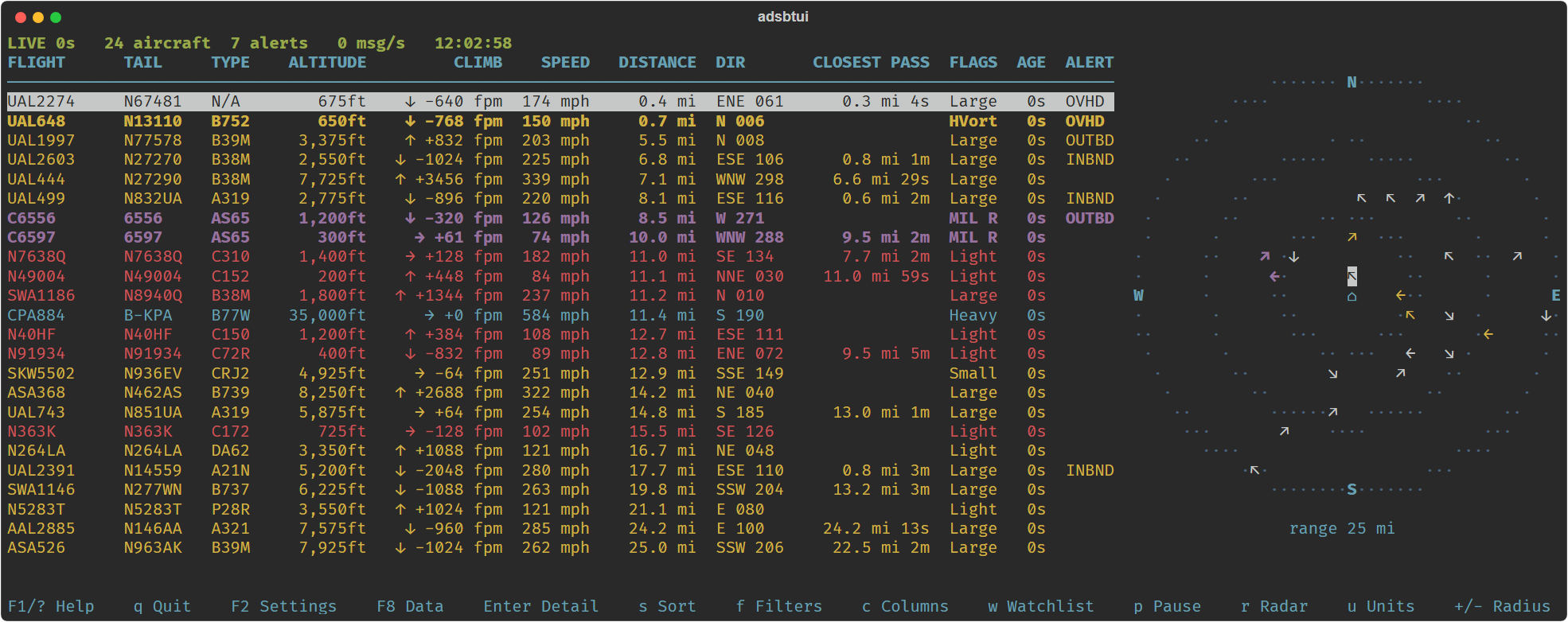
A terminal UI that lists aircraft near you from the aircraft.json feed of your own readsb or dump1090-fa receiver. It renders a sortable table and a radar scope with curses.
- Python 3.11+
- A
readsbordump1090-fareceiver whoseaircraft.jsonyou can reach by URL or file path (or use--demo, below) - Windows only:
windows-curses, installed by thewindowsextra
- Install from PyPI with pipx. The package is named
adsb-tui; the command it installs isadsbtui.
pipx install adsb-tuiOn Windows, add the windows extra so curses works:
pipx install "adsb-tui[windows]"To update, run pipx upgrade adsb-tui. To remove it, run pipx uninstall adsb-tui.
Raspberry Pi OS blocks plain pip install, so pipx is the way to go there. If you don't have it:
sudo apt install pipx && pipx ensurepath # then open a new shellDevelopment version: to run the latest code from main, install from a clone instead.
git clone https://github.com/WPTK/ADSB-TUI.git
cd ADSB-TUI
pip install -e .            # Windows: pip install -e ".[windows]"
With pipx, use pipx install --editable . from the clone. To update, git pull and restart adsbtui. A pipx install made without --editable won't pick
up the pull; fix it once with pipx install --force --editable ..
Windows without Python: each GitHub Release
includes adsb-tui-<version>-windows-x64.exe. Download it and run it from Windows Terminal
(it is a terminal program; double-clicking opens a window that closes on exit). The exe is
unsigned, so SmartScreen may warn "Windows protected your PC": choose More info, then Run anyway.
To verify the download against the .sha256 file from the same release:
(Get-FileHash .\adsb-tui-<version>-windows-x64.exe -Algorithm SHA256).Hash.ToLower()
Get-Content .\adsb-tui-<version>-windows-x64.exe.sha256
The two hashes must match. Then run .\adsb-tui-<version>-windows-x64.exe in place of adsbtui below.
- Start the app:
adsbtuiThe first run starts a setup wizard that finds your receiver and home location and writes
~/.config/adsbtui/config.toml. To skip it:
adsbtui --url 192.0.2.10 --lat 37.7749 --lon -122.4194--url takes a receiver address (the usual aircraft.json paths are probed), an exact URL, or
a local file such as /run/readsb/aircraft.json.
No receiver yet? adsbtui --demo shows scripted traffic around your home position (or San
Francisco if none is set). It needs no config and no network, never sends an alert, and writes
nothing to disk. The status line says DEMO.
| Key | Action |
|---|---|
F1 / ? |
Help |
F2 / , |
Settings (every option, saved to config.toml) |
F8 / D |
Aircraft registry: status and manual update |
Enter |
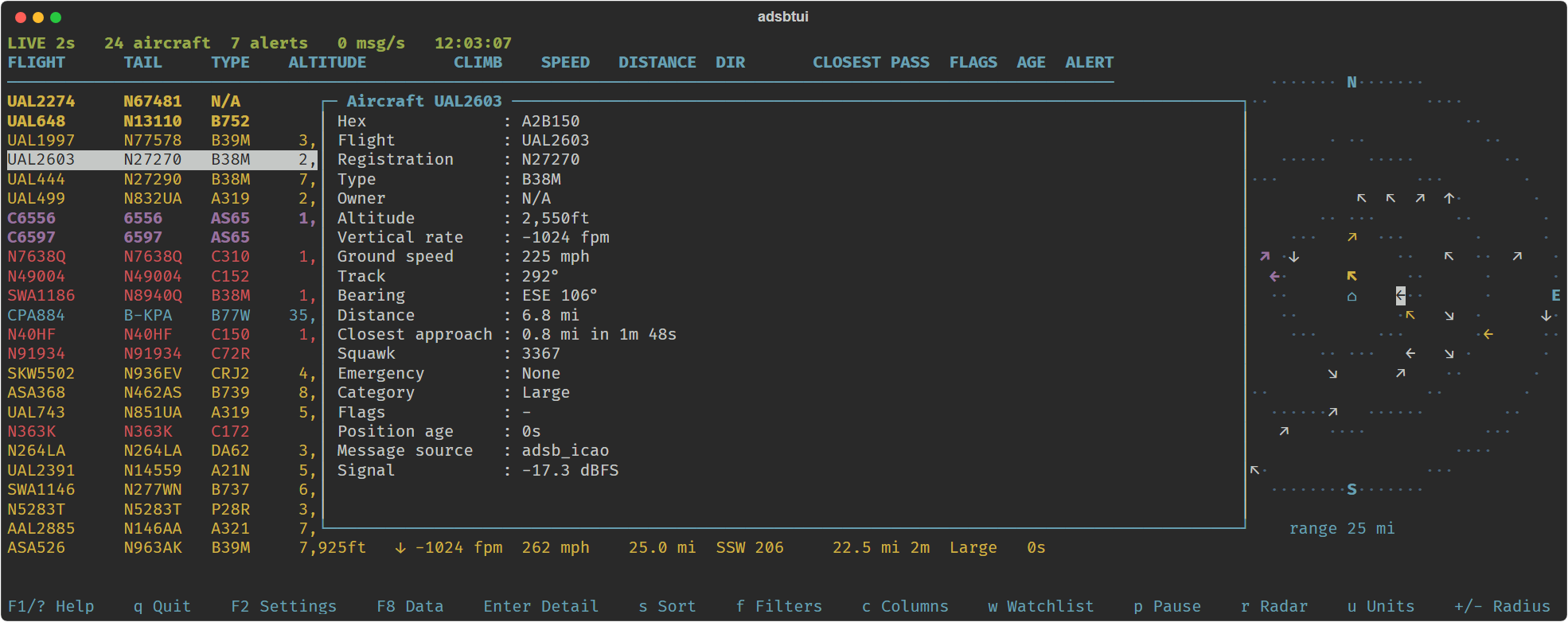
Details for the selected aircraft |
Up Down / k j, PgUp PgDn, Home End |
Move the selection |
d |
Details (same as Enter) |
s / S |
Sort screen / reverse the sort |
f or / / c / w |
Filter and search / columns / watchlist |
r / u / p |
Toggle radar / cycle units / pause |
+ / - |
Grow / shrink the radius |
q / F10 |
Quit |
F3–F7 open filters, sort, columns and watchlist as in the key bar. Help (F1) lists every key and scrolls.
The mouse works too: click a column header to sort by it (click again to reverse), click a row or a scope arrow to select it, and scroll the wheel to move the cursor. Hovering an arrow on the scope highlights its row and shows a tooltip; hover needs a terminal that reports mouse motion (most xterm-compatible ones) and is not available on every Windows console.
Press F2 in the app to edit every option. The config file is $ADSBTUI_CONFIG, else
$XDG_CONFIG_HOME/adsbtui/config.toml (~/.config/adsbtui/config.toml by default); the current
directory is never searched. Flags override ADSBTUI_<SECTION>_<KEY> environment
variables, which override config.toml. The full key list, column meanings and the watchlist
format are in docs/configuration.md.
CC0 1.0: public domain, no warranty. Downloaded registry data has its own terms, shown in the app: the FAA extract is public domain, tar1090-db is non-commercial use only.