An AI skill to build virtual LDraw/LEGO models
Warning
WIP: the skill is not ready yet, and the current source code doesn't fully work, but models can be generated using a bundle zip file on this repository.
The main goal for this project is: making an agentic LLM build virtual LDraw/LEGO models.
According to their own definition, LDraw is:
"..a completely unofficial, community run free CAD system which represents official parts produced by the LEGO company."
Part of this system is the LDraw language, an extremely simple programming language for building virtual models, mostly LEGOs.
This makes possible for an agentic LLM to generate LDraw source code, that's equivalent to generating a virtual model.
See the Results section below for samples of generated virtual models.
Warning
Not every attempt at generating a new model will be successful!
Generating models via an agentic LLM involves just a few easy steps, detailed below.
The following are required downloads:
- The instructions, information and tools zip bundle
- The Official LDraw zipped parts library
- LDView, an LDraw models viewer
Extract the parts library zip file and then configure LDView to use it.
These other downloads are optional:
- Official LDraw models for experimenting
- Models editors:
As with LDView, these tools may also require configuration for using the parts library.
To start generating models:
- Log in to the chat website (e.g. https://claude.ai/ or https://chatgpt.com/)
- Add the following to the initial chat message:
- The zip bundle you downloaded before
- The prompt message:
- "Follow the instructions.md in the attached bundle. Build me a ______"
- Send the message
Create more models on the same conversation by entering more prompts like e.g.:
- Build me a car
- Build me a house
- Generate a wizard
- ...
Then, the agentic LLM will start the building process and provide an LDraw .mpd file for download when finished.
To inspect the resulting model, download the .mpd file and open it on LDView.
That's it!
TODO
- The LDraw language
- Parsing the language
- Adjusting the geometry for the LLM
- BOMs
- Models library creation
- The validation-feedback process loop
- Pending - RAG
- Pending - Fine tuning
Tip
Browse these generated models and more on a 3D or VR environment at:
https://anteloc.github.io/ldbuilder-ai-viewer.html
NOTE: VR mode requires a WebXR-compatible headset like e.g. Meta Quest
The following models have been generated using Claude.ai (Opus 4.5, Opus 4.6 and Sonnet 4.6).
It was a simple process:
- I gave it a simple prompt, few constraints, so it would be creative
- Then, it would start the creation process, by generating LDraw source code
- At the end of the process, I would download the generated sources (.mpd file)
- After that, I would open them in LDView for inspecting the generated model
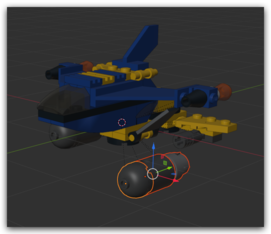
The resulting models are actual editable CAD models, not only meshes. This is a model I opened in Blender:
Model A + B: 01-opus-4.5/009-speed_falcon_hybrid.mpd
 |
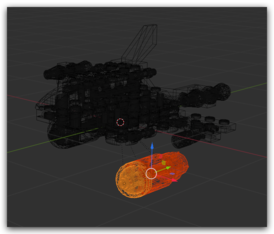 |
It has quite some defects, but symmetry is pretty good.
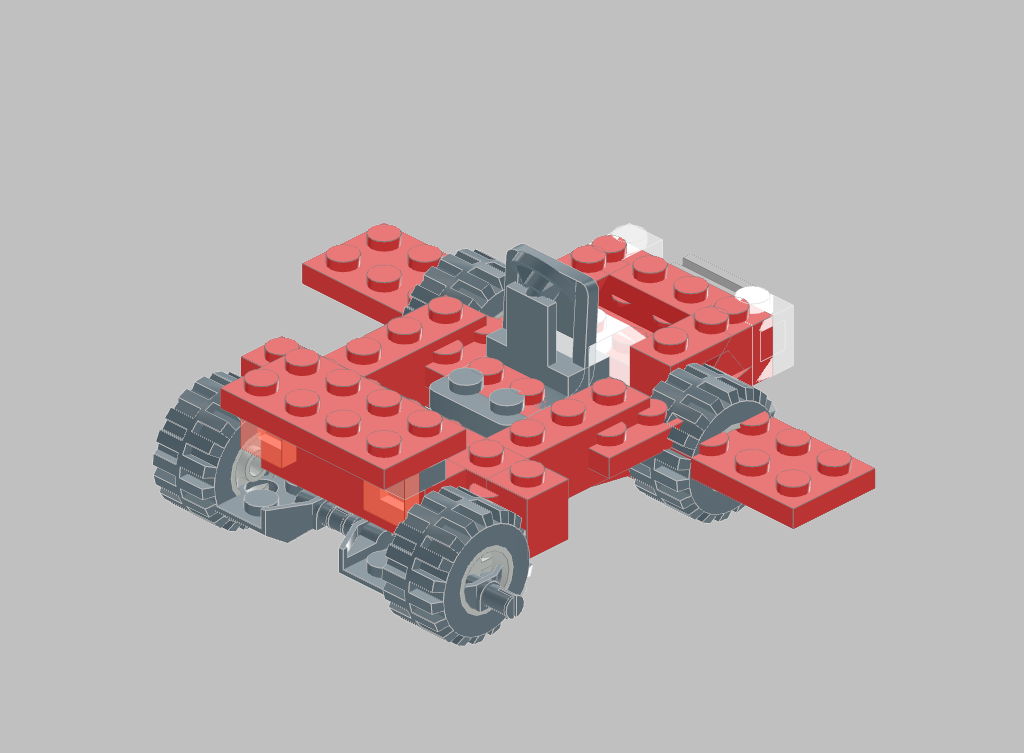
| 01-opus-4.5/001-generated_sports_car.mpd |
|---|
 |
It took care itself of dressing the minifig accordingly.
| 01-opus-4.5/002-generated_paladin.mpd |
|---|
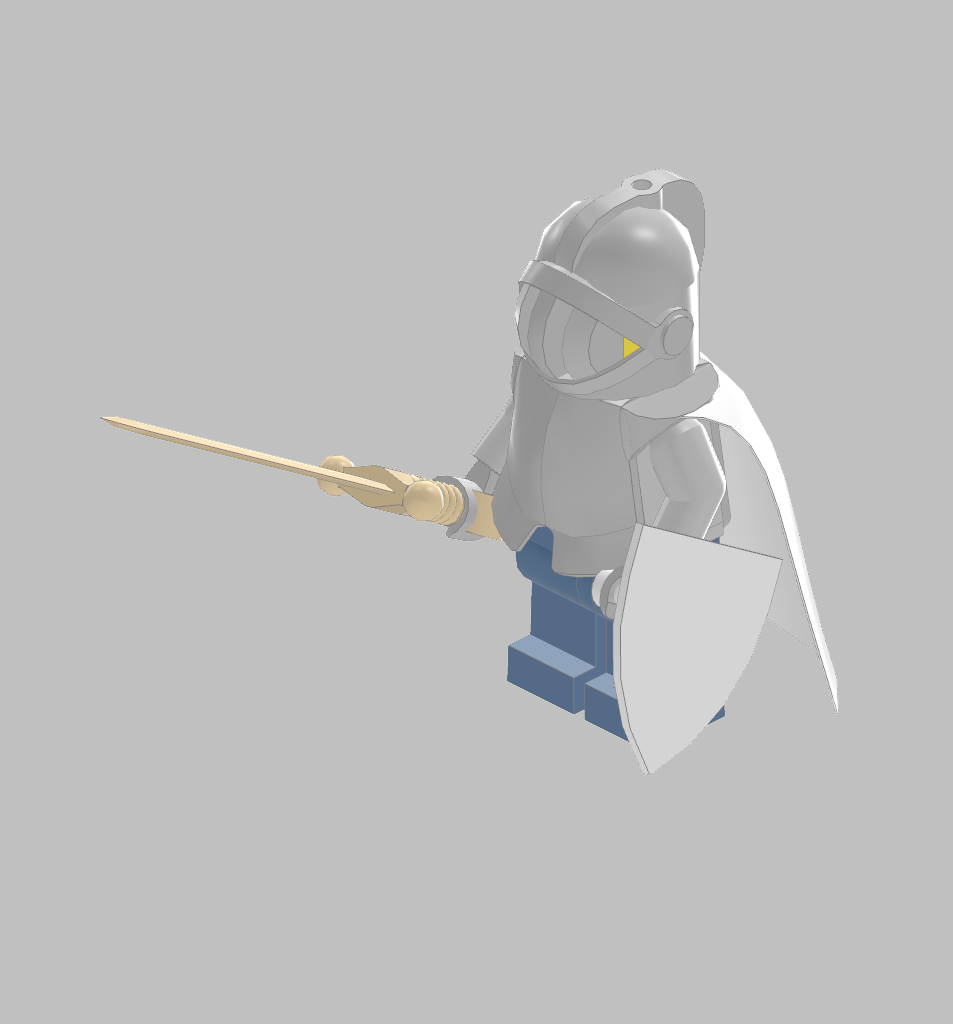 |
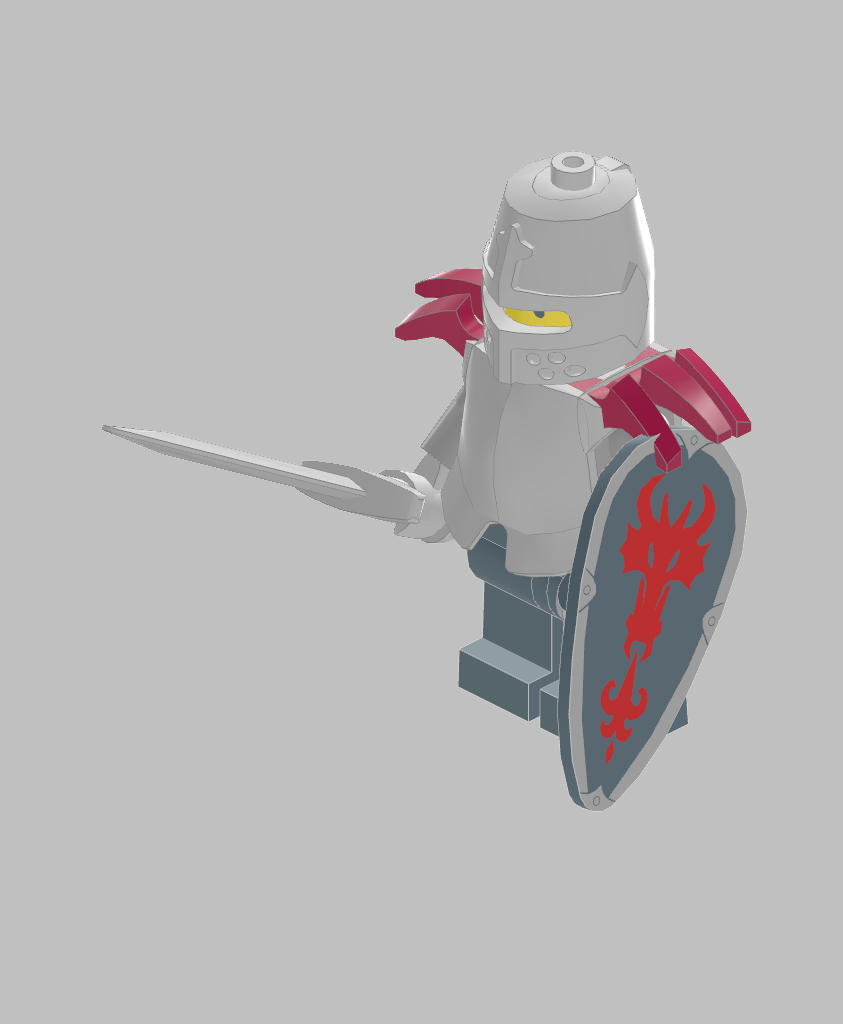
Even with only one hint, "dragonslayer", it took care of even choosing a proper shield.
| 01-opus-4.5/003-generated_dragonslayer.mpd |
|---|
 |
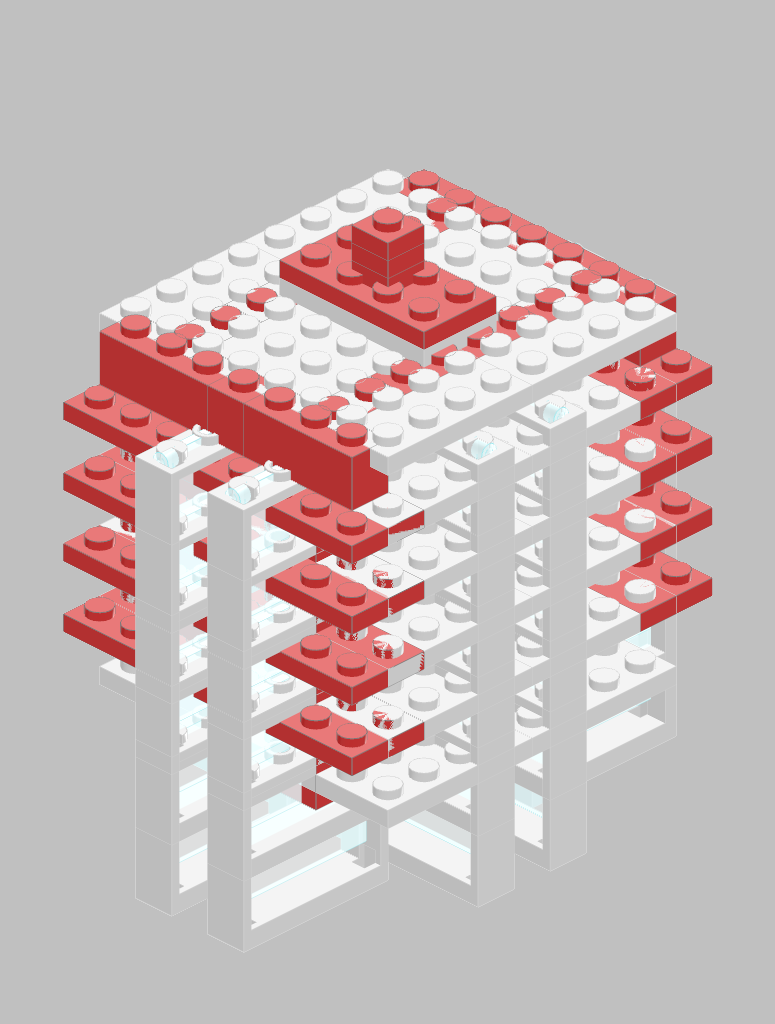
This rendered image is missing several details:
| 01-opus-4.5/004-generated_skyscraper.mpd |
|---|
 |
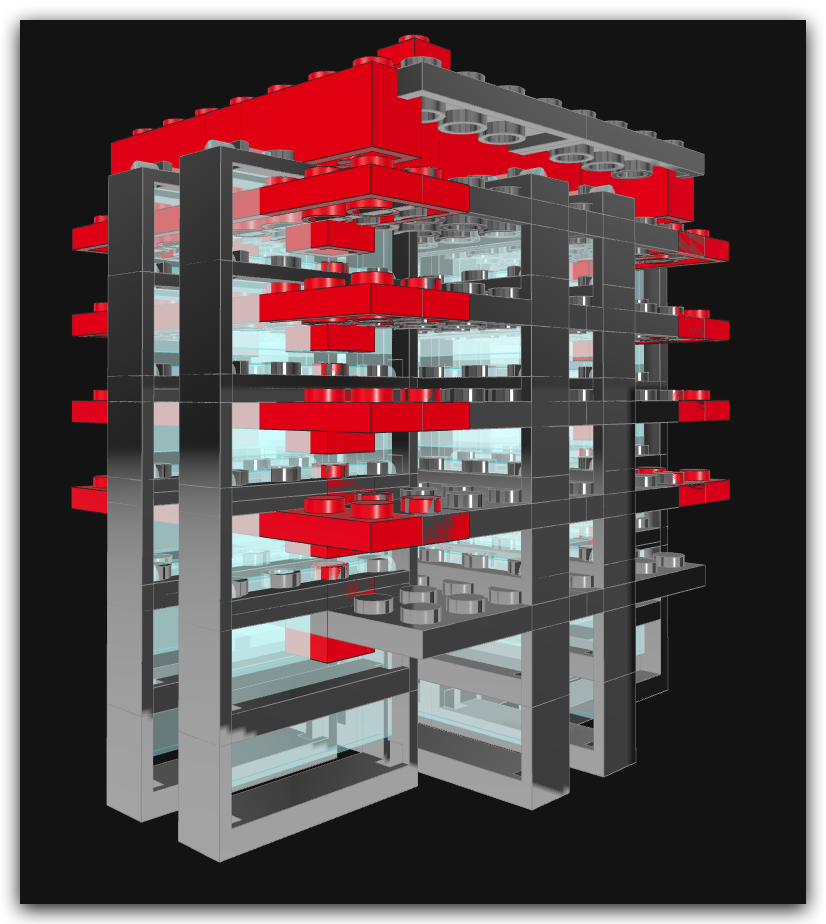
A better screenshot, from LDView, proof that the requested features are present:
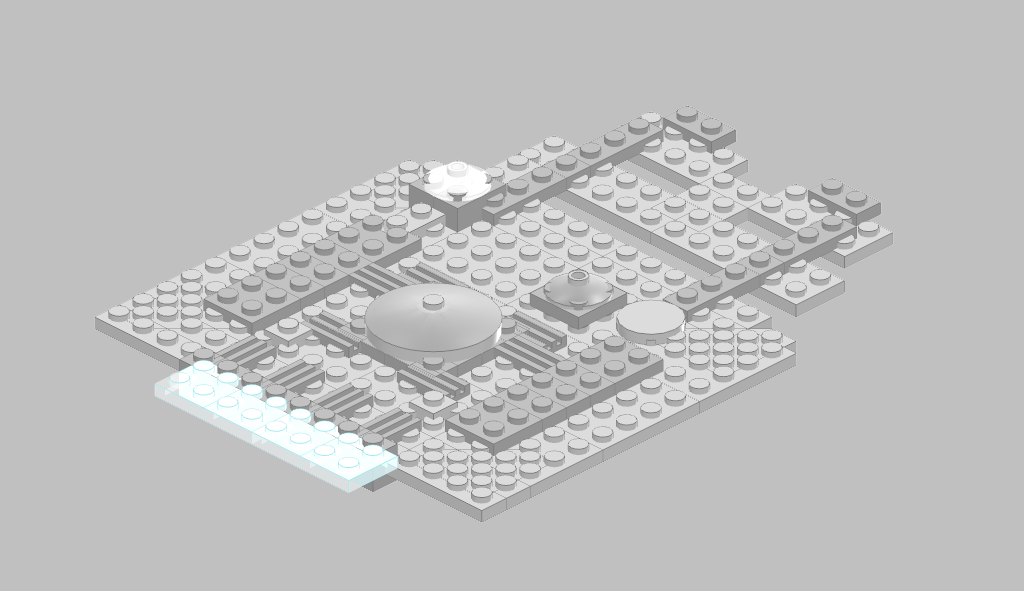
The result is only slightly similar to the original one, with a similar outline.
| 01-opus-4.5/005-generated_millennium_falcon.mpd |
|---|
 |
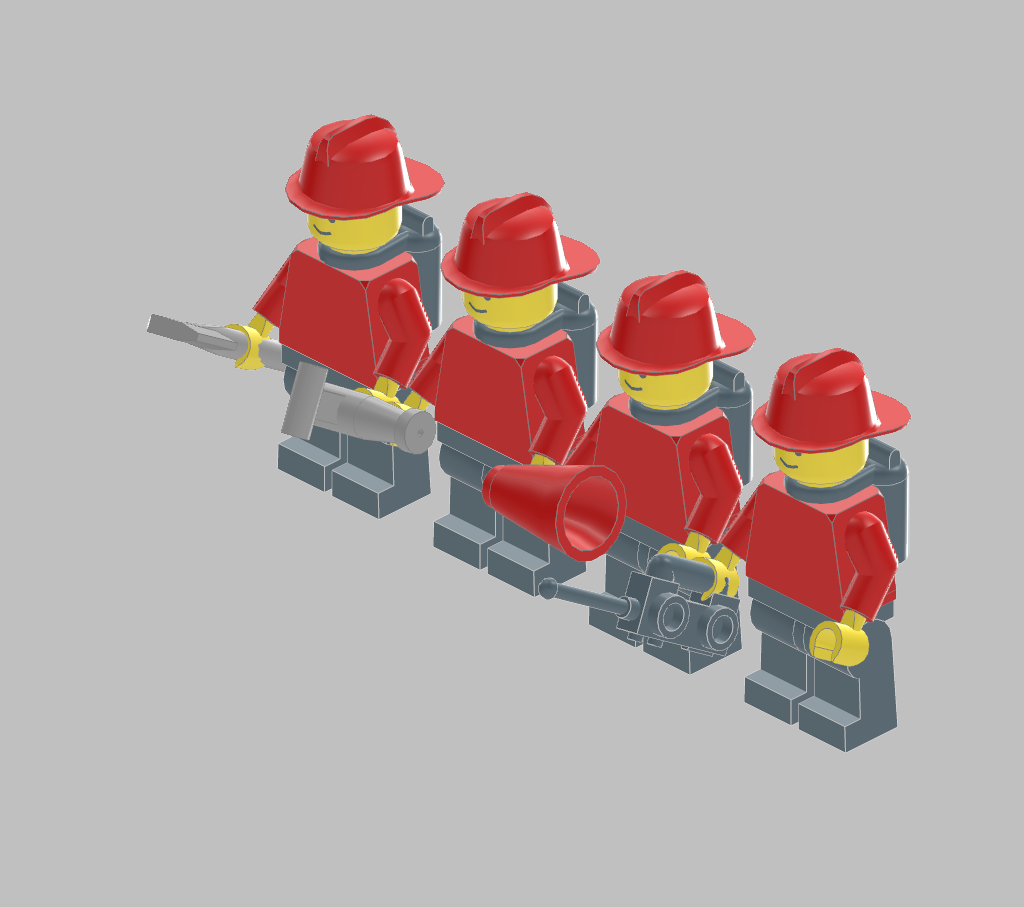
Two things I've noticed:
- First, it can count ;-)
- Second, all of the minifigs correctly hold the tools in their right hands.
| 01-opus-4.5/006-generated_fireman_squad.mpd |
|---|
 |
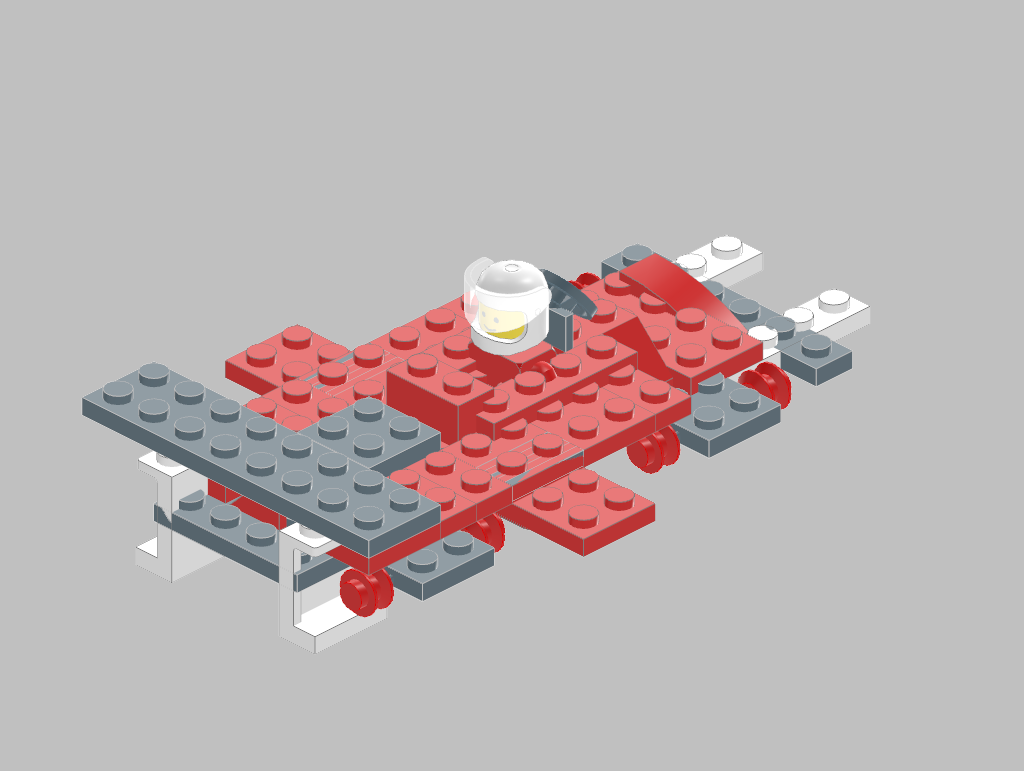
It often happens that it gets rotations wrong, like in this case, with the pilot facing rear instead of front.
| 01-opus-4.5/007-generated_f1_car_with_pilot.mpd |
|---|
 |
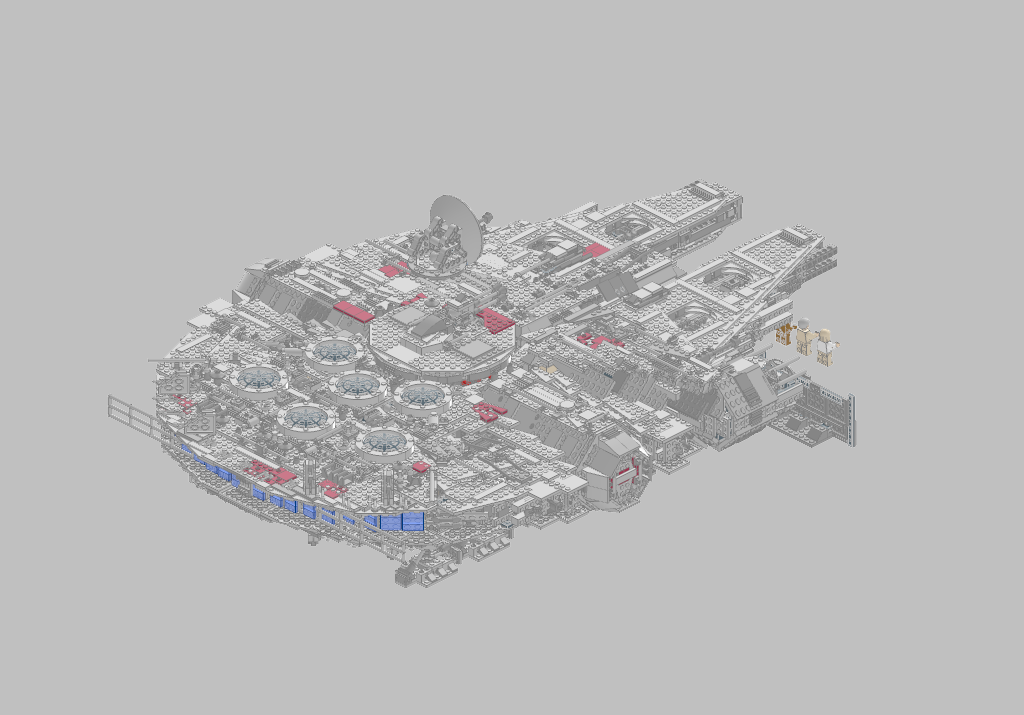
Prompt: attached you will find a model for the Millenium Falcon.Modify it in order to create a new spaceship
I gave it this as a baseline to start working.
| 01-opus-4.5/008-10179_Ultimate_Collectors_Millennium_Falcon.lxf.mpd |
|---|
 |
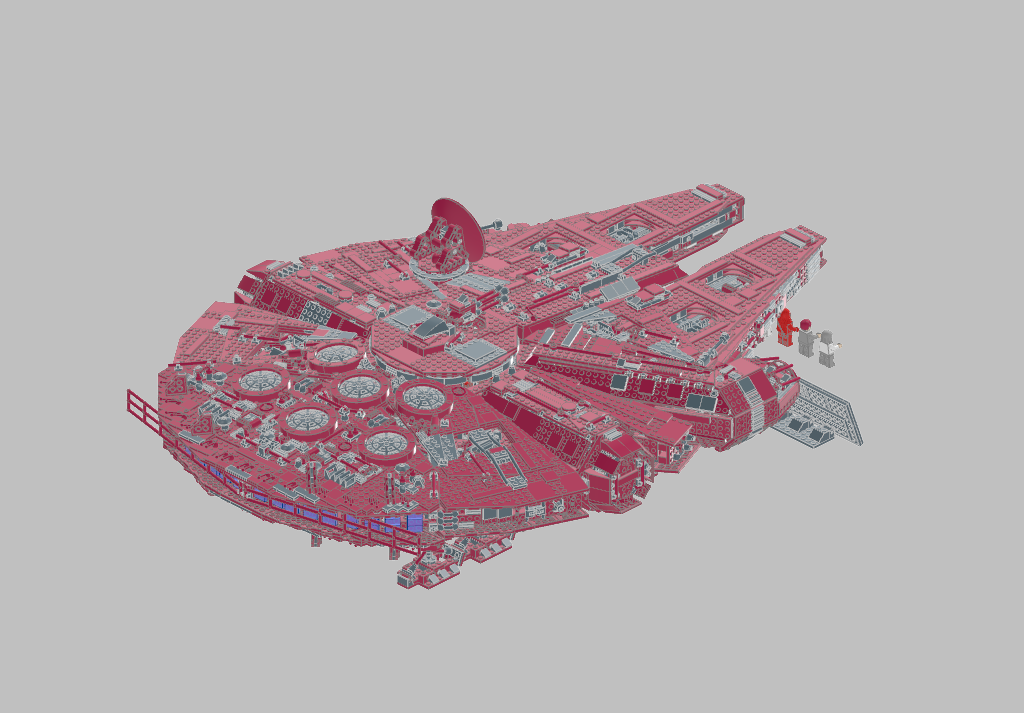
The model being too big, instead of changing its shape, it decided to make it red, and gave it the name "The Crimson Interceptor".
| 01-opus-4.5/008-crimson_interceptor.mpd |
|---|
 |
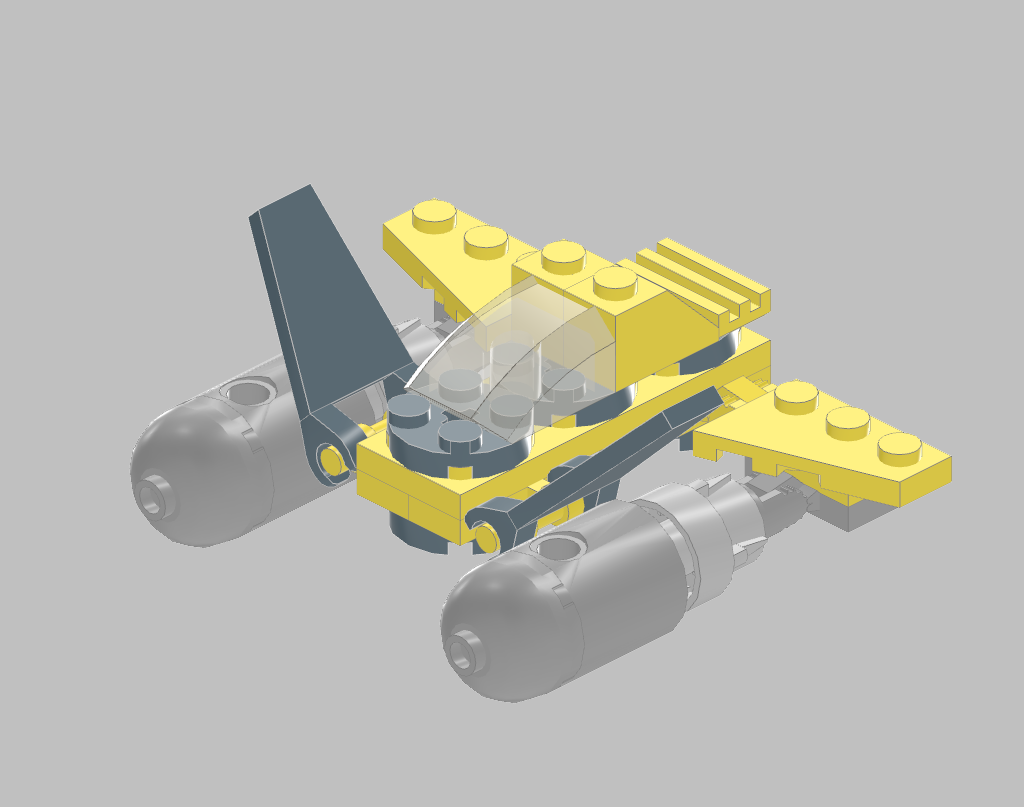
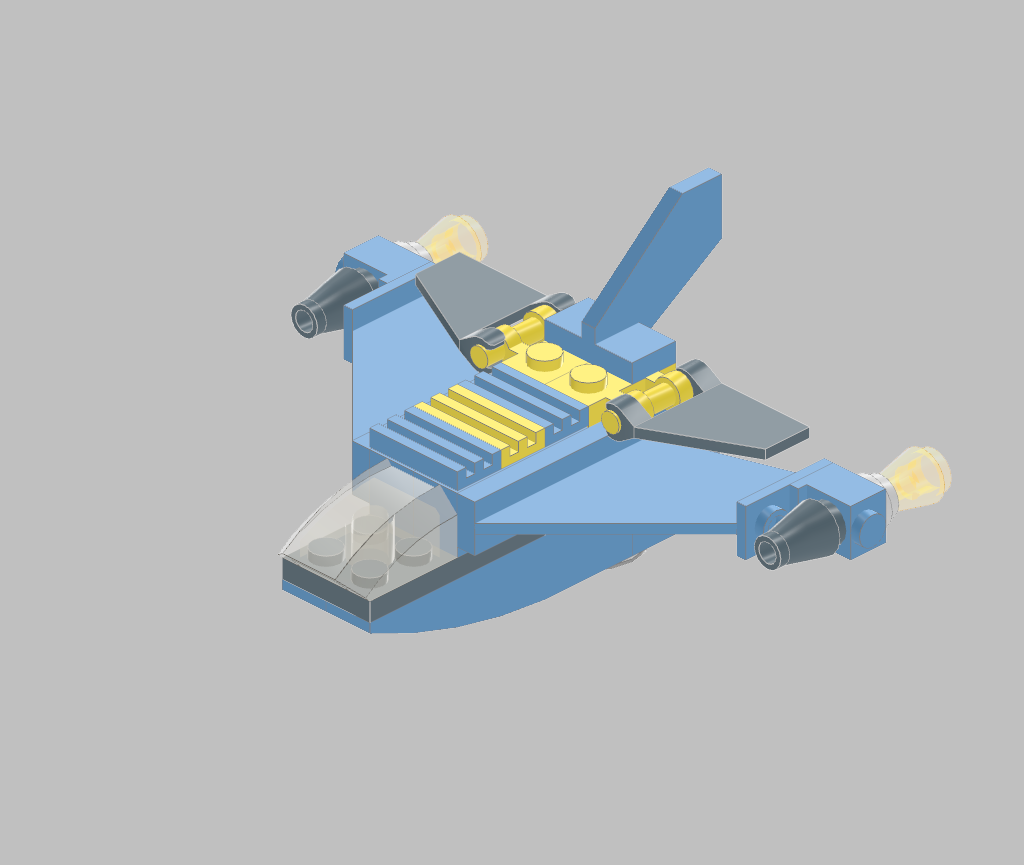
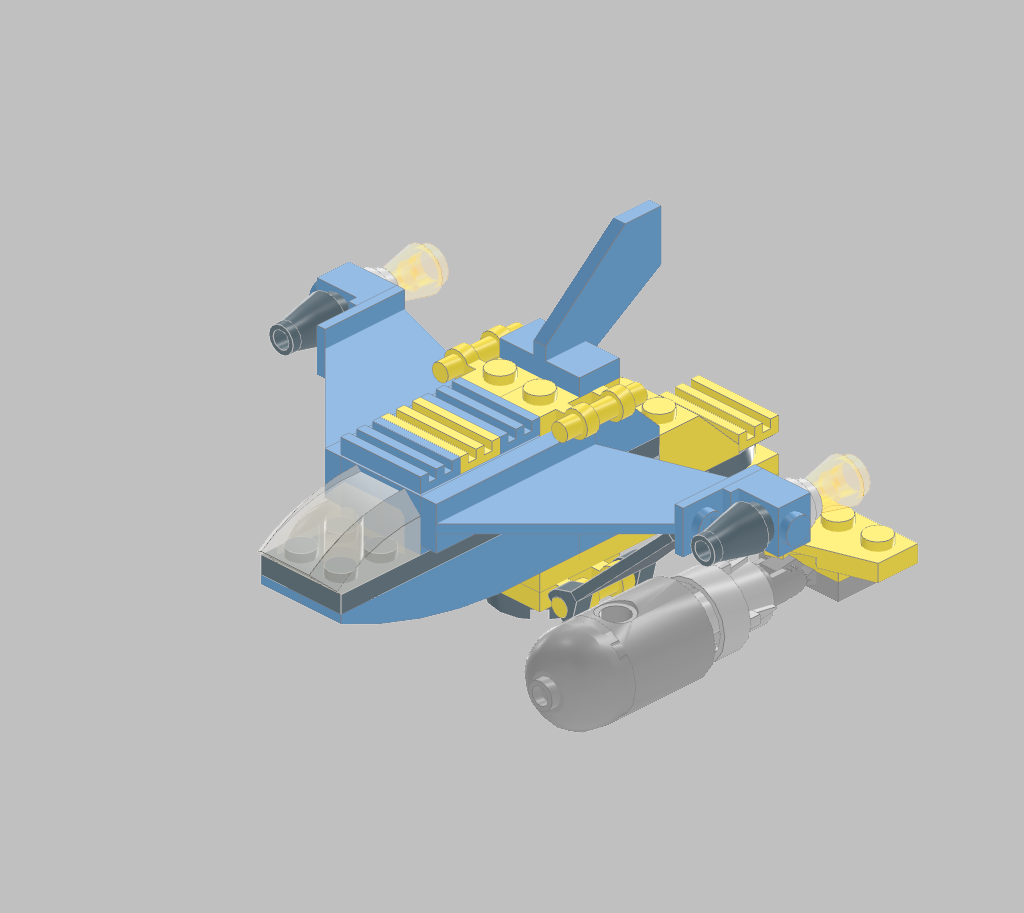
Here I tried something different: gave it two models, and asked it to "merge" them.
The end result it's like it copied the engines and rear wings from A and pasted them onto B.
| Model A: 01-opus-4.5/009-4882_Speed_Wings-Model_A.lxf.mpd |
|---|
 |
| Model B: 01-opus-4.5/009-4882_Speed_Wings-Model_B.lxf.mpd |
|---|
 |
| Model A + B: 01-opus-4.5/009-speed_falcon_hybrid.mpd |
|---|
 |
Now, I tested extracting a submodel from a model: get me the plane alone!
| 01-opus-4.5/010-4209_Ffire_Plane.lxf.mpd |
|---|
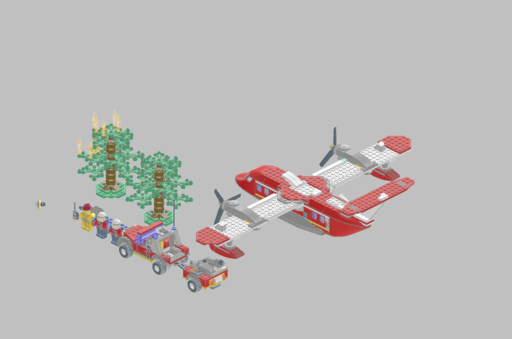 |
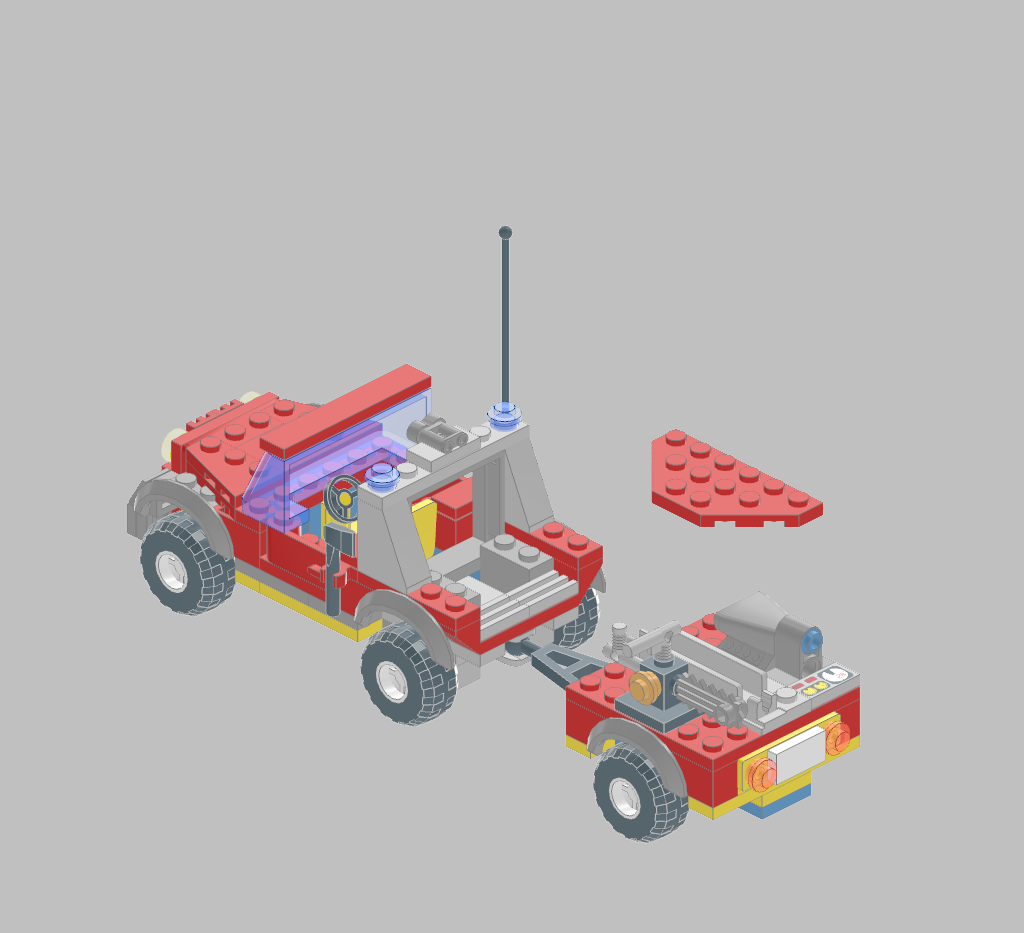
It failed the first attempt, and extracted the car and wagon, instead of the plane.
| 01-opus-4.5/010-A-fire_plane_only.mpd |
|---|
 |
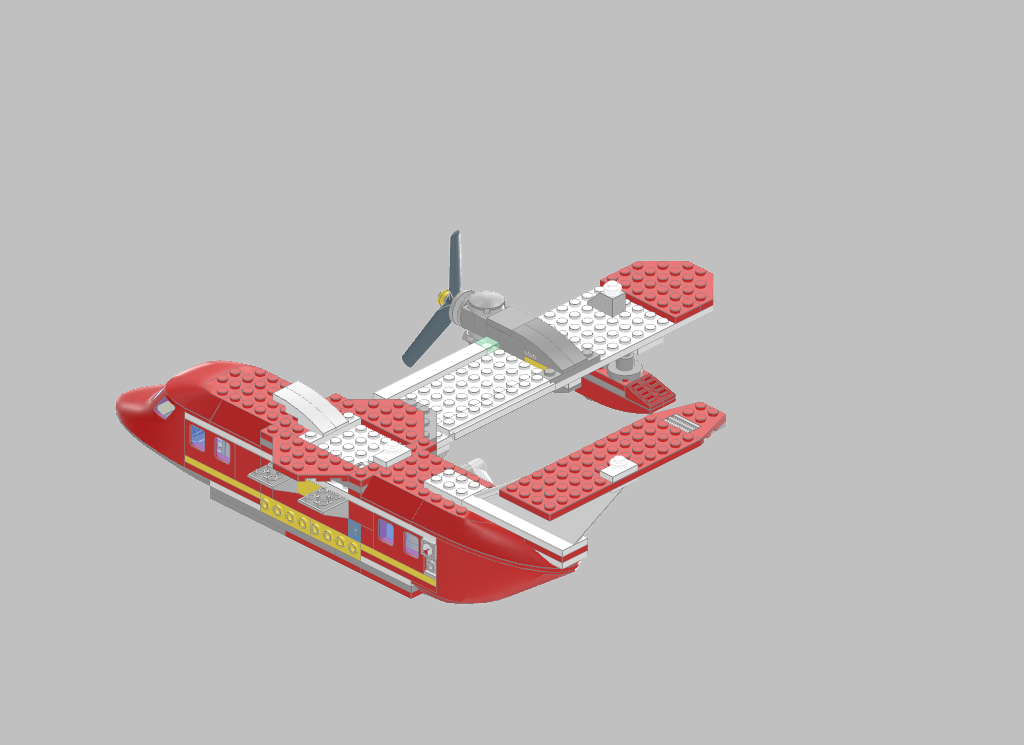
Second attempt at extracting the plane, this came out better than before. The plane is missing several parts, but the ones present seem to be correct.
| 01-opus-4.5/010-B-fire_plane_only.mpd |
|---|
 |
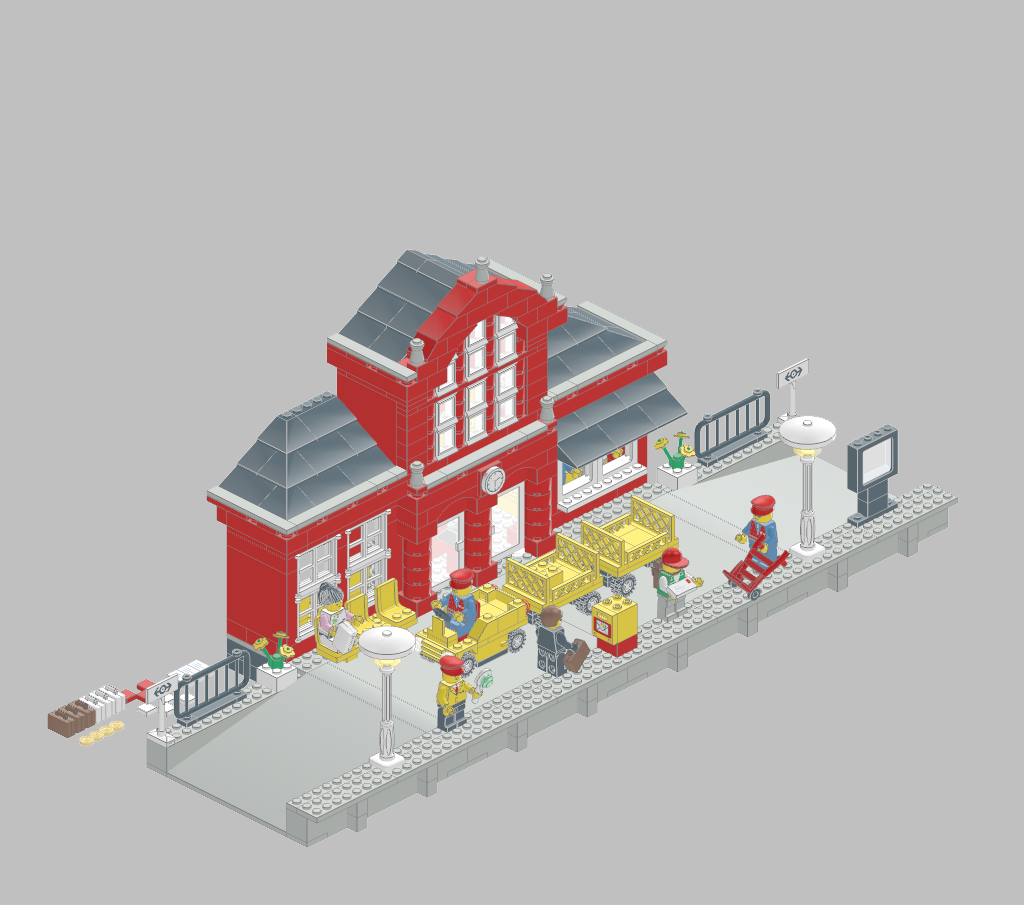
This was an actual surprise, I gave it the following model:
| 01-opus-4.5/011-2150_Ttrain_Station.ldr |
|---|
 |
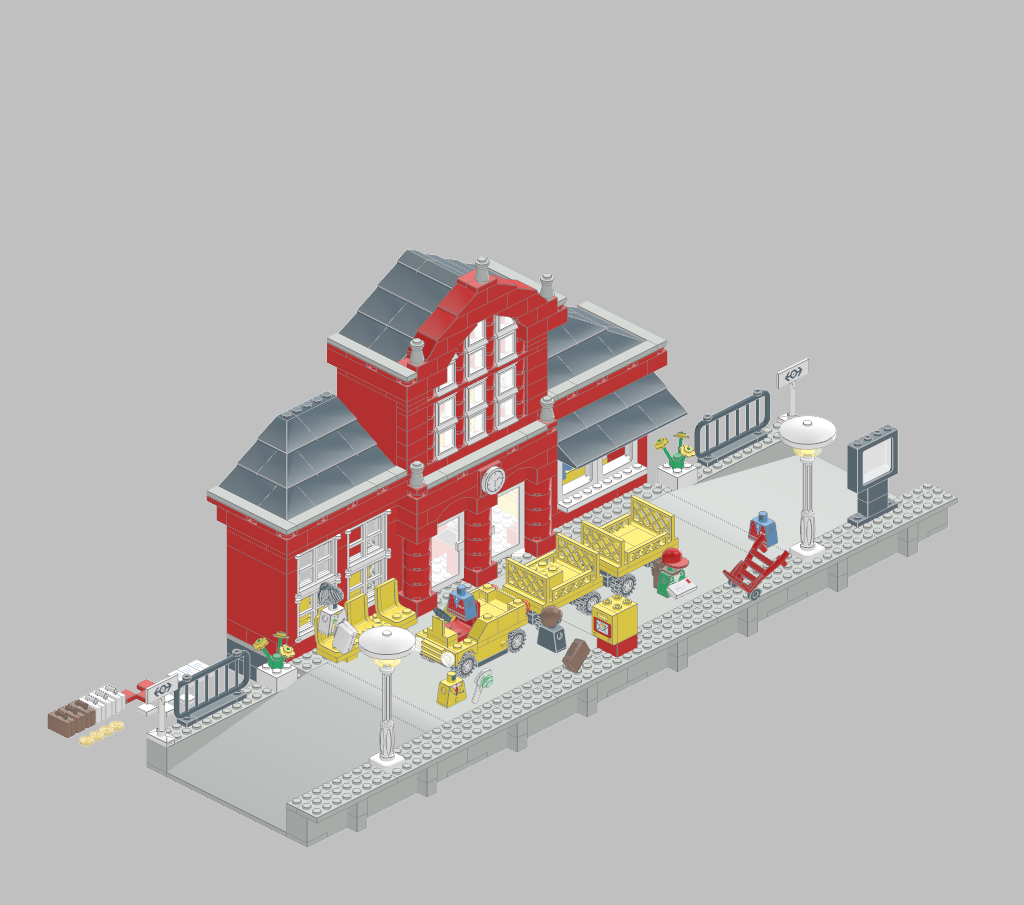
... and it "removed" the people there, but left most of their clothes, hair, etc. intact (!)
| 01-opus-4.5/011-train_station_no_people.ldr |
|---|
 |
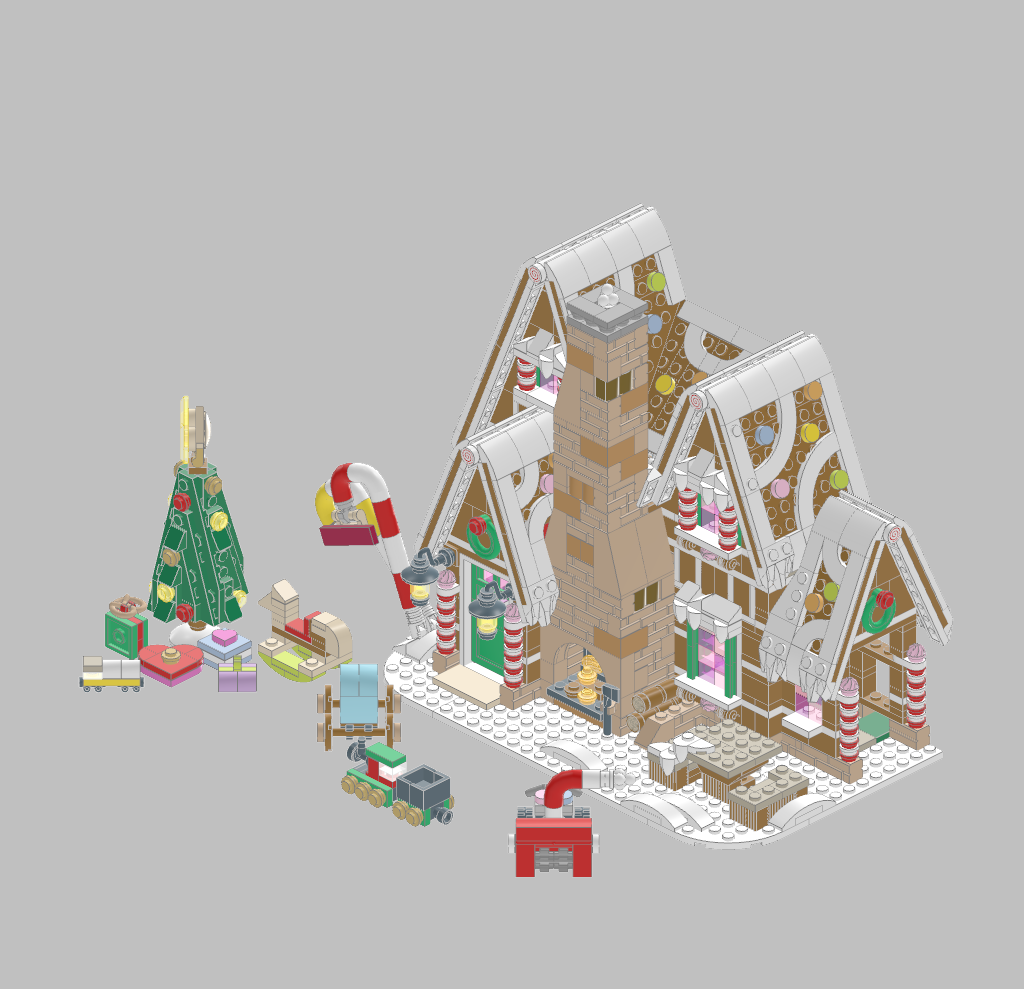
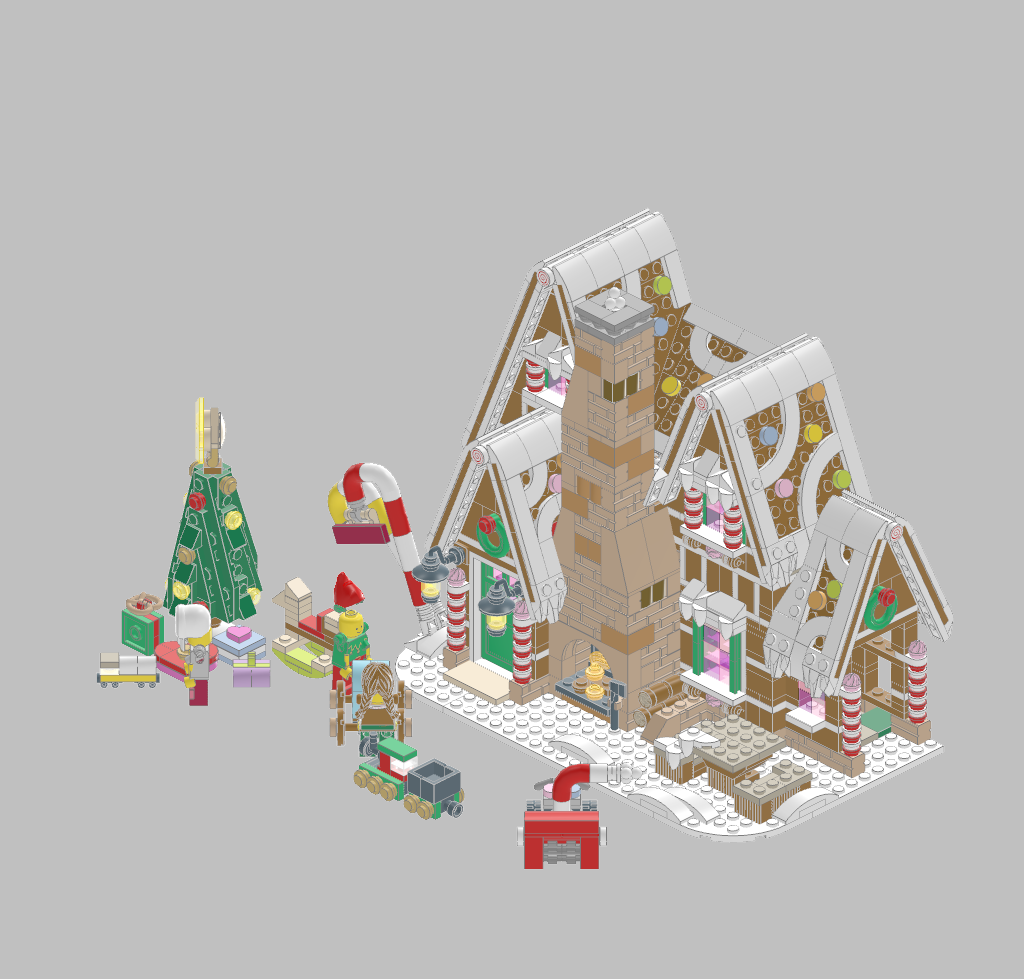
It added several minifigs, in winter garments, but their hats were oddly attached.
| 01-opus-4.5/012-10267-1.mpd |
|---|
 |
| 01-opus-4.5/012-generated_10267_with_people.mpd |
|---|
 |
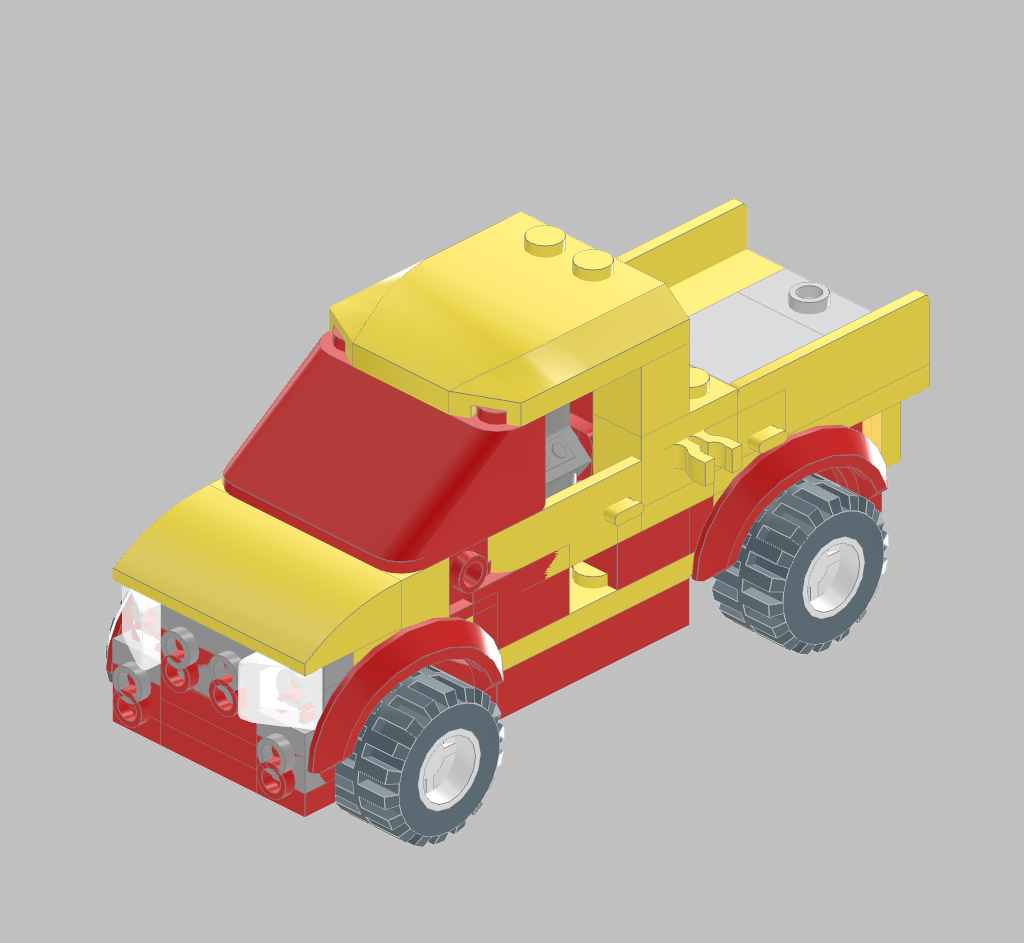
Same prompt I used before with Claude Opus 4.5, now with Sonnet 4.6 is way better!
| 02-sonnet-4.6/001-generated_sports_car.mpd |
|---|
 |
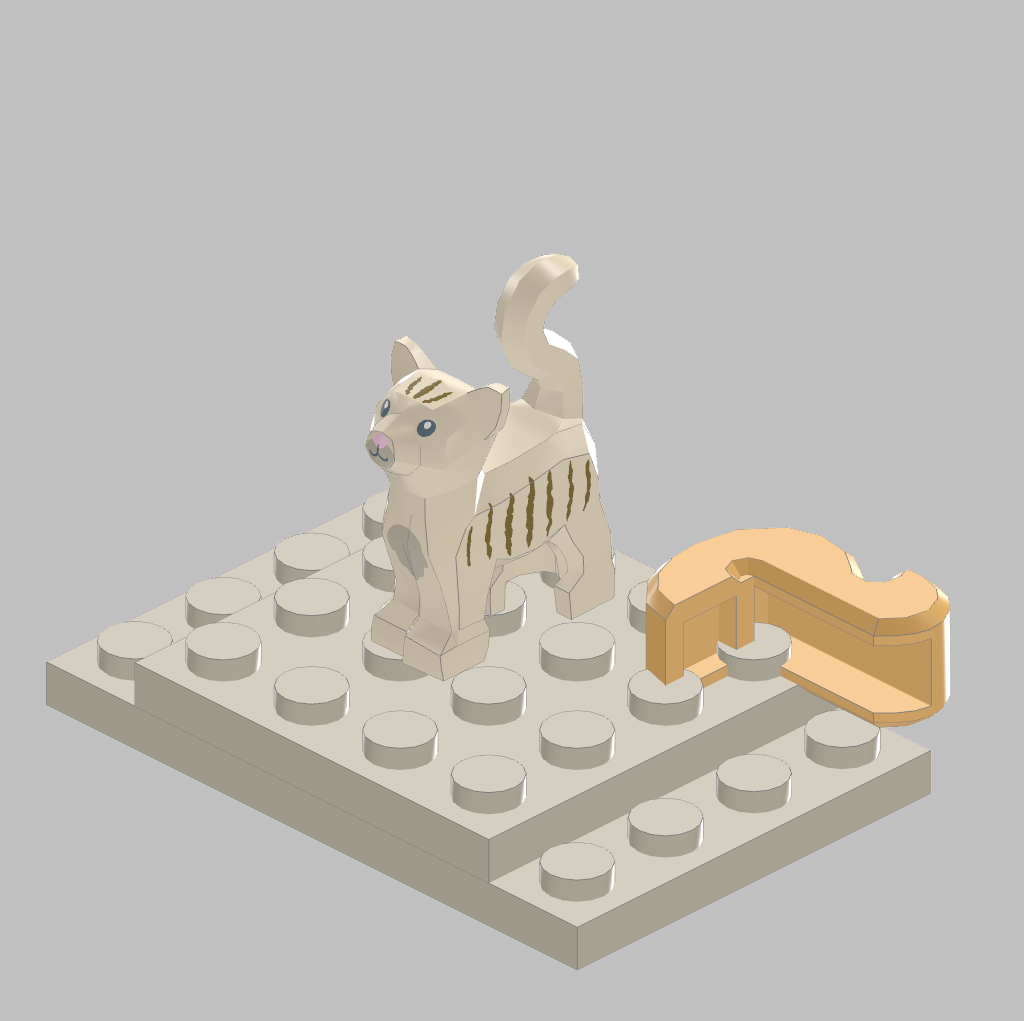
Just took a ready-made minifig and placed it on a base.
| 02-sonnet-4.6/002-generated_cat.mpd |
|---|
 |
Not a good result, simmetry was clearly wrong.
| 02-sonnet-4.6/003-generated_fighter_jet.mpd |
|---|
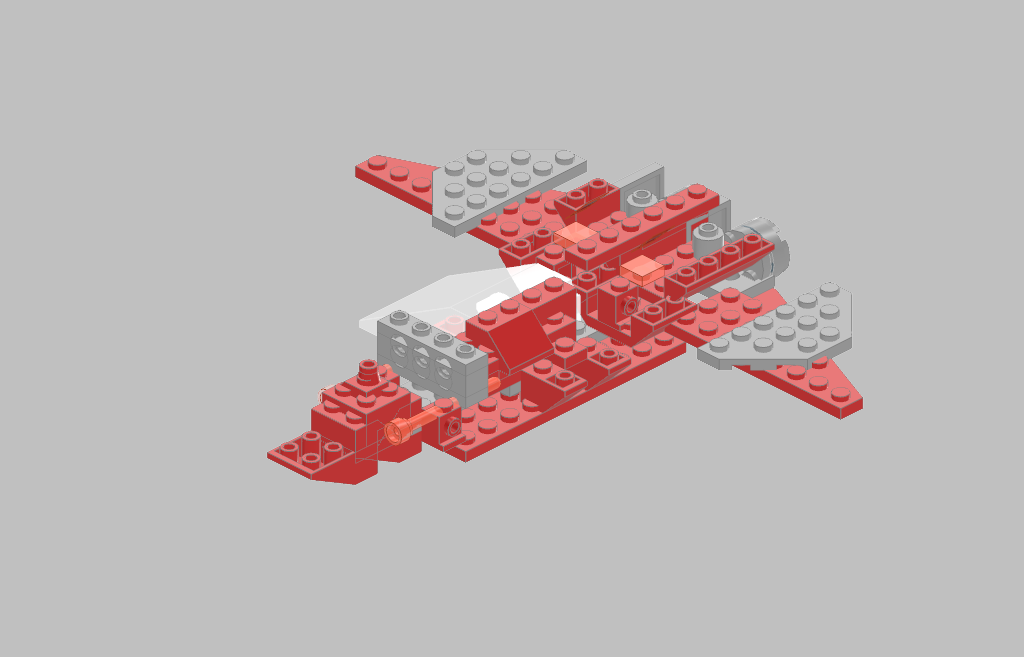 |
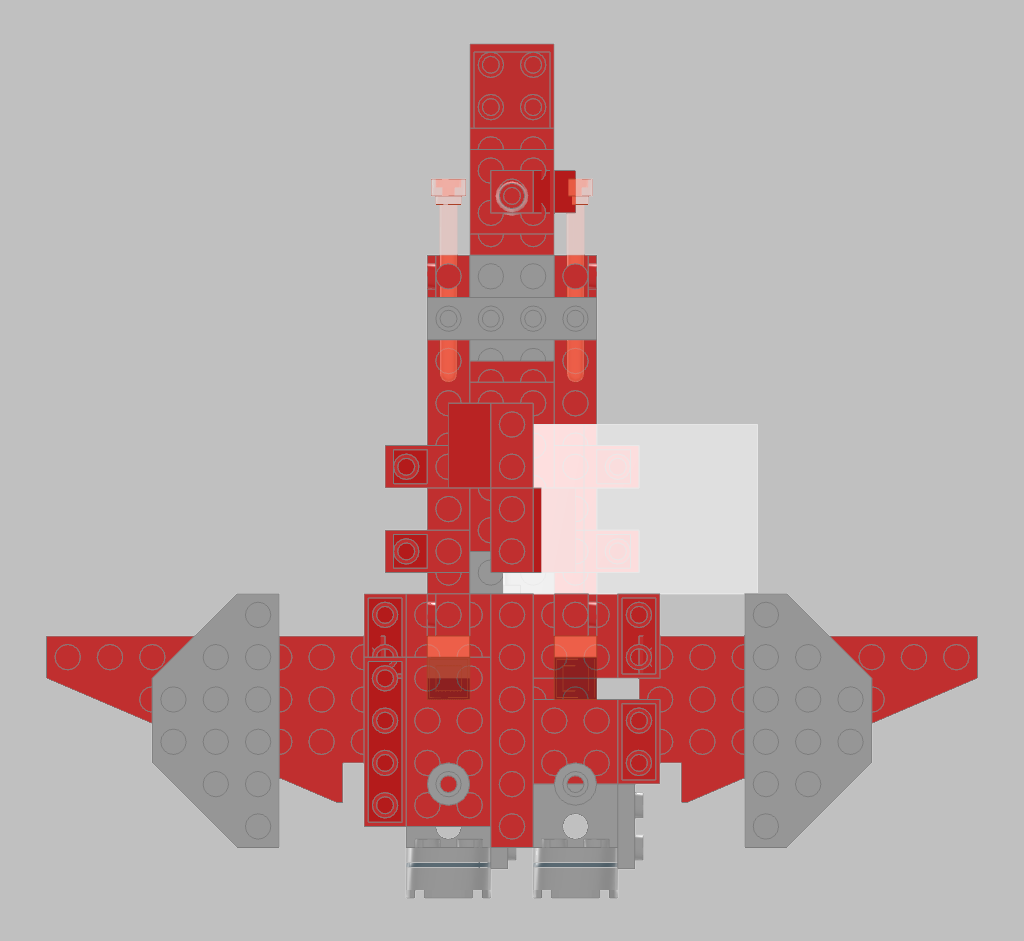
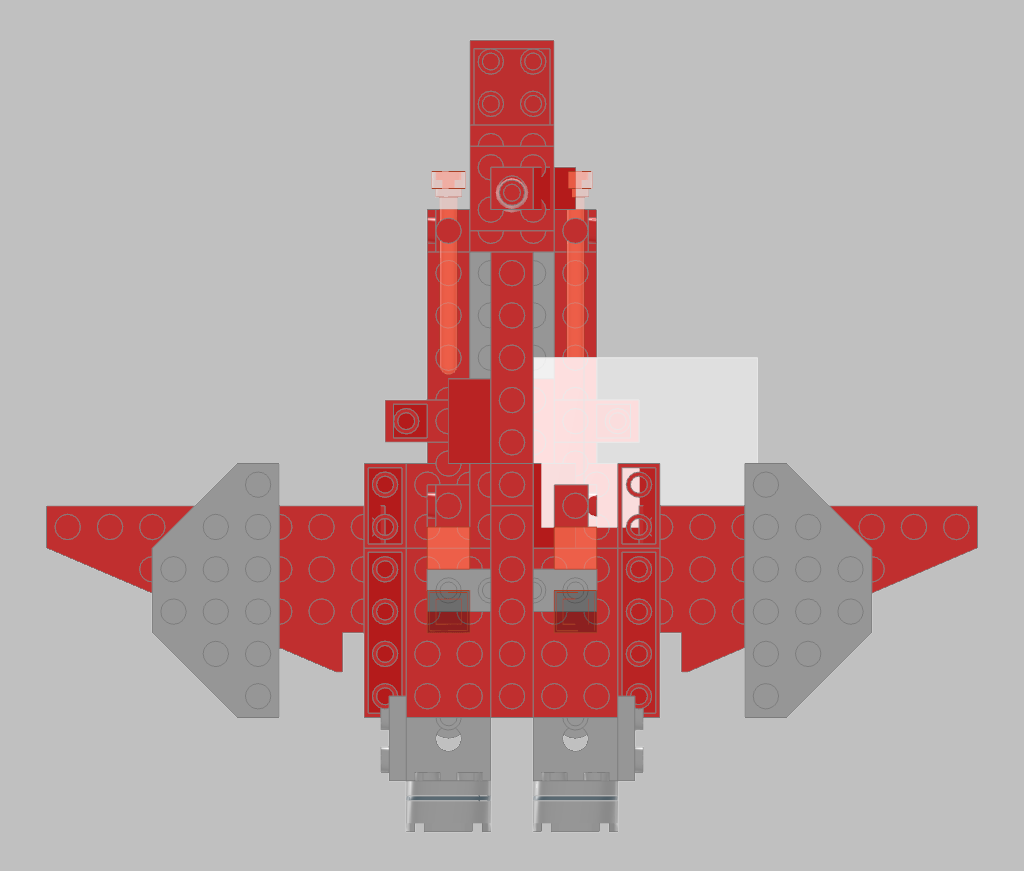
Besides this prompt, I also attached a screenshot from top perspective for the previous defective model. It analyzed the image, correctly detected several symmetry errors, and partially fixed them.
Before:
| 02-sonnet-4.6/003-generated_fighter_jet.mpd (top) |
|---|
 |
After:
| 02-sonnet-4.6/003-generated_fighter_jet_v2.mpd (top) |
|---|
 |
End result (partially fixed):
| 02-sonnet-4.6/003-generated_fighter_jet_v2.mpd (isometric) |
|---|
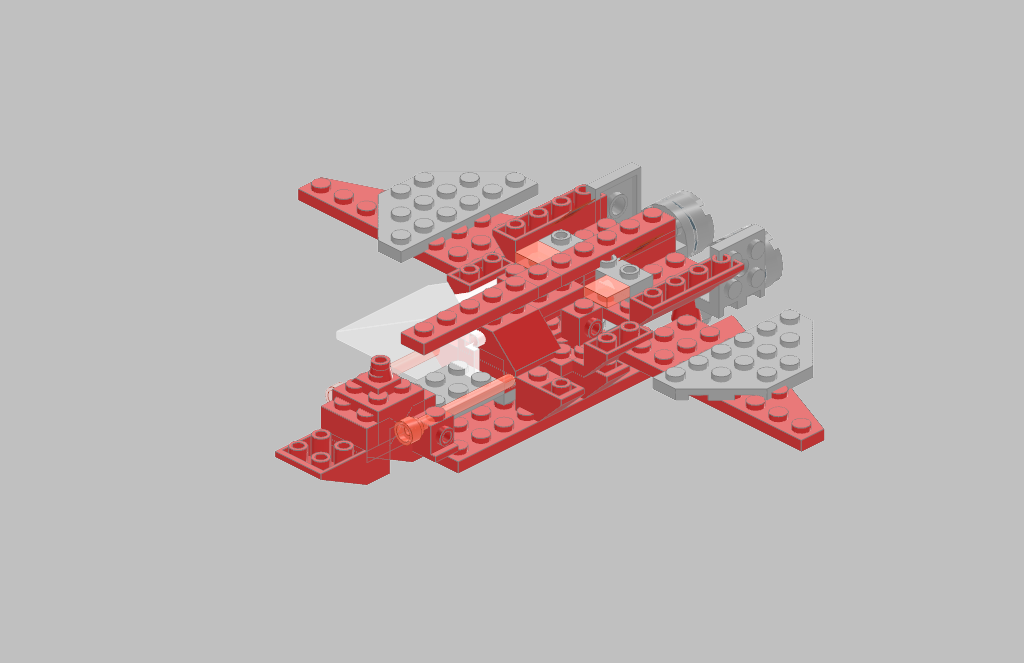 |
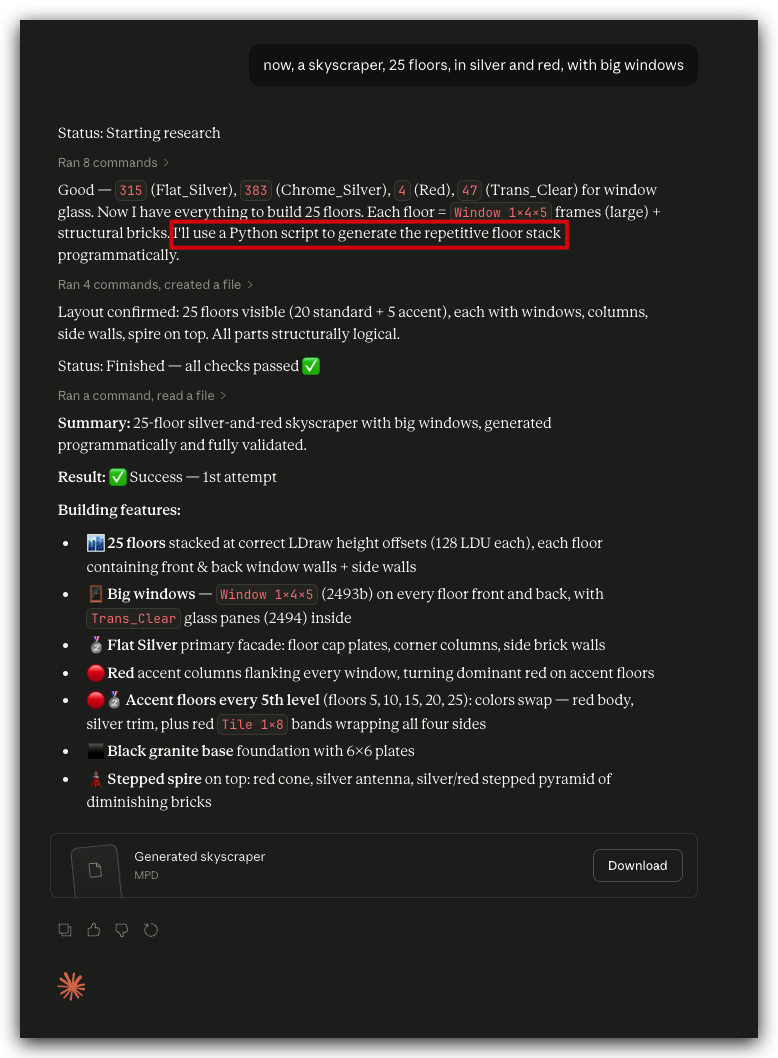
This really amazed me, even though the resulting model has structural defects.
It got it right by creating a small python script that would create all the floors by repeating the same one... 25 times!
| 02-sonnet-4.6/004-generated_25_floors_skyscraper.mpd |
|---|
 |
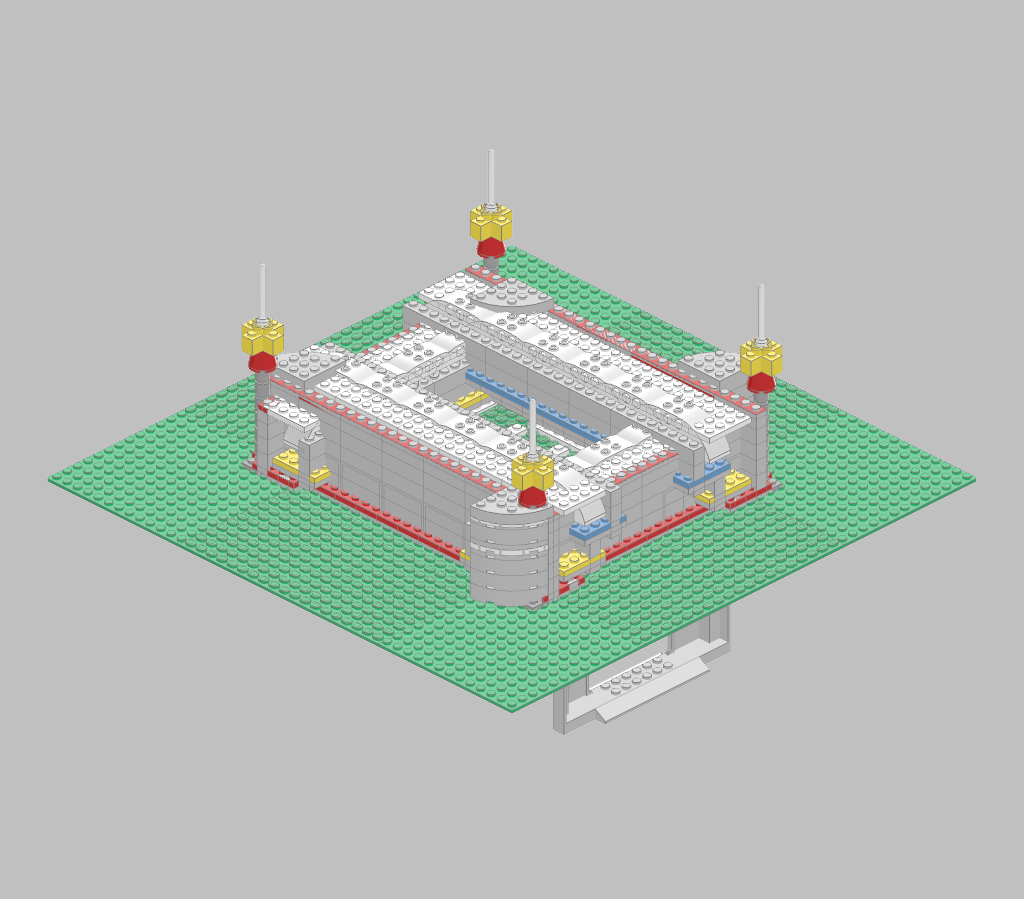
This one took 743 parts (pieces) across 9 sub-models, according to itself (Sonnet 4.6. ) The supports under the base plate don't make much sense, but for the rest, structurally speaking, it seems pretty good.
This is the script it created and run itself for generating the stadium.
| 02-sonnet-4.6/005-generated_stadium.mpd |
|---|
 |
I gave it this photo from an iconic building, the Bradbury, just to test how accurate it is when copying something real.
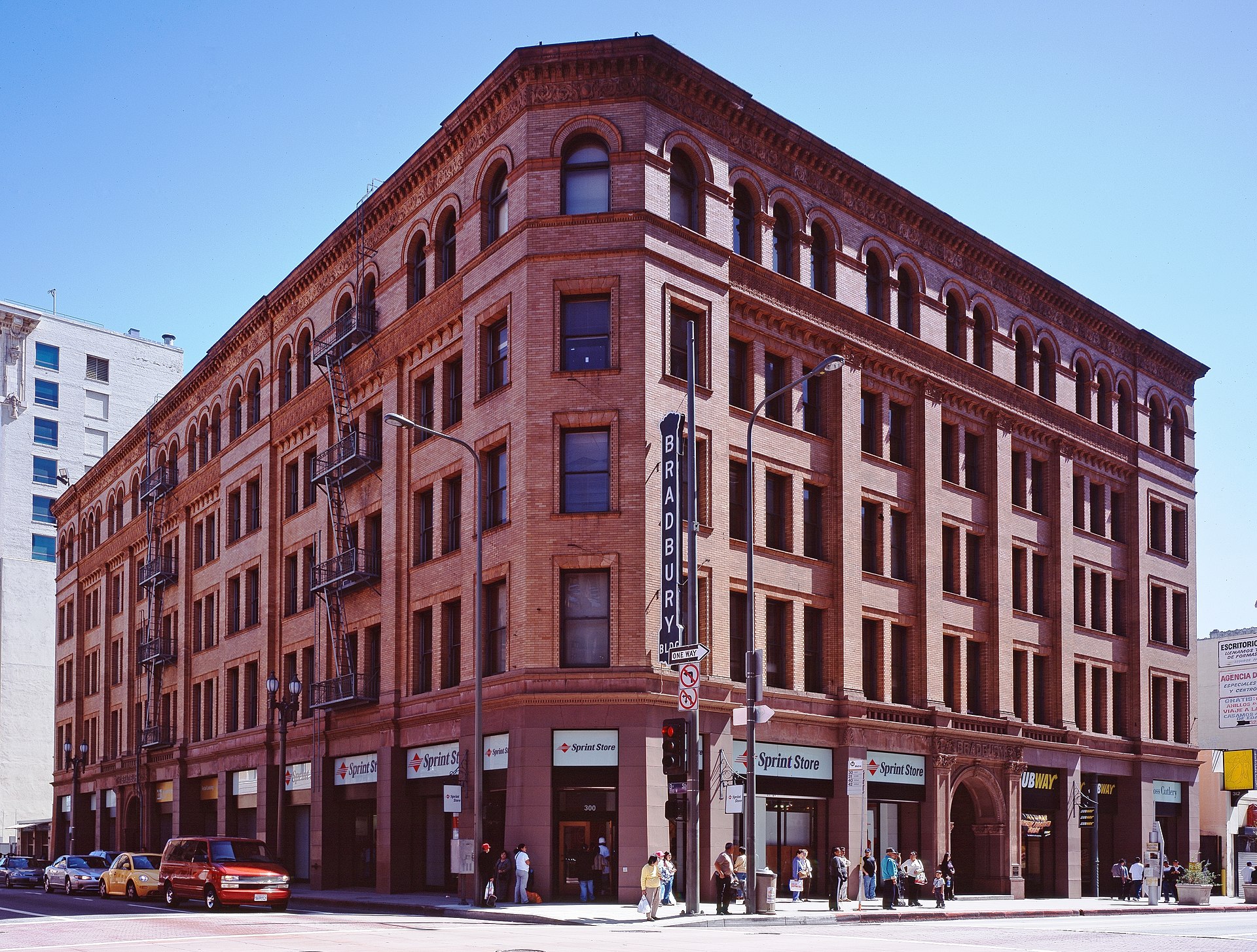
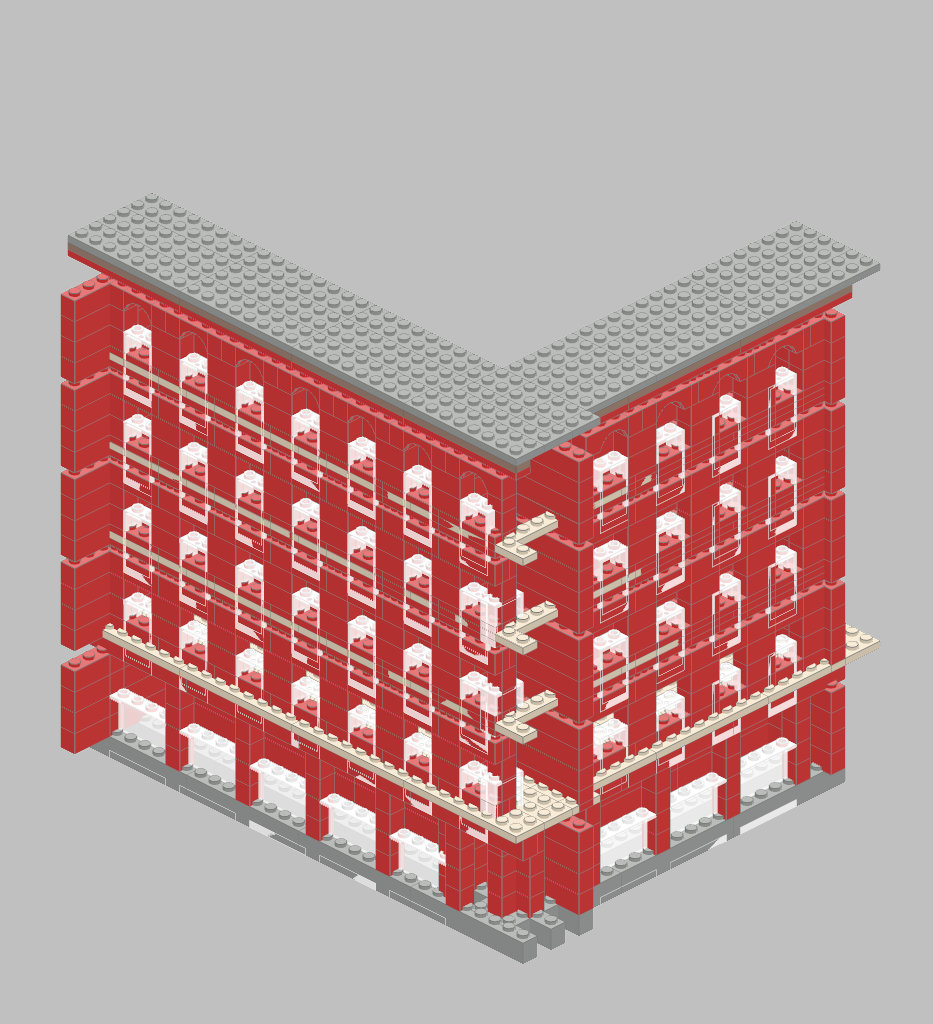
Because of being a famous building, it had extra information, took that into account, and this is the end result:
| 04-opus-4.6/001-generated_bradbury_building.mpd |
|---|
 |
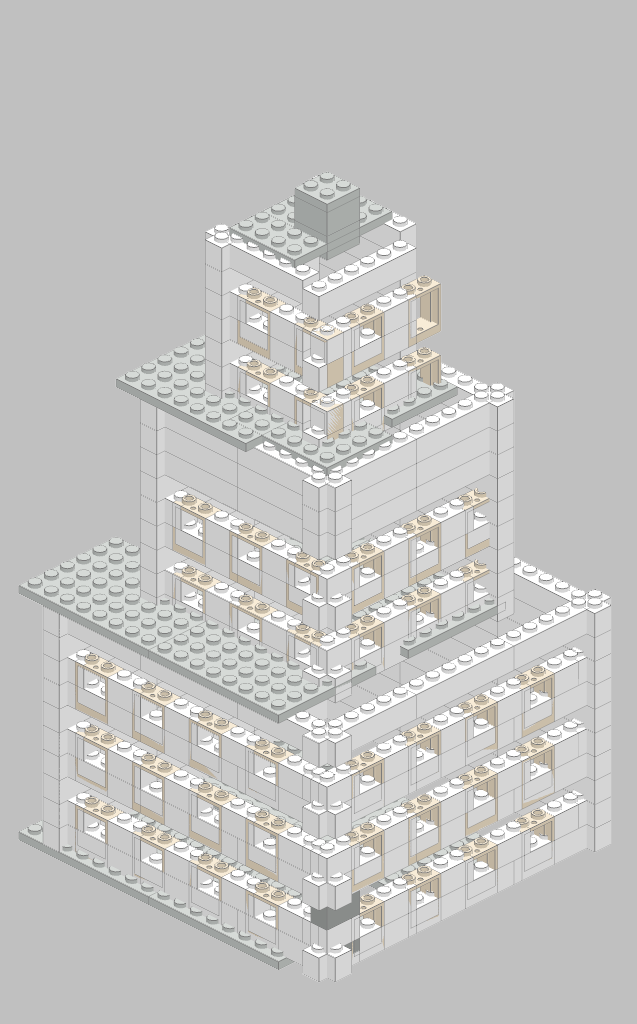
I gave it a drawing of a regular building, so it wouldn't have any extra information besides what it could infer from the picture.
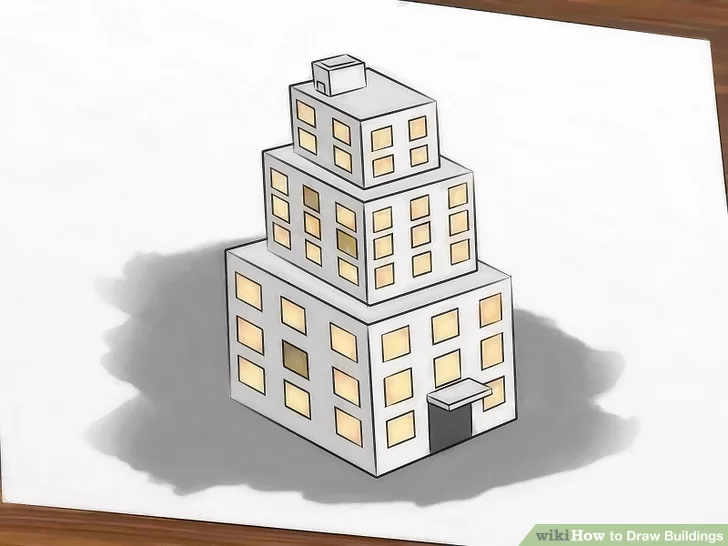
The floors on the lower levels of the model have four windows per side, instead of the three in the picture. However, windows in the picture are of different sizes, but in the model they are the same size.
| 04-opus-4.6/002-generated_tiered_building.mpd |
|---|
 |
The picture I gave it was:

The resulting model, oddly, was upside-down:
| 04-opus-4.6/003-generated_mosaic.mpd |
|---|
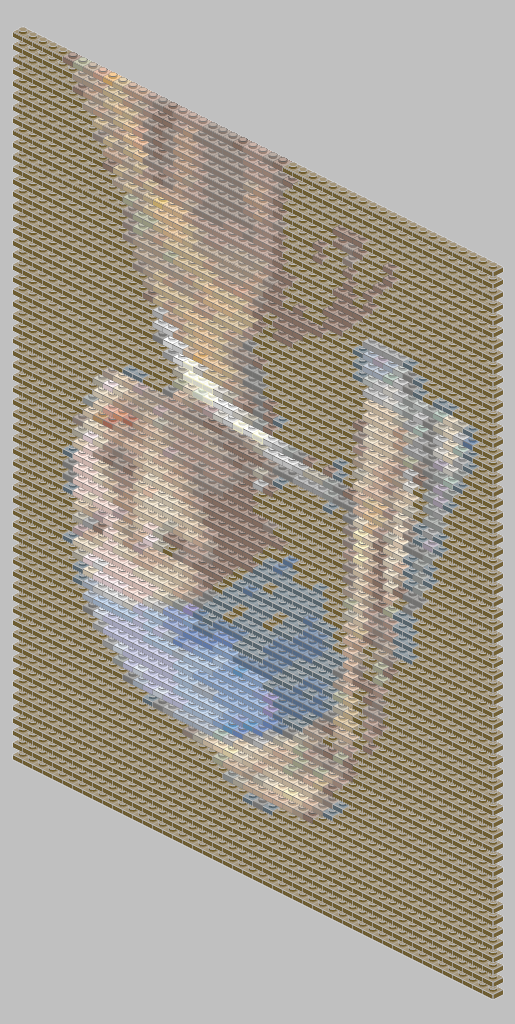 |
After opening the model in LDView and rotating it, I got this:

Here I asked for it to create a python script that would generate the LDraw source code to build the attached image.
Full prompt was:
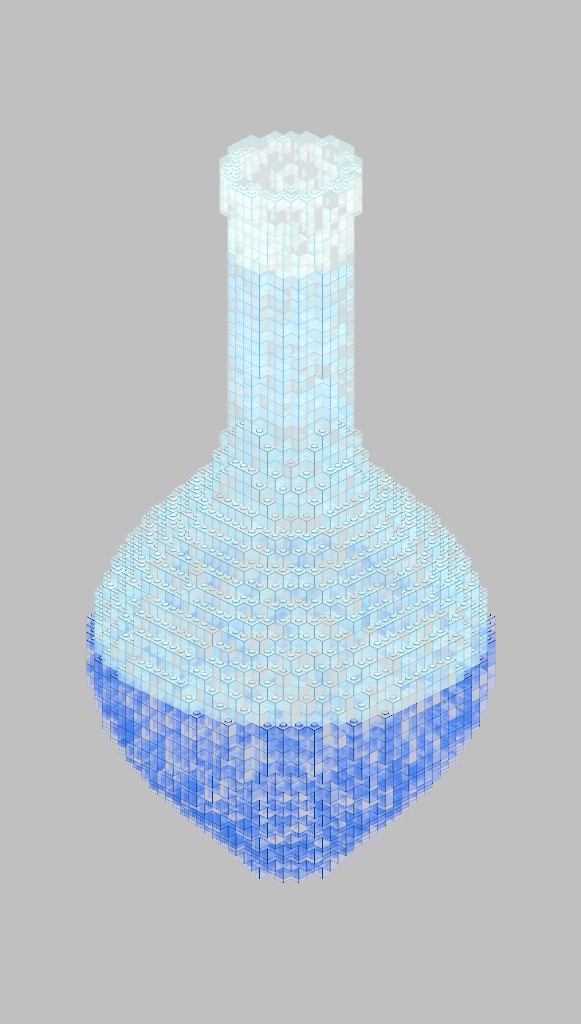
now, the following task will be different. attached you will find the image of a transparent vase. I want you to create a big vase, but because I want a huge number of pieces, we will do the following:
- instead of directly building the vase, create a python script that generates the required ldraw instructions to create it
- instead of using custom pieces, use 1-stud pieces as if they were voxels
The attached vase image:

It successfully created the requested python script to generate the vase, 5,074 pieces in size.
| 04-opus-4.6/004-generated_vase.mpd |
|---|
 |
I'd like to thank the following:
- The LDraw Community
- LDView's authors and contributors.
- LeoCAD's authors and contributors.
... and thanks to all of the many other LDraw creators!