
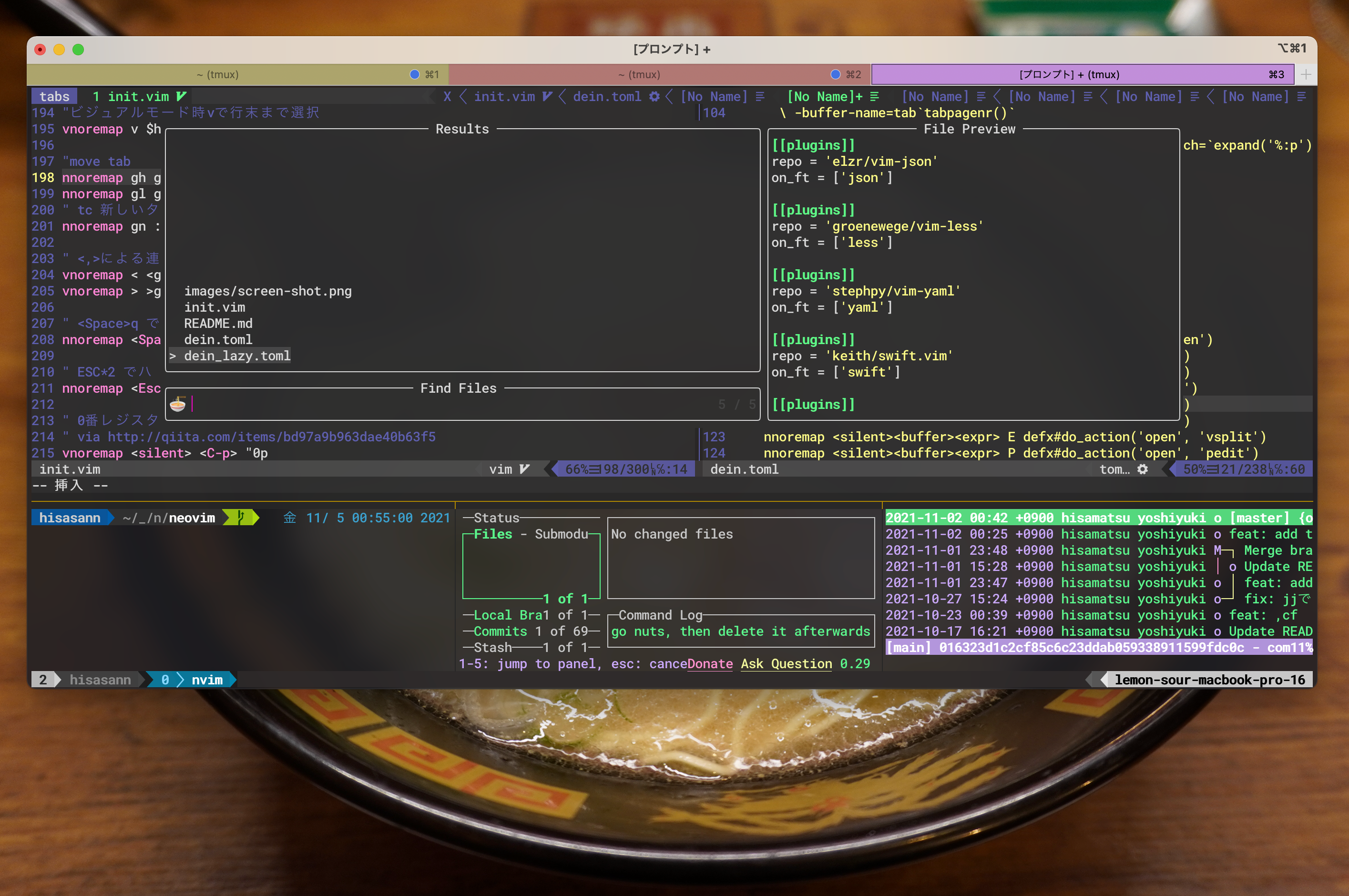
hisasann/dotfile: 💻 my dotfiles [vim][tmux][zsh][fish]
Shougo/dein.vim: Dark powered Vim/Neovim plugin manager
Shougo/defx.nvim: The dark powered file explorer implementation
jiangmiao/auto-pairs: Vim plugin, insert or delete brackets, parens, quotes in pair
prabirshrestha/vim-lsp: async language server protocol plugin for vim and neovim
telescope.nvim の grep 用のコマンド
これを入れないと :g や :s が動かないので注意、過去何度もハマっている。
jorgebucaran/fisher: A plugin manager for Fish.
jethrokuan/z: Pure-fish z directory jumping
exa · a modern replacement for ls
jesseduffield/lazygit: simple terminal UI for git commands
hisasann/ide: tmux の画面分割いい感じにする shell
$ brew install neovimlua に対応した版を使いたい場合はこちら。
すでに入っている場合は一度アンインストールしてからインストールします。
unlink からはじめていますが、 neovim を brew 経由で入れたことがない場合は install だけすればよいです。
$ brew unlink neovim
$ brew uninstall --force neovim
$ brew install --HEAD neovim
$ brew link neovim
Xcode のエラーが出た場合は以下を実行します。
$ sudo rm -rf /Library/Developer/CommandLineTools
$ sudo xcode-select --install
まだ neovim を入れていない場合はこちら。
$ brew install --HEAD neovim
neovim の設定ファイルを Lua で書くことができるようになるので、Lua を学ぶなら以下の README を読みましょう。
nvim-lua-guide-ja/README.ja.md at master · willelz/nvim-lua-guide-ja
$ nvim -v以下のディレクトリがなければ作成します。
$ mkdir ~/.config/nvimhisasann/neovim を clone したディレクトリに移動した以下を実行します。
$ ln -fs "$PWD/init.vim" ~/.config/nvim/init.vim
$ ln -fs "$PWD/dein.toml" ~/.config/nvim/dein.toml
$ ln -fs "$PWD/dein_lazy.toml" ~/.config/nvim/dein_lazy.tomlShougo/deoplete.nvim: Dark powered asynchronous completion framework for neovim/Vim8
は python3 が必要になるので、ここでインストールしておきます。
[deoplete] deoplete requires Python3 support("+python3").
$ brew install python3
$ pip3 install -U neovim
:echo has("python3") を neovim 上で実行して 1 が返ってくれば python3 が有効になっています。
もし一向に 0 が返ってきてしまう場合は、
$ brew link --overwrite python@3.9
で link をし直すと直るかもしれません。
defx.nvim などでエラーが出てしまった場合は、以下を neovim 上で実行すると直るかもしれません。
:UpdateRemotePlugins
$ curl https://raw.githubusercontent.com/Shougo/dein.vim/master/bin/installer.sh > installer.sh
# For example, we just use `~/.cache/dein` as installation directory
$ sh ./installer.sh ~/.cache/dein:call dein#recache_runtimepath()
:call dein#install()
:call dein#update()
lsp の動きがあやしい場合は以下のコマンドでチェックすると良いかもしれません。
:LspInfoshows the status of active and configured language servers.
The following support tab-completion for all arguments:
:LspStart <config_name>Start the requested server name. Will only succesfully start if the command detects a root directory matching the current config. Passautostart = falseto your.setup{}call for a language server if you would like to launch clients solely with this command. Defaults to all servers matching current buffer filetype.:LspStop <client_id>Defaults to stopping all buffer clients.:LspRestart <client_id>Defaults to restarting all buffer clients.
neovim/nvim-lspconfig: Quickstart configurations for the Nvim LSP client
coc.nvim ではできなかった Floating Window などを出すことができるので便利です。
glepnir/lspsaga.nvim: neovim lsp plugin
typescript typescript-language-server がグローバルにインストールされていないと
client 1 quit with exit code 126 and signal 0
のようなエラーメッセージがステータスバーに出てしまうのでインストールします。
また、.node-version などで node のバージョン管理をしている場合は複数の npm 環境に以下をインストールする必要があります。
lsp がうまく動かない場合は、以下を打ち込むクセをつけましょう。
npm i -g typescript typescript-language-server
theia-ide/typescript-language-server: TypeScript & JavaScript Language Server
defx.vim 公式の設定たちよ
defx.nvim/defx.txt at master · Shougo/defx.nvim
【Vim】defx.nvimで高速でリッチなファイラを実現する(アイコン、git status表示) - Qiita