




A customizable Matrix-style digital rain animation built entirely with HTML, CSS, and vanilla JavaScript.
It runs completely in the browser with no frameworks, libraries, backend, API, or build process required.
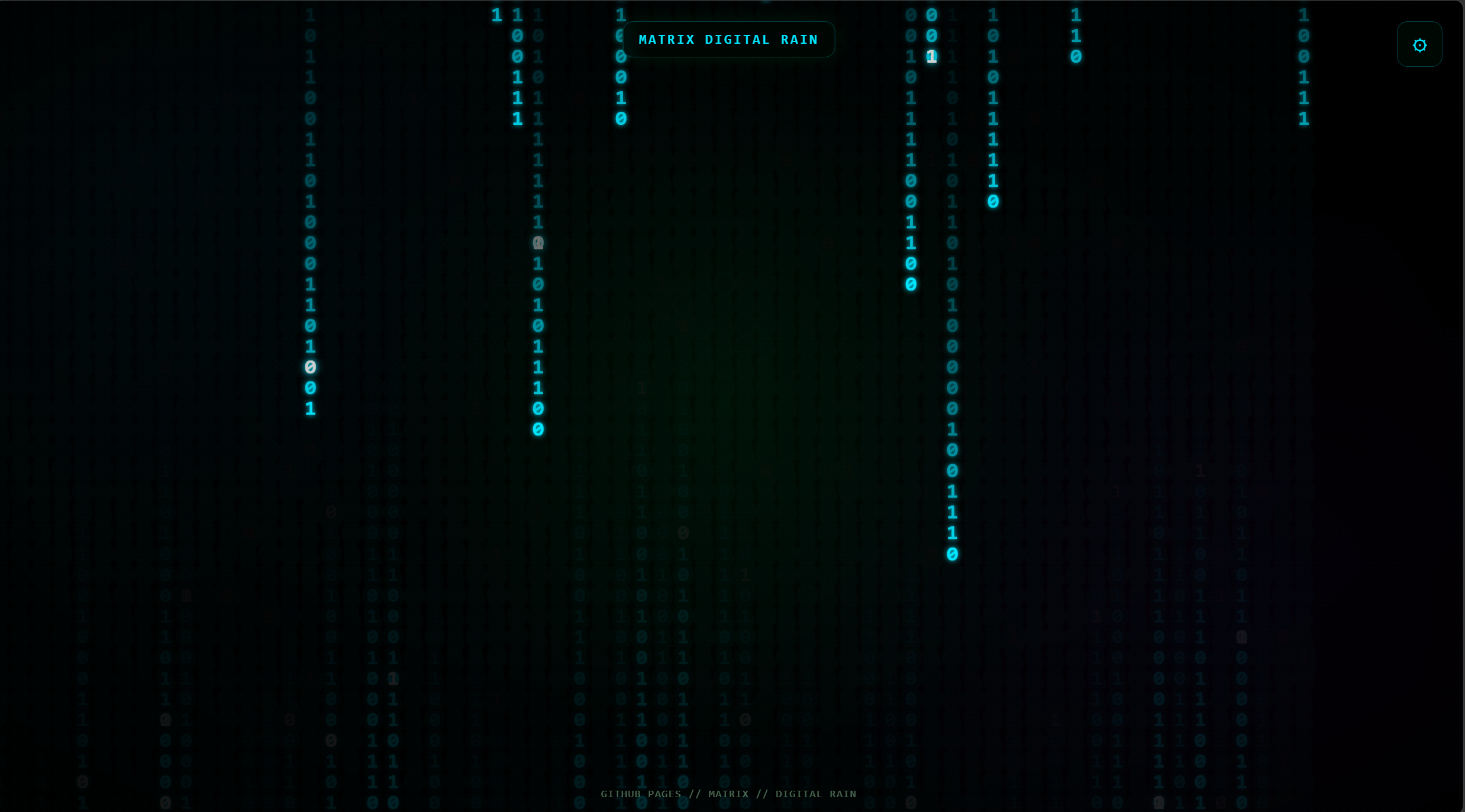
A full-screen animated Matrix-style digital rain effect rendered using the HTML5 Canvas API.
Choose any color for the falling characters using the built-in color picker.
The default is the classic Matrix green:
#00ff41
Change how quickly the digital rain moves.
The speed can be adjusted from very slow to extremely fast.
Control how long the characters remain visible on screen.
A low value produces longer trails, while a higher value creates a faster fade.
Control how many columns of characters appear across the screen.
Change the size of the falling characters from small, dense streams to larger, more dramatic characters.
Adjust the amount of glow around the characters.
The glow is rendered using the Canvas shadow system.
Choose between several character modes:
- Latin + numbers
- Katakana + Latin
- Binary
- Symbols
- Everything
The background can be changed between:
- Classic Black
- Cyber Grid
- Radial Glow
- Deep Space
- Terminal
The Randomize button generates an entirely new visual configuration.
It can randomly change:
- Color
- Speed
- Density
- Font size
- Trail
- Glow
- Background
- Character set
Pause the animation whenever you want and resume it later.
Switch to browser fullscreen mode for a cleaner visual experience.
The project works on:
- Desktop
- Laptop
- Tablet
- Mobile
The control panel automatically adapts to smaller screens.
You can control the application without touching the buttons.
| Key | Action |
|---|---|
Space |
Pause / Resume |
C |
Open / Close controls |
R |
Randomize |
Esc |
Close controls |
This project intentionally uses only browser-native technologies.
| Technology | Purpose |
|---|---|
| HTML5 | Page structure |
| CSS3 | Interface and visual effects |
| JavaScript | Animation and controls |
| Canvas API | Matrix rain rendering |
| GitHub Pages | Hosting |
There are zero external dependencies.
No:
- React
- Vue
- Angular
- Node.js
- npm packages
- CDN libraries
- Backend
- Database
- API
are required.
matrix-digital-rain/
│
├── index.html
├── example.png
├── README.md
└── LICENSE
Contains the complete application:
- HTML structure
- CSS
- Canvas animation
- Controls
- Visual effects
- JavaScript logic
Screenshot used in this README.
Project documentation.
MIT License for the project.
Because this is a static website, you don't need to install anything.
Simply download or clone the repository:
git clone https://github.com/hosseinb1111/matrix-digital-rain.gitThen enter the directory:
cd matrix-digital-rainYou can open index.html directly in your browser.
That's it.
For local development, you can also use a simple development server such as VS Code's Live Server extension.
This project is designed specifically for GitHub Pages.
Create a repository on GitHub.
For example:
matrix-digital-rain
Your repository should contain:
index.html
README.md
LICENSE
example.png
Open your repository and go to:
Settings → Pages
Under Build and deployment:
Source: Deploy from a branch
Branch: main
Folder: / (root)
Click Save.
GitHub will build and host the site automatically.
Your website will then be available at:
https://YOUR_USERNAME.github.io/YOUR_REPOSITORY/
For this repository:
https://hosseinb1111.github.io/matrix-digital-rain/
The project is intentionally easy to modify.
Everything is contained inside index.html.
Find:
color: "#00ff41",and replace it with another color.
For example:
color: "#00e5ff",Find:
speed: 1,and change the value.
For example:
speed: 2,Find:
fontSize: 16,and change it:
fontSize: 20,Character sets are stored in:
const characterSets = {You can create your own.
For example:
custom:
  "ABCDEFGHIJKLMNOPQRSTUVWXYZ" +
  "0123456789" +
  "@#$%&"
Then add an option to the character selector in the HTML:
<option value="custom">Custom</option>The background styles are handled inside:
function updateBackground()You can add your own visual style there.
The animation uses the browser's Canvas API.
The screen is divided into columns.
Each column has a value representing the vertical position of its falling characters.
Conceptually:
Column 1    Column 2    Column 3    Column 4
   ↓           ↓           ↓           ↓
   A           7           X           0
   F           1           4           B
   9           K           8           2
Every animation cycle:
- The previous frame is partially covered with a transparent black layer.
- A random character is selected.
- The character is drawn at the current position.
- The column moves downward.
- Occasionally, a character becomes bright white.
- When the stream leaves the screen, it is randomly reset.
The transparent black layer is what creates the characteristic fading trail.
The project doesn't rely only on the falling characters.
Additional layers create the overall atmosphere:
A repeating CSS gradient creates subtle horizontal scanlines.
A radial gradient darkens the edges of the screen.
Multiple radial gradients create soft colored light behind the rain.
Canvas shadow rendering creates the glowing effect around brighter characters.
The optional grid background draws faint vertical and horizontal lines behind the animation.
The control interface automatically adapts to smaller screens.
On mobile devices:
- The title becomes smaller.
- The settings panel uses the available width.
- Controls remain scrollable.
- The animation continues to use the full viewport.
The project includes a few accessibility improvements:
- Accessible labels for interactive controls
- Keyboard navigation
aria-expandedstate for the settings button- Visible focus indicators
- Support for
prefers-reduced-motion
The animation still remains primarily a visual experiment, so users who rely heavily on reduced motion may still prefer to pause the effect.
This project does not collect or transmit personal data.
There is:
- No backend
- No analytics
- No database
- No account system
- No cookies
- No external API requests
Everything runs locally in the user's browser.
The project is designed to remain lightweight.
The animation uses:
requestAnimationFrame()for rendering and the HTML5 Canvas API for drawing.
The device pixel ratio is also capped to help prevent unnecessarily large canvas buffers on high-resolution displays.
No external JavaScript libraries are loaded.
Contributions are welcome.
You can contribute by:
- Adding new character sets
- Creating new background styles
- Improving the animation
- Improving mobile support
- Improving accessibility
- Adding new controls
- Optimizing performance
- Fixing bugs
- Improving the interface
To contribute:
git clone https://github.com/hosseinb1111/matrix-digital-rain.git

cd matrix-digital-rain

git checkout -b feature/my-feature
Make your changes:
git add .
git commit -m "Add my new feature"
Push your branch:
git push origin feature/my-featureThen open a Pull Request on GitHub.
This project is licensed under the MIT License.
You are free to:
- Use the project
- Modify the project
- Distribute the project
- Use it commercially
- Include it in other projects
See the LICENSE file for the complete license text.
If you like the project, consider giving the repository a ⭐ on GitHub.
Issues, suggestions, and pull requests are welcome.
Made with ☕, JavaScript, and an unreasonable amount of green text. 🟢