Releases: itsbirdo/teleprompter
Releases · itsbirdo/teleprompter
Teleprompter v1.0.0

Teleprompter v1.0.0
A free, native macOS teleprompter that listens to your voice.
Speak naturally, maintain eye contact, and never lose your place again.
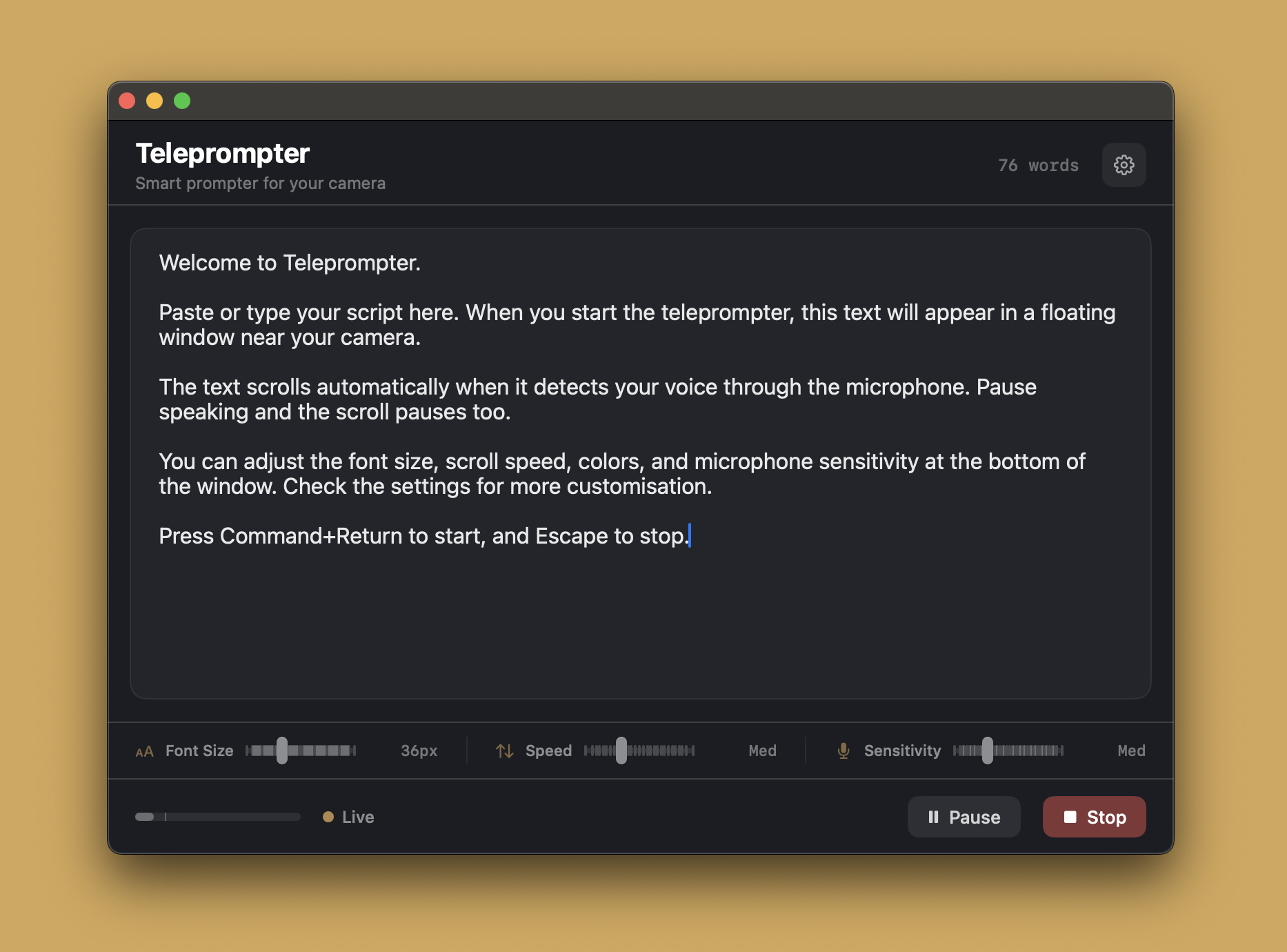
Teleprompter is a lightweight Mac app that floats your script right next to your camera and scrolls it as you speak. It detects your voice through the microphone — talk and the text moves, pause and it waits. No foot pedals, no clickers, no second person needed. It stays invisible during screen sharing, so your audience sees your presentation while you stay on script. Completely free, fully offline, zero data collection.
Downloads
| File | Description |
|---|---|
| Teleprompter.dmg | Disk image — drag to Applications (recommended) |
| Teleprompter.pkg | Installer — double-click to install to /Applications |
| Teleprompter.zip | ZIP archive — unzip and run |
Requirements
- macOS 14.0 (Sonoma) or later
- Apple Silicon or Intel Mac
First Launch
The app is ad-hoc signed (no Apple Developer ID). On first launch:
- Right-click the app and select Open
- Or go to System Settings > Privacy & Security > Open Anyway
Highlights
- Voice-activated scrolling — scrolls when you speak, pauses when you stop
- Floating window positioned near your camera for natural eye contact
- Invisible to screen sharing — Zoom, Meet, Teams won't capture it
- Inline controls for font size, scroll speed, and mic sensitivity
- Customizable appearance, countdown timer, keyboard shortcuts
- Privacy-first — no network calls, no analytics, no data leaves your Mac