
-
--append-ndjson-bin <APPEND_NDJSON_BIN>- appends clipboard information to file
-
--load-ndjson-bin <LOAD_NDJSON_BIN>- reads clipboard information from file
-
--load-and-append-ndjson-bin <LOAD_AND_APPEND_NDJSON_BIN>- loads clipboard information from file and appends to it
-
--append-ndjson <APPEND_NDJSON>- appends clipboard information to file (JSON String format)
-
--load-ndjson <LOAD_NDJSON>- reads clipboard information from file (JSON String format)
-
--load-and-append-ndjson <LOAD_AND_APPEND_NDJSON>- loads clipboard information from file and appends to it (JSON String format)
-
--editor- interprets the
EDITORenvironment variable always as editor
- interprets the
-
--convert-bin-ndjson <CONVERT_BIN_NDJSON>- converts bin ndjson to string ndjson (input file)
-
--to-string-ndjson <TO_STRING_NDJSON>- output file for converted bin ndjson
-
--convert-string-ndjson <CONVERT_STRING_NDJSON>- converts string ndjson to bin ndjson (input file)
-
--to-bin-ndjson <TO_BIN_NDJSON>- output file for converted string ndjson
-
--load-color-theme <LOAD_COLOR_THEME>- load color theme from JSON file
-
--save-color-theme <SAVE_COLOR_THEME>- save current color theme to JSON file
-
-c, --color-theme <COLOR_THEME>- select color theme (default, nord, solarized, dracula) [default: default]
-
--color-themes- list available color themes
-
--paused- paused
-
--debug- provides debug information
-
--debugfile <DEBUGFILE>- writes debug information into file
-
-h, --help- Print help
-
-V, --version- Print version
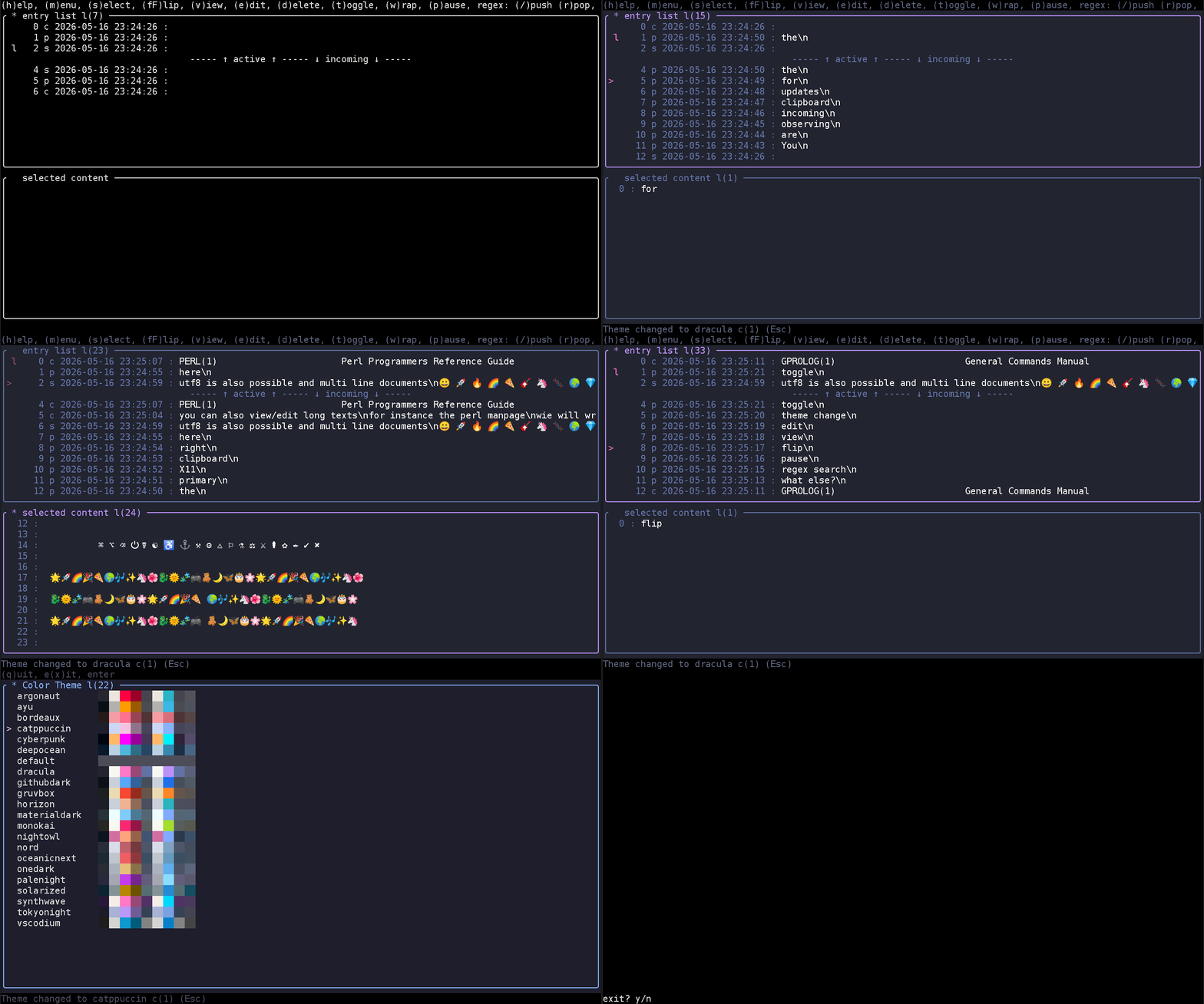
- is a clipboard manager
- runs in a terminal window
- captures the X11 clipboards named:
primary,secondary, andclipboard - works also with
xwayland(tested on Debian 13) - allows selection of all three of them
- enforces the user choice (on shortcut
s) - allows editing of entries
- dual-pane interface: entry list and detail view
*marks fixated entries,lmarks newest entry per clipboard type- cursor tracks selected entry as new entries arrive
cargo install clipboardstealer
This crate is not intended to be used as a library.
-
orientation: Up, Down, PgUp, PgDown, Home, End
-
orientation: Left, Right, Shift Left, Shift Right
-
/(push) ... enter regex search mode (Enter confirms, Esc cancels) -
r(pop) ... removes the last regex from the stack -
Help and Navigation:
(h)elp   ... this screen
(m)enu   ... opens the menu screen
(v)iew   ... shows the selected entry
(e)dit   ... edit the selected entry
(d)elete ... deletes the selected entry (y/n confirmation)
(t)oggle ... toggles the contents of the clipboards 'primary' and 'clipboard'
- Selection and Layout:
(s)elect ... toggles fixation of the entry (fixated entries marked with *, enforced on clipboard change)
(fF)lip  ... the layout
(w)rap  ... wraps the lines
(p)ause ... pauses the clipboard scanning, continues with p
(t)oggle ... toggles primary <-> clipboard
- Other Controls:
Esc    ... discard status messages
Esc    ... stop regex editing
Tab    ... switch focus between entry list and detail view
(q)uit ... exits a screen
e(x)it ... exits the program
Ctrl-C ... exits the program
Frank Schwidom 2025 - 2026
This software is licensed under the terms of the Apache-2.0 license.