
Experiencee is a comprehensive mobile application built with React Native. It allows users to create and apply for job listings, manage profiles, and communicate via messaging. The app is designed to handle a large volume of job postings efficiently and provides a seamless user experience.
CLICK! ---->
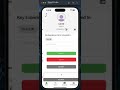
- User Authentication
- Job Listings
- Profile Management
- Messaging System
- Notification System
- Real-time Job Posting Updates
- Responsive Design
- React Native: Framework for building native apps using React.
- Expo: A framework and platform for universal React applications.
- Firebase: Backend platform for building web and mobile applications.
- Firebase Authentication: For user authentication.
- Firebase Firestore: For real-time database functionalities.
- Firebase Messaging: For push notifications.
- React Navigation: Routing and navigation for your React Native apps.
- @react-navigation/native
- @react-navigation/stack
- @react-navigation/bottom-tabs
- date-fns: Modern JavaScript date utility library.
- expo-av: Audio and video playback.
- expo-camera: Access to the device's camera.
- expo-constants: System information that remains constant throughout the app lifecycle.
- expo-document-picker: API for picking documents.
- expo-image-picker: Access to the device's media library.
- expo-linking: Provides a unified interface for interacting with deep links.
- expo-media-library: Provides access to the media library on the device.
- expo-permissions: API for requesting permissions.
- expo-status-bar: A component for controlling the app status bar.
- expo-video-thumbnails: Generate thumbnails from video files.
- lodash.debounce: A function for creating debounced functions.
- react-native-animatable: Declarative transitions and animations for React Native.
- react-native-audio-recorder-player: Audio recorder and player for React Native.
- react-native-camera: Camera component for React Native.
- react-native-elements: Cross-platform React Native UI toolkit.
- react-native-image-crop-picker: iOS/Android image picker with support for camera, video, configurable compression, multiple images and cropping.
- react-native-image-picker: A React Native module that allows you to use the native image gallery and camera.
- react-native-keyboard-aware-scroll-view: A helper component that makes sure your scroll view is positioned correctly when a keyboard is present.
- react-native-paper: Material Design for React Native.
- react-native-reanimated: React Native's Animated library reimplemented.
- react-native-safe-area-context: A flexible way to handle safe area (notch) insets in React Native.
- react-native-screens: Native navigation primitives for your React Native app.
- react-native-video: A
- react-native-webrtc: A WebRTC module for React Native.
- rn-fetch-blob: A library to handle file system access in React Native.
To get a local copy up and running, follow these steps.
Make sure you have the following installed:
- Node.js
- npm (Node Package Manager)
- Expo CLI
-
Clone the repository:
git clone https://github.com/your-username/experiencee.git cd experiencee -
Install dependencies:
npm install
-
Start the application:
npm start
App.js: Main entry point of the application.
Main.js: Core component where job listings are displayed.
Chat.js, ChatDetails.js, ChatProfile.js, Message.js: Components related to the messaging system.
ApplyScreen.js, CreateJobAd.js, Cv.js, PortfolioAddScreen.js: Components for job application and job creation functionalities.
CallScreen.js: Component for voice or video call functionalities.
Accounting.js: Component for managing financial transactions.
Profile.js, Notifications.js: Components for profile management and notifications.
Search.js: Component for searching job listings.
Lazy Loading: Implemented to load heavy components only when needed. FlatList: Used for efficiently rendering large lists of job postings. Memoization: Applied using React.memo and useMemo to prevent unnecessary re-renders. Firebase Query Optimization: Optimized database queries to fetch only necessary data.
Contributions are what make the open-source community such an amazing place to learn, inspire, and create. Any contributions you make are greatly appreciated.
Fork the Project Create your Feature Branch (git checkout -b feature/AmazingFeature) Commit your Changes (git commit -m 'Add some AmazingFeature') Push to the Branch (git push origin feature/AmazingFeature) Open a Pull Request
Semih Aşdan - - semih.asdan@gmail.com