[JENKINS-41891] Resource domain support - #4239
Conversation


|
@jenkinsci/configuration-as-code-plugin-developers I would like this to be CasC friendly, so a review would be appreciated. |
 daniel-beck
changed the title
daniel-beck
changed the title

|
Could you give an overview explanation here for what this change does? I think that would help reviewers provide useful feedback. I'm reading through the Jira ticket and I think I get most of it, but it would be easier for people to not have to dig through the historical discussion to understand what this proposal does. |
@jeffret-b Check out https://github.com/jenkinsci/jenkins/pull/4239/files#diff-e71b9f2dcf844fd323b3f47aa7f89d74 😃 |
|
Nah, it's not a review blocker. I hadn't gotten that far down on reading the files yet, though. An overview like this will be helpful to other potential reviewers. |
I updated the PR comment with a recommended reading order. |
That's a big help. |
|
I'm not sure if I've got it misconfigured or I'm not understanding what it's supposed to do but it doesn't seem to be working for me. I'll try more again tomorrow. |
daniel-beck
added
the
major-rfe
|
@jeffret-b Added basic testing instructions. |


There was a problem hiding this comment.
I've tested the basic functionality with core-pr-tester and it worked fine, didn't check any url expiration etc
- Set a resourceRootUrl
- Checked the readme in user content
- Created a freestyle job that archives an artifact
- viewed the artifact on the resource rootURL
Also:
- installed configuration-as-code-plugin
- exported configuration, see screenshot in comments
Looks good to me, not approving though as there's a fair few todos
|
OK, it is working, but not exactly in the way I expected it to. The resource shows up on the alternative resource host as expected most of the time. But, sometimes it doesn't show up there when I would expect it to. I haven't yet been able to figure out the difference exactly and whether my expectations are incorrect. One example: I have a project that uses HtmlPublisher to present the HtmlPublisher JavaDocs API. When I click on the HTML Report, it shows the report itself as being on the primary host, while the CSS and JS files are from the resource host. There is an index.html from both the primary and resource hosts. I haven't been able to figure out yet exactly what's going on and whether it's behaving as required or expected. |
The frame (what you'd consider the "index file" of the action) is not served from the generated index file, exactly because it was broken due to CSP and I had to fix the problem to work around that: https://github.com/jenkinsci/htmlpublisher-plugin/pull/22/files#diff-e17c243583248711f310f2e7b21082ad |

If you meant with the basic |
|
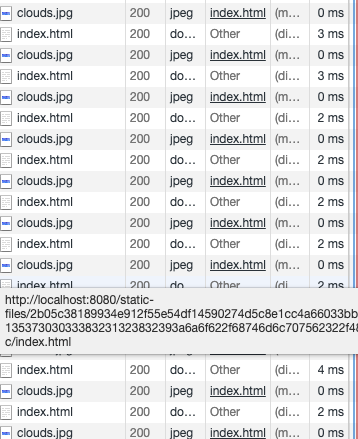
I got more time to focus on the behavior and keep track of how things work. It all seems to work correctly. I tested a number of different components, jobs, and files. I also tested the timeout and it works fine. Playing with it from a user perspective, though, I do find it a little weird and confusing. A user doesn't typically have the in-depth knowledge to understand why the resource root url is used in some cases and not others. Things that look similar may show up on the standard URL or the resources root URL. Or the same thing can appear differently depending upon how you get there. If you pay enough attention and understand the details it makes sense but it's not always obvious that it's functioning the way it's supposed to. The long string of encoded bytes in the URL looks kind of weird. It may look kind of suspicious or concerning to users. The redirect itself is a little unexpected. Hovering over the link shows a reasonably expected value. After clicking on it, the URL looks very different, kind of like a hacked value. I suppose users will probably get used to it. This breaks HTTP caching. The semi-random paths will be uncacheable. This probably isn't a problem, though. Could it run into issues with proxies? Nothing comes to mind. The favicon.ico is missing on the resources domain. This can appear differently depending upon how I access a path. If it appears to be from the standard host, even if it isn't, the favicon is there. If the URL is to the resources host it doesn't appear. I think the timeout period should be exposed in the UI, when setting the host. Maybe in an advanced section but I think it should be more obvious. This allows the admin more awareness of how timeouts affect operation. It might just be because of issues in html-publisher, but I get some weird situations with it. I figured out why I was seeing some of the duplicate files (from examining the page layout with developer tools). There are multiple redirects happening; the HTML report name is redirected to a version ending with a slash and then the files are redirected. But, with some indistinct combinations of reloads and page navigation I get multiple duplicates. And multiple instances of the page in my browser history. I've got a simple test case with an "index.html" and an image. I can induce it to show multiple duplicates of "index.html" and "clouds.jpg" in the downloads in developer tools. This can create multiple instances of the page in the browser history. I'm concerned about providing unauthenticated access to users who have the resources URL, even with the timeout. This behavior is unusual and unexpected. Users don't always pay attention to the details of the URL they're copying but they don't expect sharing a URL to provide their access to the information. I'm not sure what other bad scenarios this might enable. Replay attacks? MITM? Maybe not if other things are correctly secured, but I have concerns. I suppose if the time-to-live is short, maybe it's not a big deal. I don't have much suggestions on the TODO comments yet. Some of the checks or handling does seem a little brittle, but I haven't figured out how to improve them. This does solve the problem it's attempting to address. It's a better solution than disabling CSP, at least for many situations. In spite of my confusion and concerns maybe this is still an improvement that we should adopt. |
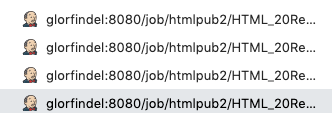
Would URLs more similar to GitHub's Additionally, we can add a notice on top of |
|
Reversing the order of the RANDOMLETTERSANDNUMBERSHERE onto the end of the URL would eliminate my concerns and confusion on that area. Most people wouldn't see it and when they did, they wouldn't think anything of it. If we could come up with a good way of helping the user expect the redirect to the other domain, that would reduce potential confusion a lot. Not sure how to do that -- like you say, something they can notice but doesn't get in their way. This is most confusing in relation to html-publisher. I don't know if we need to fix something with that here or there. It doesn't look like it's reading from the resources host but it is. Copying the visible URL keeps it in the standard host and requires authentication. It can be possible to hack the URL directly to the "index.html" instead of the folder (frame). For example, browsing directly to the HTML Report shows a URL of "http://[standard_host]/job/htmlpublisher/HTML_20Report/", but if I hack the URL to "http://[standard_host]/job/htmlpublisher/HTML_20Report/index.html", it shows "http://[resources_host]/static-files/RANDOMLETTERSANDNUMBERSHERE/index.html" |
Thoughts? |
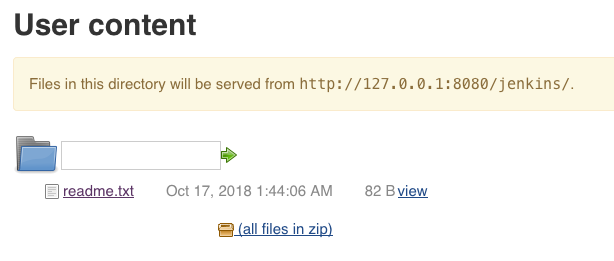

|
A lot of it would be in the domain name I assume? Most users don’t look at the url and the rest as long as it’s a company domain probably wouldn’t mind? |
|
@timja Good point. Ultimately that's up to the admins what they set up here, but I imagine in most orgs it would be a host name/domain like that (and when they half-ass their job with an IP address, they deserve all the user confusion that results in 😄). |

 Wadeck
left a comment
Wadeck
left a comment
Wadeck
left a comment
There was a problem hiding this comment.
Sorry for the long review. The proposed idea seems really interesting and sufficiently concise. Especially the stateless effort put on the token 💯.
I really like the token=RANDOMLETTERSANDNUMBERSHERE (with token and not secret) proposal compared to the current one. Users usually do not care much about the things after the meaningful part of the URL, think about your online bank etc.
Thus, the ResourceDomainRootAction was not reviewed as it will be changed significatively.
This breaks HTTP caching. The semi-random paths will be uncacheable. This probably isn't a problem, though. Could it run into issues with proxies? Nothing comes to mind.
Due to the token authentication, the uncacheable aspect is a feature(tm) here. We need to enforce the server to reply to those requests instead of a "brainless" proxy.
There are lots of call to ExtensionList.lookupSingleton, are we sure it has no performance impact? I did not dig too much, but it seems not. Just want to be sure ;)
I did not really check, but do we have to care about second domain issues around HTTPS certificates? Jenkins' Jetty can be setup to use a certificate for the HTTPS, but in case of second domain also using HTTPS (recommended), it seems we are breaking that part.
|
I spent some time investigating how this compares to the githubusercontent behavior. If we accept that example as sufficiently good then I'm more in favor of this PR. There are some interesting behaviors and differences with githubusercontent. GH adds the RANDOMLETTERSANDNUMBERSHERE at the end of the URL, in a URLs through githubusercontent expose the target contents to anyone. Even if the target is within a private repo. If I share one of these URLs with someone else, they get access to the target content. I find that a little odd and concerning. The token on a githubusercontent URL is apparently long-lived and may not expire. It's based on some user API token. It's reportedly tied to something in the file content, checksum possibly, as it changes when the file content changes. Should we consider something similar? Githubusercontent appears to have more limited uses. Many of them link directly to there and don't play the redirect game. Images show up in text areas already with the githubusercontent URL. Clicking on the "Raw" button does a redirect. Their uses seem less unexpected to me. It appears that githubusercontent is used for more static content. It's used for raw files, images, and other uploaded file types. These can change, but they're presented in a more static form. Text-related files are typically sent as Content-Type "text/plain". This means that HTML files are presented in the browser as text, instead of being represented as browsable HTML. In this PR, HTML is rendered and the resources domain is browsable. That may raise more concerns here, though I haven't figured out what exactly they might be. Githubusercontent does have a Content-Security-Policy, though it's substantially simpler than the one on github. I also took a look at the old standard recommendations of putting static content on a separate host. Those recommendations primarily involve avoiding cookies for truly static files. The recommendations are kind of outdated with HTTP2. Conclusion: This PR is a bit different from other examples, since it's solving a different problem. The githubusercontent URLs expose potentially private information to anyone with the URL. At least ours here expire after a relatively short time. This approach will probably work fine, once we get the details and TODOs cleaned up. |
That's the goal, without someone desires to share with you, you cannot "guess" the URL. It's a bit like the Gist, they are either public or secret, there is no pure private settings |
FWIW I chose |
There was a problem hiding this comment.
| with contextPath | w/o contextPath | |
|---|---|---|
| http://localhost:8080 | Error: Cannot use the same host name for both Jenkins root URL and resource root URL. | same |
| 127.0.0.1:8080 | The specified URL is a valid resource root URL candidate. | Warning: Failed to connect: Connection refused (Connection refused). (1) |
| example.org | Error: An error occurred when checking the instance identity at that URL: 404 Not Found | same |
| https://wrong.host.badssl.com | Warning: Failed to connect: java.security.cert.CertificateException: No subject alternative DNS name matching wrong.host.badssl.com found. | same |
| invalid.invalid | Error: Not a valid URL. | same |
| https://ci.jenkins.io | Warning: The specified URL points to a different Jenkins instance. | same |
| http://ci.jenkins.io | Error: An error occurred when checking the instance identity at that URL: 301 Moved Permanently | same |
| https://www.google.com | Error: An error occurred when checking the instance identity at that URL: 404 Not Found | same |
| javascript:xxx | Error: Not a valid URL. | same |
| http://localhost:9090 (redirect) (3) | Error: Cannot use the same host name for both Jenkins root URL and resource root URL. (2) | same |
1: It's due to my use of docker with -p 8081:8080. Not ideal but understandable if you have minimum knowledge of networking. It works fine with regular setup.
2: As you are sharing the cookie between the two ports, it's accurate to display an error there.
3: using local port redirection
One another very good point is not mentioned in the list. When you are using a contextPath and you provide an alternate url without the contextPath, you receive a 404 error. When you are not using a contextPath, but you provide one, you received a 403. So you have information that your resource URL is not correct.
Due to the very high cyclomatic complexity of the ResourceDomainConfiguration.java, the
method checkURL should be tested. (:trollface: ?)
Anyway we need to move forward to avoid looping indefinitively ;)
Any connection failures are warnings for that reason, and they also do not block the chosen value from being set on form submission, since the setter does not perform network checks. 😃 |


 jglick
left a comment
jglick
left a comment
jglick
left a comment
There was a problem hiding this comment.
Looks good! I tested a slightly older iteration successfully.
| Assert.assertEquals("successful request", 200, page.getWebResponse().getStatusCode()); | ||
| Assert.assertTrue("still on the original URL", page.getUrl().toString().contains("/userContent")); | ||
| Assert.assertTrue("web page", page.isHtmlPage()); | ||
| Assert.assertTrue("complex web page", page.getWebResponse().getContentAsString().contains("javascript")); |
There was a problem hiding this comment.
BTW does HtmlUnit implement any CSP protections—can it be used to verify that stuff really works?
There was a problem hiding this comment.
Unsure, it didn't really back in jenkinsci/javadoc-plugin#4 (comment) but we know what would trigger and check for that -- the headers.
This one basically just asserts that we get dir.jelly instead of plaindir.jelly, by the way.
|
|
||
| resourceRoot = root.toString().replace("localhost", RESOURCE_DOMAIN); | ||
| ResourceDomainConfiguration configuration = ExtensionList.lookupSingleton(ResourceDomainConfiguration.class); | ||
| configuration.setUrl(resourceRoot); |
There was a problem hiding this comment.
Maybe also assert that doCheckUrl is OK.

Co-Authored-By: Jesse Glick <jglick@cloudbees.com>
daniel-beck
added
the
squash-merge-me
daniel-beck
added
the
ready-for-merge
|
I plan to merge this towards the next weekly. |
daniel-beck
added
the
upgrade-guide-needed
|
This provides an alternative to either content-breaking CSP or unsafe lack of CSP, so probably deserves to be called out in the LTS upgrade guide. |

 jeffret-b
left a comment
jeffret-b
left a comment
jeffret-b
left a comment
There was a problem hiding this comment.
This looks good. This ought to be a sweet improvement for people that need this sort of behavior. I like how cleanly the URLs regenerate after expiration.
I haven't tested again since I last commented on my tests. Looks like others have performed a number of successful tests so that should be good.
This time, I reviewed the documentation carefully. I've added a number of suggestions for minor re-wording improvements. None of these are essential but they address some language mistakes and seek to improve clarity.
| <p> | ||
| Resource URLs do not require authentication (users will not have a valid session for the resource root URL). | ||
| Sharing such a resource URL with another user, even one lacking Overall/Read permission for Jenkins, will grant that user access to these files until the URLs expire. | ||
| </p> |
There was a problem hiding this comment.
This paragraph is duplicative of the part just before. Probably best to remove the earlier one. There probably isn't anything in the earlier one that isn't covered as well or better here. With the possible exception of the bolding. I like this expression better.
There was a problem hiding this comment.
The idea was that this part is "optional", in-depth information. The part before it is basic "what does this do and how to configure it". Logically, the information that these URLs work without authentication belongs into both, hence the (deliberate) duplication.

Co-Authored-By: Jeff Thompson <jeffret.g@gmail.com>

| </p> | ||
| <p> | ||
| If the resource root URL is defined, Jenkins will instead redirect requests for user-created resource files to URLs starting with the URL configured here. | ||
| These URLs will not set the CSP header, allowing Javascript and similar features to work. |
There was a problem hiding this comment.
Fwiw, the brand is JavaScript :-(

|
So, we (obviously) just updated to the latest weekly and I got this notice... My confused state: If this isn't the case, then the blue bubble needs to either indicate what the default CSP would be, or link to a page that would explain what it would be. Second, I can't tell if it's better to clear the CSP we're using or set a resource root. Based on the PR conversation, it sounds like it's better to set a resource root. Based on the blue box text, it seems like it's better to clear the CSP. Assuming it's better to set the resource root, the blue text should be reworded. I'll be available Wednesday onward to try to work on this... |
|
@jsoref The monitor shows up when you have applied a change as described on https://wiki.jenkins.io/display/JENKINS/Configuring+Content+Security+Policy. That you're unaware of it means that your Jenkins is probably not documented well enough 😉
Sort of both?
It should be noted that once you set a resource root URL, Happy to talk this through further in Gitter or IRC, I do not think this PR is the ideal place to continue this conversation. |

 jsoref
left a comment
jsoref
left a comment
jsoref
left a comment
There was a problem hiding this comment.
I know that this PR is dead, but I'm leaving notes here because I'm not quite sure how I want to split things into bugs, some are too small and can be packaged into other tasks, some should be their own tasks.
|
|
||
| // And finally, remove the 'restOfPath' suffix from the complete URL, as that's the path from Jenkins to the DBS. | ||
| String dbsUrl = completeUrl.substring(0, completeUrl.length() - dbsFile.length()); | ||
| LOGGER.fine(() -> "Determined DBS URL: " + dbsUrl + " from restOfUrl: " + completeUrl + " and restOfPath: " + dbsFile); |
There was a problem hiding this comment.
For reference, this block caused https://issues.jenkins-ci.org/browse/JENKINS-59849
| private static final Logger LOGGER = Logger.getLogger(ResourceDomainFilter.class.getName()); | ||
|
|
||
| private static final Set<String> ALLOWED_PATHS = new HashSet<>(Arrays.asList("/" + ResourceDomainRootAction.URL, "/favicon.ico", "/robots.txt")); | ||
| public static final String ERROR_RESPONSE = "Jenkins serves only static files on this domain."; |
| LOGGER.fine(() -> "Successfully impersonated " + authenticationName); | ||
| } catch (UsernameNotFoundException ex) { | ||
| LOGGER.log(Level.FINE, "Failed to impersonate " + authenticationName, ex); | ||
| rsp.sendError(403, "No such user: " + authenticationName); |
| } catch (AccessDeniedException ade) { | ||
| /* This is expected to be fairly common, as permission issues are thrown up as exceptions */ | ||
| LOGGER.log(Level.FINE, "Failed permission check for resource URL access", ade); | ||
| rsp.sendError(403, "Failed permission check: " + ade.getMessage()); |
| if (ResourceDomainConfiguration.isResourceRequest(req)) { | ||
| rsp.sendError(404, ResourceDomainFilter.ERROR_RESPONSE); | ||
| } else { | ||
| rsp.sendError(404, "Cannot handle requests to this URL unless on Jenkins resource URL."); |
|
|
||
| public Object getDynamic(String id, StaplerRequest req, StaplerResponse rsp) throws Exception { | ||
| if (!ResourceDomainConfiguration.isResourceRequest(req)) { | ||
| rsp.sendError(404, "Cannot handle requests to this URL unless on Jenkins resource URL."); |
9 participants


See JENKINS-41891.
Some small parts are still work-in-progress, indicated by TODO comments, but most of this can be reviewed. (And any input on the TODO comments would be appreciated!)
TODO List
Review and testing notes
Recommended code reading order:
ResourceDomainConfigurationincluding itsconfig.jellyand help file (!!)ResourceDomainFilterandDirectoryBrowserSupportadditions (no particular order)ResourceDomainRootAction(which is the major part of the functionality provided here, everything before this class was just enabling it to work)Manual testing hint: Access Jenkins on
http://localhost:8080/and resources onhttp://127.0.0.1:8080.Basic testing instructions:
docker run --rm -ti -p 8080:8080 -e ID=4239 jenkins/core-pr-testerhttp://localhost:8080and pass the setup wizard (no plugins needed), setting the root URLhttp://localhost:8080/configureand set the resource root URL tohttp://127.0.0.1:8080/http://localhost:8080/userContentand click onreadme.txtThe same works for files in workspaces and archived artifacts. It also works across files, e.g. HTML files including CSS/JS from relative URLs.
Extended testing instructions:
wget --no-parent --recursive https://javadoc.jenkins.io/plugin/display-url-api/ | trueindex.htmlin the subfolder).Screenshots
Proposed changelog entries
Submitter checklist
* Use the
Internal:prefix if the change has no user-visible impact (API, test frameworks, etc.)